

Learn beautiful Animations in PowerPoint – Click Here
Learn Excel Skills – Click Here
Learn Microsoft Word Skills – Click Here
1. Introduction
If you’ve spent any time with C programming, you already know it’s the language that powers the heavy machinery of the tech world. From operating systems and databases to microcontrollers in your coffee machine, C has been silently running the show since the disco era. It’s like that friend who doesn’t talk much at parties but is secretly holding the whole thing together by paying the bill.
But here’s the catch: with great power comes… a chaotic mess of variables if you don’t know how to organize your data properly. Imagine you’re building a student management system in plain C. You need to store a student’s name, roll number, age, marks, and maybe even their address. Without structured data types, you’ll end up juggling dozens of int, char, and float variables with names like student1_age, student1_marks, student2_age, student2_marks—basically, a variable circus that will make your debugger cry.
That’s where structs and unions step in like data-organizing superheroes. They’re not as flashy as classes in C++ or objects in Python, but trust me—they get the job done. Structs let you bundle related information together neatly, like packing your vacation clothes into one suitcase instead of scattering them across random plastic bags. On the other hand, unions are like that multi-purpose Swiss Army knife: different tools (or data types) sharing the same space, designed to save memory when you don’t need everything at once.
In this C structs tutorial and C unions explained guide, we’re going to dig into how these features help in organizing data in C. By the time we’re done, you’ll not only understand structs vs unions in C, but also feel confident enough to manage complex data like a pro—without writing spaghetti code.
Here’s the promise:
-
You’ll learn what structs and unions are, why they exist, and how to use them.
-
You’ll see real-world examples (not just “Hello World” level) that make sense in practical applications like operating systems, file handling, and embedded systems.
-
You’ll discover best practices, common pitfalls, and even a mini project to tie it all together.
So grab your metaphorical hard hat, because we’re about to enter the construction zone of C programming where data organization meets efficiency. By the end of this article, you’ll know exactly when to use structs, when to call in unions, and how to make your C code look like it was written by someone who knows what they’re doing (because, well, you will).
2. Understanding Data Organization in C
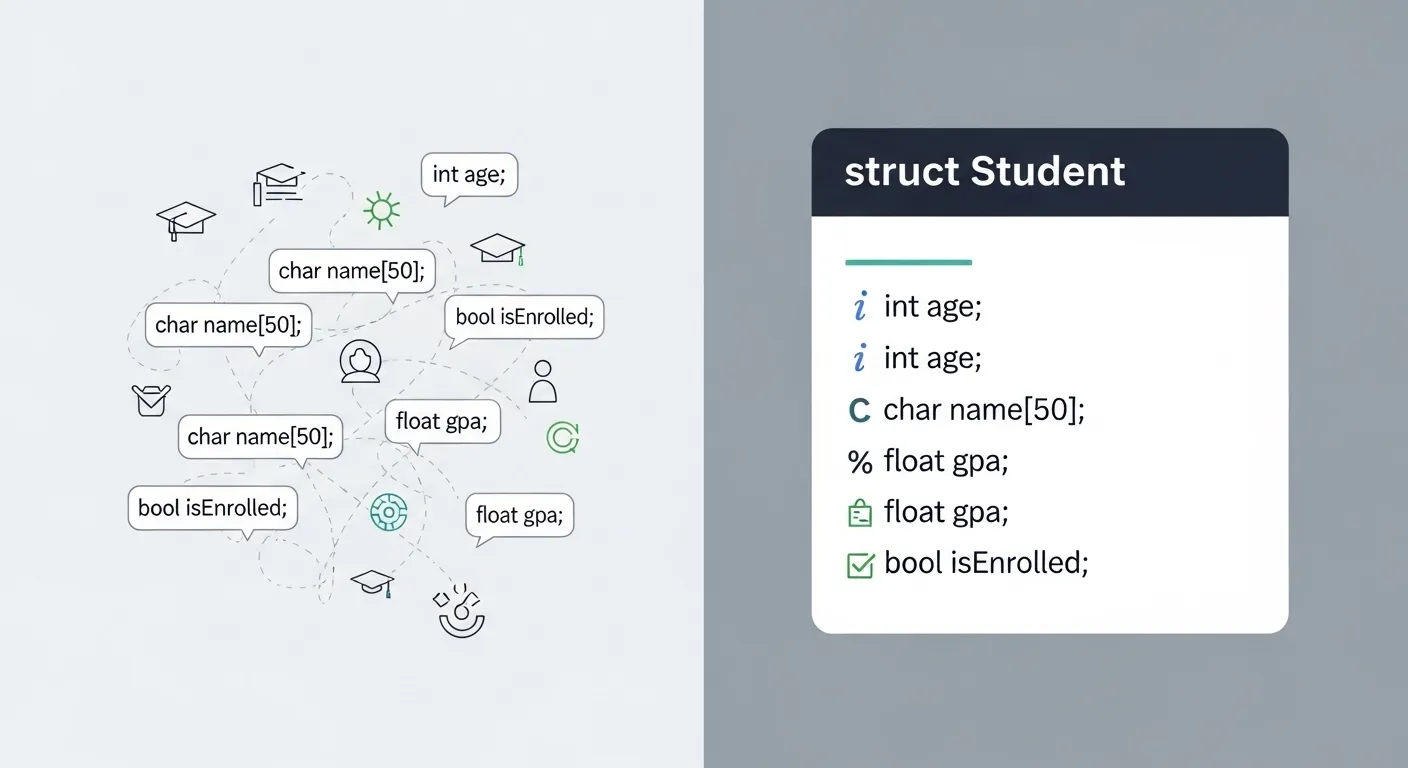
Before we dive into structs and unions, let’s talk about how C normally handles data. Out of the box, C gives us primitive data types like int, char, and float. They’re simple, efficient, and perfect for representing basic pieces of information. Need to store someone’s age? Use an int. Want to store their first initial? A char will do the trick. Got a decimal value like height or salary? Hello, float.
Sounds great, right? Well… until you need to manage related data. Imagine you’re writing a program to store student information. With only primitive types, you might end up writing something like this:
Looks innocent enough for two students, but try scaling this to 100 or 1,000 students and you’ve officially entered “variable hell.” Your code becomes messy, error-prone, and extremely hard to maintain. Every time you want to add a new attribute—say, a student’s address—you’ll have to add another wave of variables for each student. That’s not just inefficient; it’s the kind of nightmare that makes future-you wonder what past-you was thinking.
This is where structured data becomes crucial. Instead of scattering variables all over the place, C allows us to bundle related pieces of information together. Think of it like organizing your messy desk: instead of sticky notes, random pens, and receipts lying everywhere, you put them neatly into labeled drawers. Structs and unions give us those “drawers” so our data stays clean, logical, and scalable.
In short: primitive data types are great for individual values, but when those values naturally belong together—like a student’s record, an employee’s details, or a packet in a network—you need a structured way to group them. That’s where structs and unions enter the scene, saving you from the chaos of managing endless loose variables.
3.1 What is a Struct?
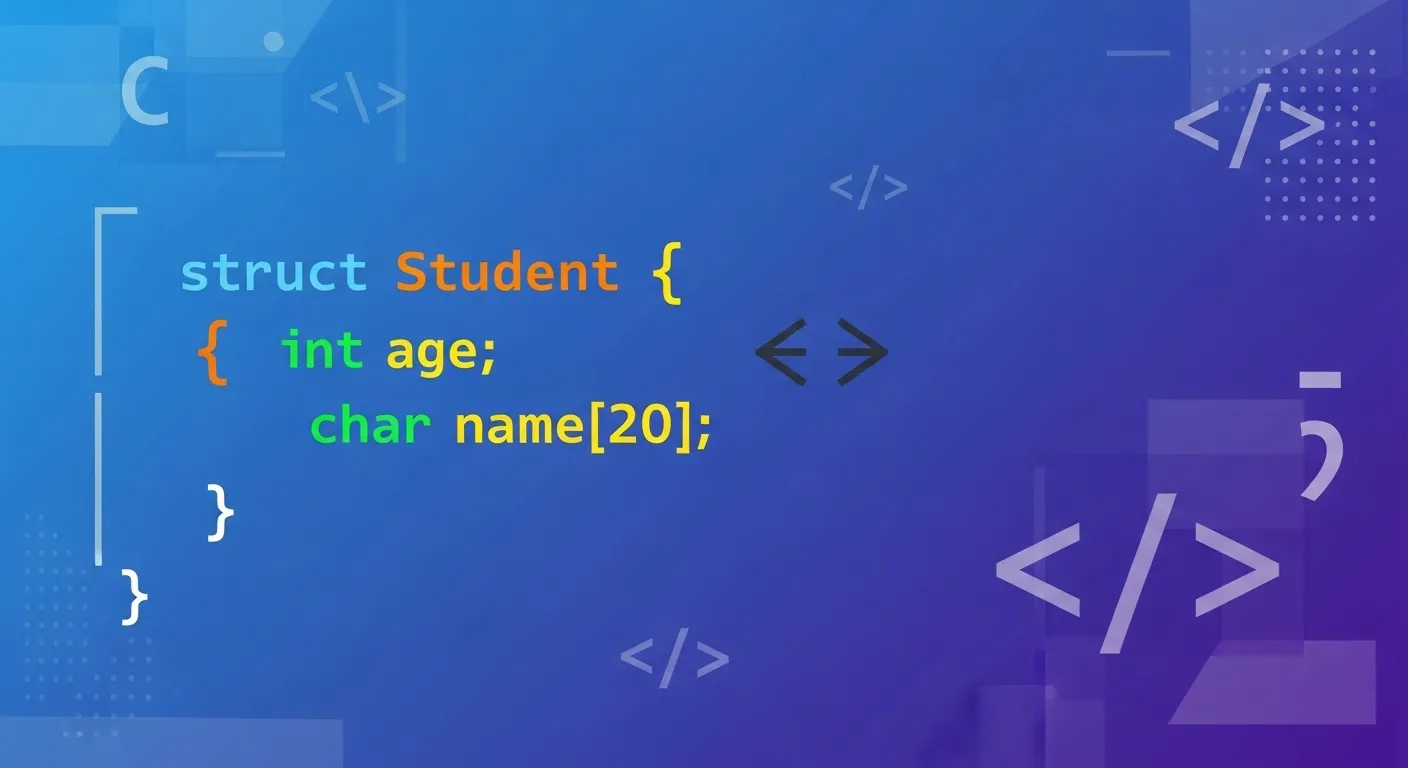
Think of a struct (short for structure) as C’s way of saying:
“Hey, why not group related variables together and give them a neat little package?”
Unlike primitive data types, which can only hold one kind of information at a time (int, char, float), a struct lets you combine different data types under one name.
Formal definition:
A struct is a user-defined data type in C that allows grouping of variables of different types into a single logical unit.
Here’s the syntax:
👉 Example: A student record.
This struct Student is like a blueprint. It doesn’t store data yet—it just tells the compiler what a “student” looks like.
3.2 Declaring and Initializing Structs
After defining a struct, you need to create variables of that type.
Method 1: Basic declaration
Method 2: Initialization at declaration
Method 3: Using designated initializers (C99 feature)
This approach is neat because you don’t have to remember the exact order of members.
3.3 Accessing Struct Members
Struct members are accessed using the dot (.) operator.
Output:
Simple enough: structVariable.memberName is the magic formula.
3.4 Nested Structs
Yes, structs can contain other structs! This is super handy for representing hierarchical data.
👉 Example:
Usage:
3.5 Arrays of Structs
When you have multiple records, arrays of structs are your best friend.
Boom—no more juggling separate arrays for roll numbers, names, and marks.
3.6 Pointers to Structs
Pointers make structs even more powerful. Instead of copying data around, you can just point to it.
Yes, the -> operator is basically syntactic sugar for (*ptr).member.
For dynamic allocation:
3.7 Passing Structs to Functions
There are two main ways:
By value (copying the struct):
By reference (passing a pointer):
-
By value is safer (original stays untouched) but less efficient (copies everything).
-
By reference is efficient and allows modification, but you must be careful not to break things accidentally.
Wrapping Up Structs
So far, structs have solved our messy-data problem:
-
They group related variables.
-
They scale beautifully with arrays and nesting.
-
They play well with pointers and functions.
If primitive types are Lego blocks, structs are the little sub-assemblies you build with them—organized, reusable, and sturdy.
Next up, we’ll peek under the hood and see how structs are laid out in memory—because that’s where the real fun (and occasional frustration) begins.
4. Memory Layout of Structs
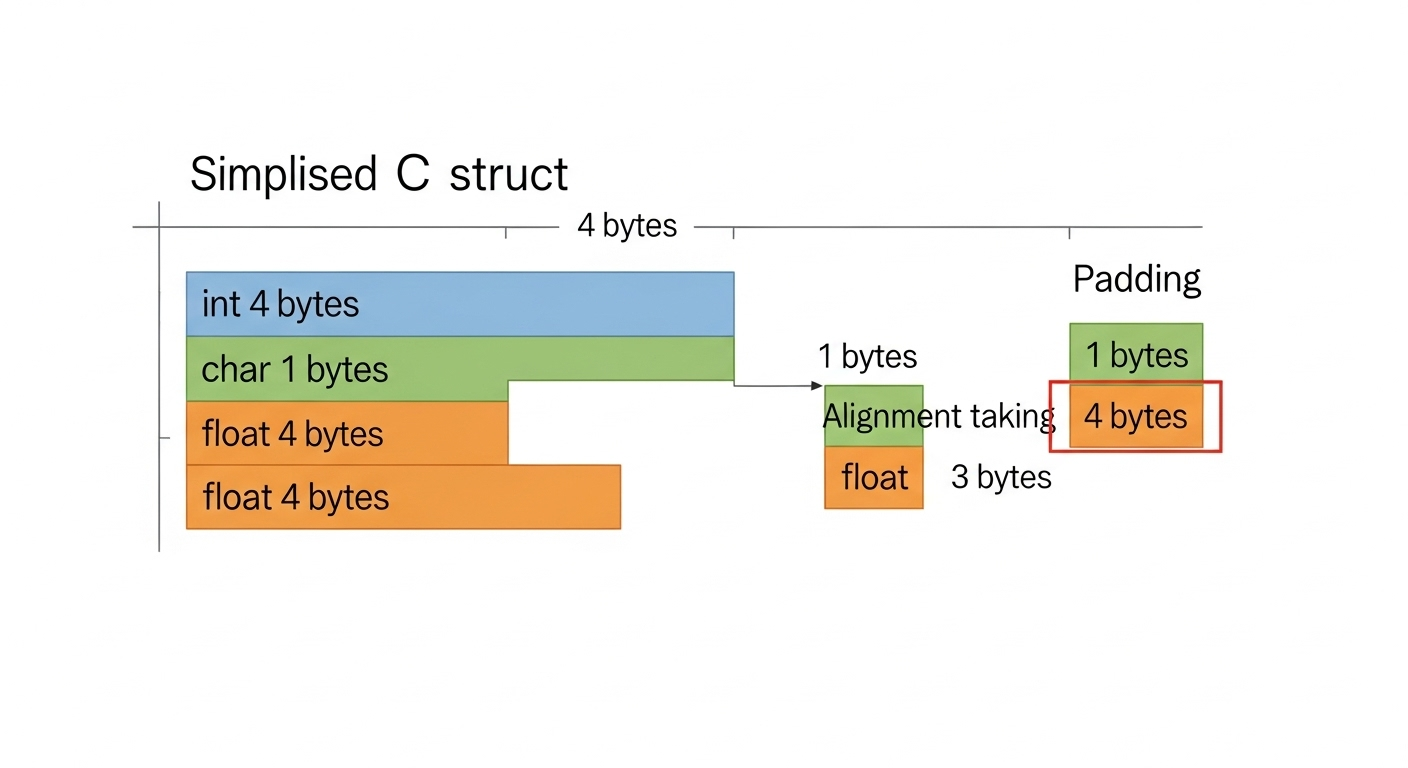
So far, structs look like magical containers that neatly hold our data together. But under the hood, the compiler is busy playing a game called alignment and padding. And if you’ve ever checked the sizeof() a struct and scratched your head because it wasn’t the sum of its members… welcome to the party.
How Structs Are Stored in Memory
Each member of a struct is stored sequentially in memory—in the order you defined them. So, for:
You might think: Okay, that’s 1 + 4 + 1 = 6 bytes total.
But try this:
On most systems, you’ll get 8 bytes. Surprise!
Padding and Alignment
Why the extra space? Because CPUs like to access data at memory addresses aligned to their size.
-
An
int(4 bytes) typically wants to start at an address divisible by 4. -
A
double(8 bytes) wants to start at an address divisible by 8.
In our example, after char a (1 byte), the compiler leaves 3 padding bytes so that int b starts at a 4-byte boundary. Then char c follows, and the struct as a whole is padded to a multiple of the largest member (4 in this case). Hence, 8 bytes total.
It’s like the compiler saying:
“Sure, you only needed 6 chairs, but I’ll give you 8 so everyone sits at a round table.”
Example of Struct Padding in C
This one often surprises people.
-
aat offset 0. -
bat offset 1. -
Then 2 padding bytes to align
cat offset 4. -
Total size = 8 bytes, not 6.
Optimizing Struct Layout
If you reorder members cleverly, you can reduce wasted space.
Moral of the story: put larger data types first, smaller ones later.
⚠️ Note: Over-optimizing for padding isn’t always worth it—sometimes clarity matters more than saving a byte. But if you’re in embedded systems with strict memory constraints, it’s a valuable trick.
Structs Inside Structs
When you nest structs, the same alignment rules apply. Each nested struct is aligned based on its largest member. So if you’re embedding structs in memory-sensitive code, always check with sizeof() to see the actual usage.
Key Takeaways
-
Struct members are stored in order, but with padding to align them.
-
The total size of a struct is rounded up to a multiple of its largest member’s alignment.
-
Padding makes memory access faster for the CPU, at the cost of extra bytes.
-
You can reduce wasted space by reordering members—but don’t sacrifice readability unless memory is really tight.
In short, C struct memory layout is all about balancing efficiency and predictability. Once you understand struct padding in C, those weird sizeof() results won’t feel like compiler black magic anymore.
5. Introduction to Unions in C
If structs are like tidy suitcases that hold different items side by side, unions are like a single locker where multiple people share the same space. Only one person’s stuff fits at a time, and if you shove new things in, the old ones get squashed. Sounds chaotic? Maybe. But when memory is tight, unions are absolute lifesavers.
Let’s unravel this quirky feature of C.
5.1 What is a Union?
A union in C is a user-defined data type (like a struct), but with one crucial difference:
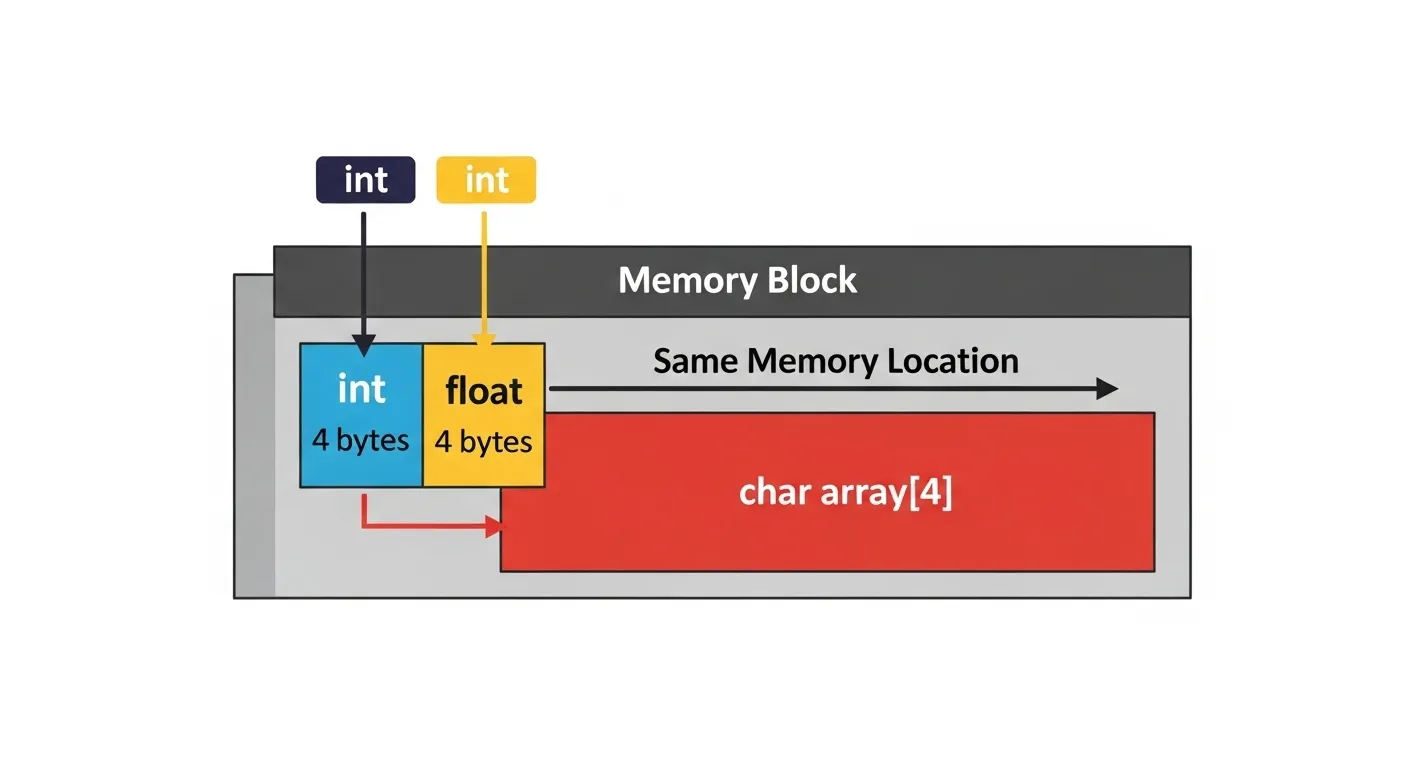
👉 All members share the same memory location.
This means a union can store different types of data, but only one member at a time.
Syntax:
Example:
This union Data can hold either an int, or a float, or a string — but not all at once.
5.2 Declaring and Initializing Unions
Just like structs, you create variables of union types:
Initialization can be done during declaration:
But here’s the catch: only the first member can be initialized this way in older C standards. To set others, you’ll have to assign them explicitly.
5.3 Accessing Union Members
Union members are accessed using the dot (.) operator, just like structs.
But remember: since all members share memory, assigning d1.f will overwrite d1.i.
Example:
Output:
This is not a bug — it’s how unions are designed.
5.4 Memory Behavior of Unions
Here’s the rule:
👉 The size of a union = size of its largest member.
For example:
-
Size of union = 20 bytes (not 28).
-
Because all members share the same space, the compiler allocates memory only for the biggest one.
This makes unions very memory efficient, especially when you only need one piece of information at a time.
5.5 Use Cases of Unions
Unions aren’t just a weird trivia topic—they’re extremely useful in real-world scenarios.
-
Type Conversion (Type Punning)
You can reinterpret memory by writing to one member and reading from another. For example, treating an integer’s bytes as characters.Handy for low-level work like endianness checks.
-
Memory-Efficient Storage
If you need to store one of many possible types, unions save space. Example: a variable that can either hold a student’s marks (float) or a grade (char). -
Embedded Systems and Protocol Parsers
In hardware drivers or network protocols, unions are used to interpret the same block of data in multiple ways—without wasting memory.You can treat the same 4 bytes as either an integer or raw bytes.
Recap of Unions
-
A union is like a struct where all members share memory.
-
Only one member holds a valid value at a time.
-
The size of a union equals its largest member.
-
They’re perfect for saving memory and interpreting raw data in multiple ways.
So while structs are about organizing related data, unions are about choosing one of many data forms efficiently.
Next, let’s put them head-to-head in the structs vs unions showdown.
6. Structs vs Unions
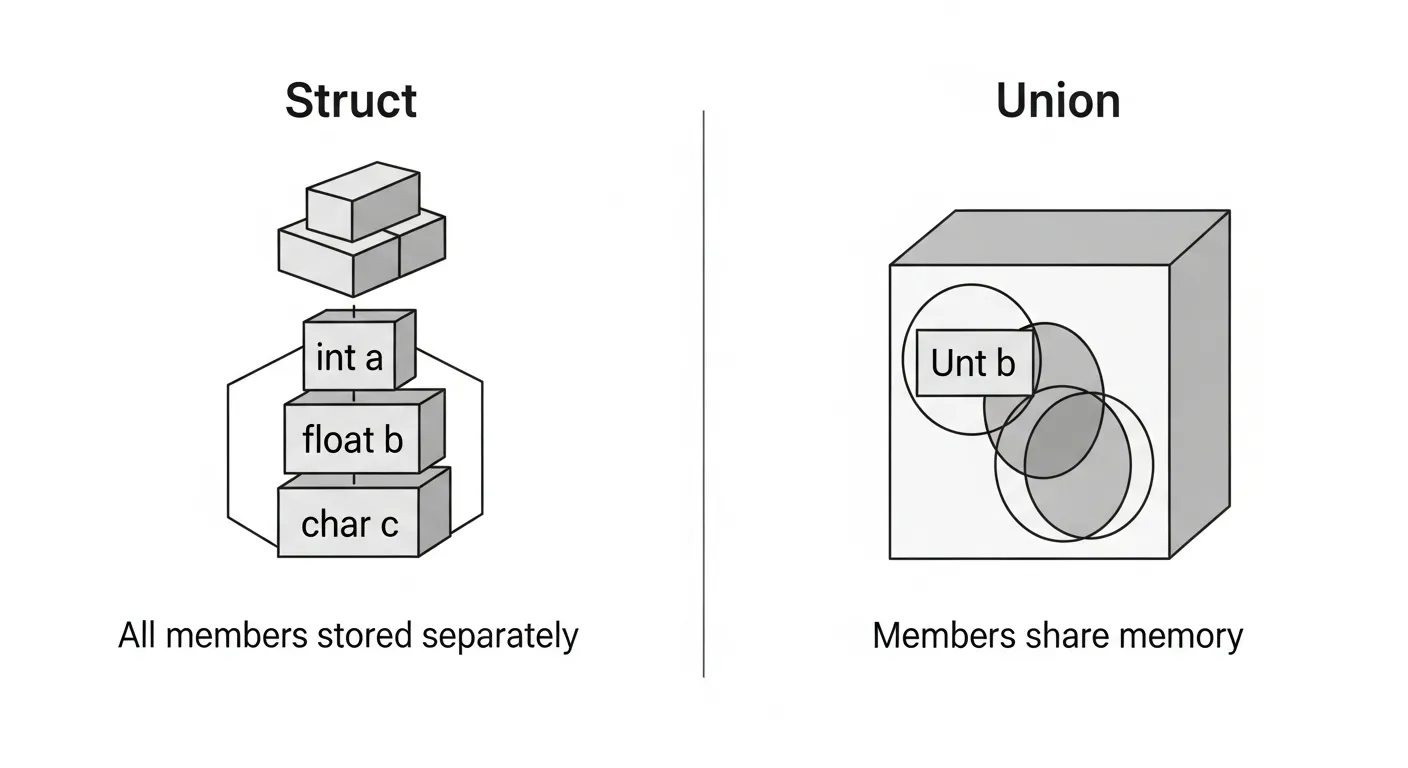
By now, you’ve seen structs—tidy containers that hold everything together—and unions—quirky storage bins where everyone has to share the same spot. But how do they really compare? Let’s put them side by side, poke at their differences, and figure out when to use which.
Syntax Comparison
Both structs and unions look almost identical in definition. The only difference is the keyword:
So if they look the same, why not just use structs everywhere? Because under the hood, their memory models are totally different.
Memory Usage
-
Structs: Each member gets its own space in memory.
-
Total size = sum of all members (plus padding).
-
-
Unions: All members share the same memory.
-
Total size = size of the largest member.
-
Example:
So structs use more memory but allow you to keep all data members at once, while unions save space but only hold one at a time.
Practical Example: Employee Info
Let’s say you’re building an employee database.
With a struct:
Here, every employee record stores all three fields—ID, name, and salary—simultaneously. Perfect when you need all that information together.
With a union:
This one makes sense if you only ever store one piece of information at a time—say, in different program modes. If you set salary, you lose id. This saves memory but sacrifices simultaneous storage.
Tabular Comparison: Structs vs Unions in C
| Feature | Structs | Unions |
|---|---|---|
| Memory allocation | Separate memory for each member | Shared memory for all members |
| Size | Sum of member sizes (+ padding) | Size of largest member |
| Usage | Can store all members at the same time | Only one member valid at a time |
| Data safety | Safer—data members don’t overwrite each other | Risky—assigning to one overwrites another |
| Performance | Slightly more memory use but straightforward | Memory-efficient but tricky to manage |
| Common use cases | Records, databases, complex entities | Embedded systems, type conversions, parsers |
Choosing Between Structs and Unions
-
Use a struct when you need to represent entities with multiple attributes that all matter simultaneously (student records, employees, products, etc.).
-
Use a union when memory is tight, or when only one member is relevant at a time (network packets, embedded hardware registers, protocol interpreters).
Key Takeaway
The difference between struct and union in C isn’t just academic—it’s practical. Structs are your go-to for organizing related data, while unions are your secret weapon for memory efficiency and flexibility. Together, they cover a wide range of use cases in systems programming.
In the next section, we’ll crank things up a notch with advanced use cases—combining structs and unions, using bit fields, and other tricks that professional C developers keep in their toolkit.
7. Advanced Use Cases
By now you know structs and unions separately. But C being C, it gives you plenty of ways to combine them, tweak them, and push them to the limit. Let’s look at some advanced tricks every serious C programmer should know.
7.1 Structs with Unions (Tagged Unions)
Sometimes you want a variable that can store different types at different times, but you also need to know which type is active. Enter the tagged union—a struct that contains a union, plus an extra field (the “tag”) to keep track of what’s currently stored.
Example: representing a JSON value (which could be an int, float, or string):
Usage:
👉 This pattern is widely used in interpreters, compilers, and protocols to represent “variant” data types.
7.2 Bit Fields in Structs
If you ever wished you could save memory by storing boolean flags or small integers in just a few bits—good news! C structs support bit fields.
Example:
Now, instead of wasting full ints, this struct packs everything tightly into just a few bytes.
Usage:
Bit fields are super useful in hardware programming (e.g., controlling registers) and in memory-sensitive applications.
7.3 Typedef with Structs and Unions
Let’s be honest: writing struct Student every time gets annoying. That’s why C lets you use typedef to create aliases.
Now you can just write:
Same trick works for unions:
Cleaner, shorter, and easier to read—especially when your structs get deeply nested.
7.4 Anonymous Structs and Unions (C11 Feature)
C11 introduced a nifty feature: anonymous structs and unions. With these, you don’t even need to name the struct/union inside another struct—it just becomes directly accessible.
Example:
Usage:
Anonymous structs/unions are particularly handy in hardware register mapping, where you need multiple views of the same memory without cluttering your code with extra names.
Wrapping Up Advanced Use Cases
-
Tagged unions give you variant data types with type safety.
-
Bit fields save space and are great for flags or low-level register manipulation.
-
Typedef makes your code cleaner and more portable.
-
Anonymous structs/unions simplify syntax and make code more readable.
These advanced features elevate structs and unions from “basic containers” to power tools for building efficient, elegant C programs.
Next, let’s step back a bit and talk about best practices and pitfalls—because with great power comes… the ability to shoot yourself in the foot if you’re not careful.
8. Best Practices and Common Pitfalls
Structs and unions are powerful, but like sharp kitchen knives, they can cause chaos if mishandled. Let’s go over some golden rules and common traps so your C code doesn’t turn into a debugging horror movie.
When to Use Structs vs Unions
-
Structs are your go-to when you need multiple pieces of data at the same time. For example, a
Studentrecord must always keep roll number, name, and marks together. -
Unions shine when you only ever use one value at a time and memory efficiency matters. Think embedded systems, parsers, or low-level hardware registers.
👉 Rule of thumb: If you find yourself overwriting useful data in a union, you probably needed a struct instead.
Beware of Padding
Remember struct padding? That sneaky alignment trick the compiler plays to make the CPU happy. Padding can cause two headaches:
-
Unexpected struct size:
-
Data portability issues: Writing structs to a binary file and reading them back on a different system may break due to padding differences.
✅ Best Practice:
-
Reorder members (largest types first) to minimize padding.
-
Use
#pragma packor compiler-specific attributes only if absolutely necessary (can hurt performance). -
For cross-platform data storage, serialize fields manually instead of dumping raw structs.
Portability Concerns
Different compilers (and even different machines) may align structs differently. This means your neat struct layout on one platform could bloat or misbehave on another.
✅ Best Practice:
-
Avoid relying on struct layout for external data (files, network packets).
-
Define clear formats and parse them field by field.
Passing Structs: Value vs Reference
Passing structs by value copies the entire structure. Fine for small structs, but if you’re passing a monster-sized struct around, performance takes a hit.
✅ Best Practice:
-
Pass small structs by value for simplicity.
-
Pass large structs by reference (pointers) to avoid overhead.
Common Pitfalls with Unions
-
Overwriting values accidentally
You can only trust the last assigned member.
-
Assuming type safety
Reading from the “wrong” union member is undefined behavior in standard C (though often exploited in low-level hacks).
✅ Best Practice: Always use a tagged union (struct + union + type field) if you care about keeping track of what’s valid.
Debugging Structs and Unions
Debugging memory corruption in structs/unions can be… “fun” (read: hair-pulling). Tools like Valgrind and compiler warnings are your friends. Always:
-
Initialize members before use.
-
Zero out structs/unions with
memset(&s, 0, sizeof(s));if needed. -
Print sizes with
sizeof()when in doubt.
Final Word on Best Practices
Structs and unions are not “one-size-fits-all.” They’re precision tools: structs give clarity and organization, unions give flexibility and efficiency. If you respect their quirks—padding, memory sharing, portability—they’ll reward you with fast, elegant code. Ignore them, and you’ll spend your nights chasing mysterious bugs.
9. Real-World Applications
Structs and unions aren’t just academic toys—they’re the unsung heroes that quietly power operating systems, networking, and embedded devices. Let’s peek behind the curtain and see how they’re used in real-world codebases.
Structs in Action
1. File Handling
Ever worked with binary files in C? Structs make it painless to represent a record in memory and write/read it directly.
Now, the student record sits in a file exactly as it did in memory (though beware of padding issues if you move between platforms).
2. Operating System Data Structures
Operating systems love structs. Process control blocks, file descriptors, and scheduling queues are all just fancy structs under the hood. For example, a simplified process table entry might look like this:
Every process gets one of these records—easy to manage, easy to link together in scheduling queues.
3. Networking (Packet Headers)
Protocols like TCP/IP rely heavily on structs to describe packet layouts.
Here, bit fields make sure every little flag and number fits exactly where the protocol standard demands.
Unions in Action
1. Device Drivers
In drivers, you often need to interpret the same chunk of memory in different ways. Unions make this possible.
This allows reading a 16-bit hardware register as either a whole number (full) or as two separate bytes (low and high).
2. Embedded Systems
Microcontrollers often have severe memory constraints. Unions let you squeeze multiple data interpretations into the same space. For instance, a sensor value might be read as raw bytes or as a floating-point number using a union.
This saves both memory and conversion overhead.
3. Interpreting Raw Memory
Unions are also used in protocol parsers. For example, a network packet may sometimes contain an integer ID, sometimes a string name. Using a union allows switching between representations without wasting space.
In combination with a tag, you can easily switch modes while saving memory.
Why It Matters
Structs and unions are foundational in:
-
Databases: Representing rows as structs.
-
Operating Systems: Process tables, memory descriptors.
-
Networking: Packet layouts and headers.
-
Embedded Systems: Memory-efficient representation of hardware data.
They allow C to talk directly to hardware and represent data formats exactly as required—something high-level languages often hide behind abstractions.
Takeaway
Structs are about organization and clarity, while unions are about memory efficiency and reinterpretation. Together, they enable C to bridge the gap between human-readable code and machine-level performance.
So the next time you save a student record, connect to Wi-Fi, or use a USB drive, know that structs and unions are quietly working behind the scenes.
10. Hands-On Mini Project: Student Record Management System
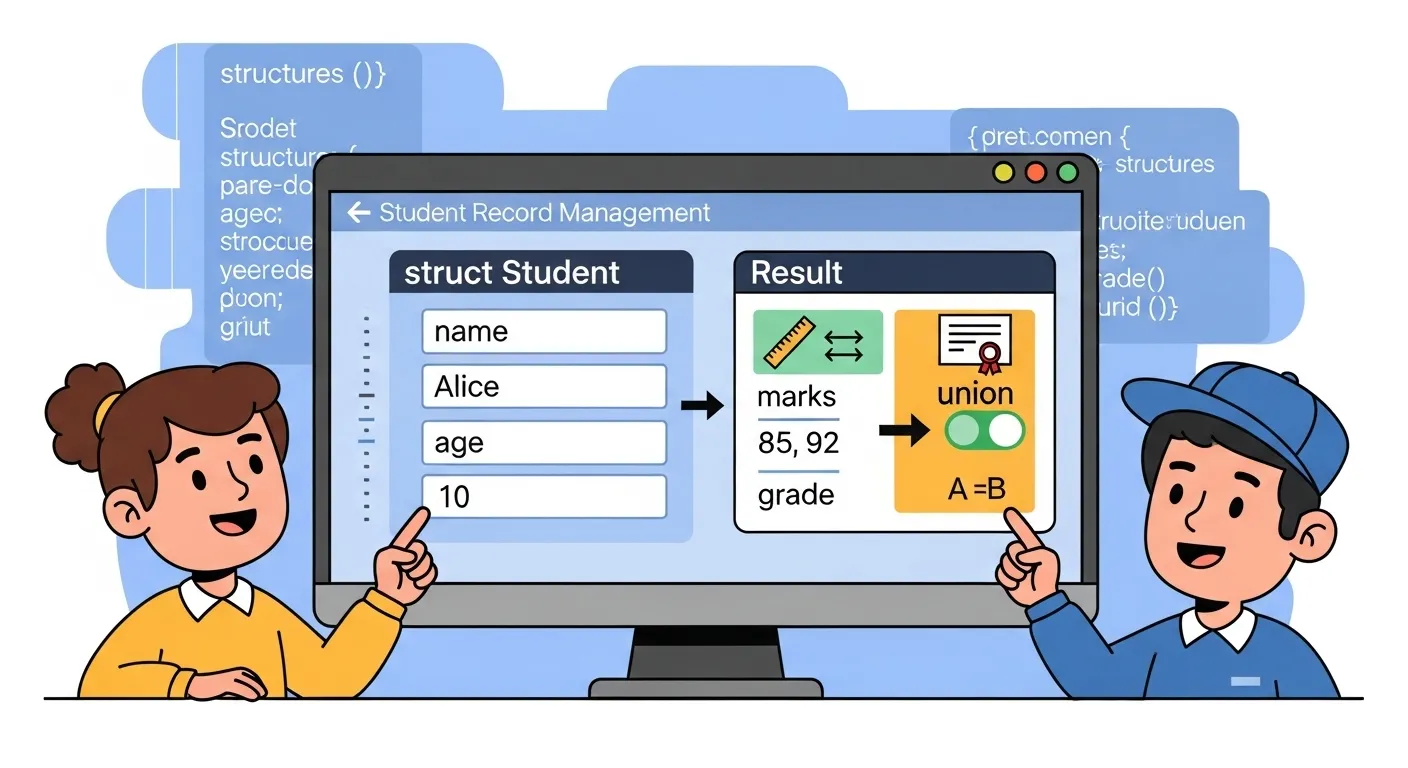
Theory is cool, but nothing cements learning like actually building something. Let’s put structs and unions to work by creating a simple Student Record Management System. Don’t worry, we’re keeping it small enough to run in a single C file—but powerful enough to show off what structs and unions can do together.
Step 1: Designing the Struct
We’ll need to store basic student info: roll number, name, and age. That’s a perfect job for a struct.
Step 2: Adding Flexible Data with a Union
Sometimes schools store marks (like 89.5), and sometimes they just store a grade ('A', 'B', etc.). Instead of wasting space by keeping both, we can use a union to store either.
But how will we know which one is active? That’s where a tag comes in—combine struct + union!
Step 3: Writing Functions
Let’s add helper functions to display records.
Step 4: Main Program
Now we can create and display a couple of student records.
Output
Why This Mini Project Rocks
-
Structs let us group all related student info neatly.
-
Unions allow us to save memory by storing either marks or grade, not both.
-
Tagged union (struct + union + tag) makes it safe, so we always know which field is valid.
This pattern is extremely common in real-world C programming. JSON parsers, compilers, and networking code all use similar “struct + union” combinations to represent flexible data.
Extensions You Can Try
-
Store multiple records in an array of structs.
-
Add file handling to save/load student records.
-
Let the user choose between entering marks or grade via
scanf. -
Add more fields like address (using nested structs).
With just a few lines of code, you’ve built a flexible, memory-efficient system—powered by structs and unions working together like Batman and Robin.
11. FAQs on Structs and Unions in C
Even after you’ve coded a dozen structs and unions, a few tricky questions always pop up. Let’s answer some of the most common ones (and yes, some of these are straight out of C interviews).
1. Can a struct contain a union?
Absolutely! In fact, we did exactly that in our mini project. Structs can contain unions just like they contain primitive types or other structs. This is commonly used to build tagged unions, where the struct provides context (like a flag) for what the union currently holds.
2. Can a union contain a struct?
Yes again. A union can hold a struct as one of its members. This is useful if sometimes you want to treat memory as a structured set of fields, and other times as a raw value.
Here, raw overlaps with point. You can treat the memory as either a pair of integers or as a single 64-bit chunk.
3. Why does the size of a union equal the size of its largest member?
Because all members of a union share the same memory block. If the largest member needs (say) 8 bytes, the union must allocate 8 bytes so that any member fits. Smaller members reuse that same memory. This is why unions are memory-efficient: you don’t pay extra for members you’re not currently using.
4. Is a union faster than a struct?
Not really. Access speed depends more on the hardware and compiler than on whether you’re using a struct or union. The key difference is memory usage, not speed. Structs keep all their members, unions share space. So the choice depends on what you’re representing—not on performance myths.
5. Are structs and unions portable across compilers?
Mostly, but with caveats. Things like struct padding and alignment can differ between compilers and architectures. If you’re writing code that deals with file formats, network packets, or hardware registers, you must take care (e.g., use #pragma pack, or explicitly manage byte order).
For portable applications, stick to standard constructs and avoid assumptions about padding.
Bonus Interview Tip
“Difference between struct and union in C?”
-
Struct: All members exist simultaneously, each with its own memory.
-
Union: All members share the same memory, one active at a time.
It’s one of those “explain in one line” questions you’ll thank yourself for memorizing.
Takeaway
Structs and unions are versatile tools. Understanding their quirks—like memory layout, portability, and nesting—can turn tricky interview questions into easy wins. So the next time someone asks if a union can contain a struct, you’ll casually nod and say, “Of course—and let me show you why that’s useful.”
12. Conclusion
If you’ve stuck with me this far—congratulations! 🎉 You’ve just taken a whirlwind tour through one of C’s most powerful (and occasionally misunderstood) features: structs and unions.
We started with the problem: primitive types like int, char, and float are great, but they crumble when asked to represent anything complex, like a student’s profile or a network packet. Enter structs—C’s way of neatly grouping related data under one roof. They bring organization, readability, and scalability to your programs.
Then we met unions—the lean, memory-savvy cousin of structs. While structs say “I’ll keep everything,” unions say “I’ll keep one thing at a time, and save space while I’m at it.” Together, they cover both ends of the spectrum: clarity vs. efficiency.
We explored:
-
Struct basics (declaration, initialization, nesting, arrays, pointers).
-
Memory layout and padding (why your struct isn’t always the size you expect).
-
Unions in action (memory sharing, type re-interpretation, embedded systems).
-
Structs vs. unions (tabular comparisons and real-world use cases).
-
Advanced tricks like bit fields, typedef, and anonymous unions.
-
And finally, we coded a mini student management system—proof that structs and unions aren’t just theory; they’re practical tools you’ll actually use.
The key takeaway?
👉 Use structs when you need to store multiple fields at once. Use unions when you need one field at a time, but want to save memory.
Mastering these two tools is more than just passing interviews—it’s about thinking like a systems programmer. When you understand structs and unions, you understand how C mirrors the machine underneath, and that’s why C still rules in operating systems, embedded systems, networking, and performance-critical software.
So, next time you face a complex data problem in C, remember: you don’t need to juggle dozens of lonely variables. Just reach for structs and unions, and you’ll be organizing data like a pro.
Happy coding—and may your structs be tidy, and your unions never confuse you! 🚀
13. Additional Resources
Congrats—you’ve survived this mega crash course on structs and unions! But like any good C programmer knows, mastery comes with practice and continuous learning. Here are some solid resources to keep you sharp:
📘 Books
-
The C Programming Language by Brian Kernighan and Dennis Ritchie (K&R): The timeless classic. If you want to understand C from the people who created it, start here.
-
Modern C by Jens Gustedt: A fantastic modern take on C, packed with best practices for today’s compilers and standards.
🌐 Online References
-
ISO C11 Standard Draft – For those who want the raw, official spec.
-
cplusplus.com C Reference – Handy reference for quick lookups.
-
TutorialsPoint – C Structs and Unions – Beginner-friendly explanations with examples.
🛠️ Practice Platforms
-
OnlineGDB – Write and run C code in your browser.
-
LeetCode & HackerRank – Challenge yourself with problems that often require smart use of structs.
Remember: structs and unions aren’t just a chapter in C—they’re a mindset. Keep practicing, read real-world C code (like Linux kernel snippets), and you’ll steadily grow from learner to pro. 🚀
Learn beautiful Animations in PowerPoint – Click Here
Learn Excel Skills – Click Here
Learn Microsoft Word Skills – Click Here