
I. Introduction: Python Invades the Browser
Imagine a world where you can build a full web app—frontend and all—without touching a single line of JavaScript.
Table of Contents
ToggleNo curly braces.
No semicolons.
Just pure, beautiful Python.
If that made your inner Pythonista giggle with joy, then welcome to PyScript—an ambitious framework that lets you run Python in the browser using WebAssembly.
Yes, really.
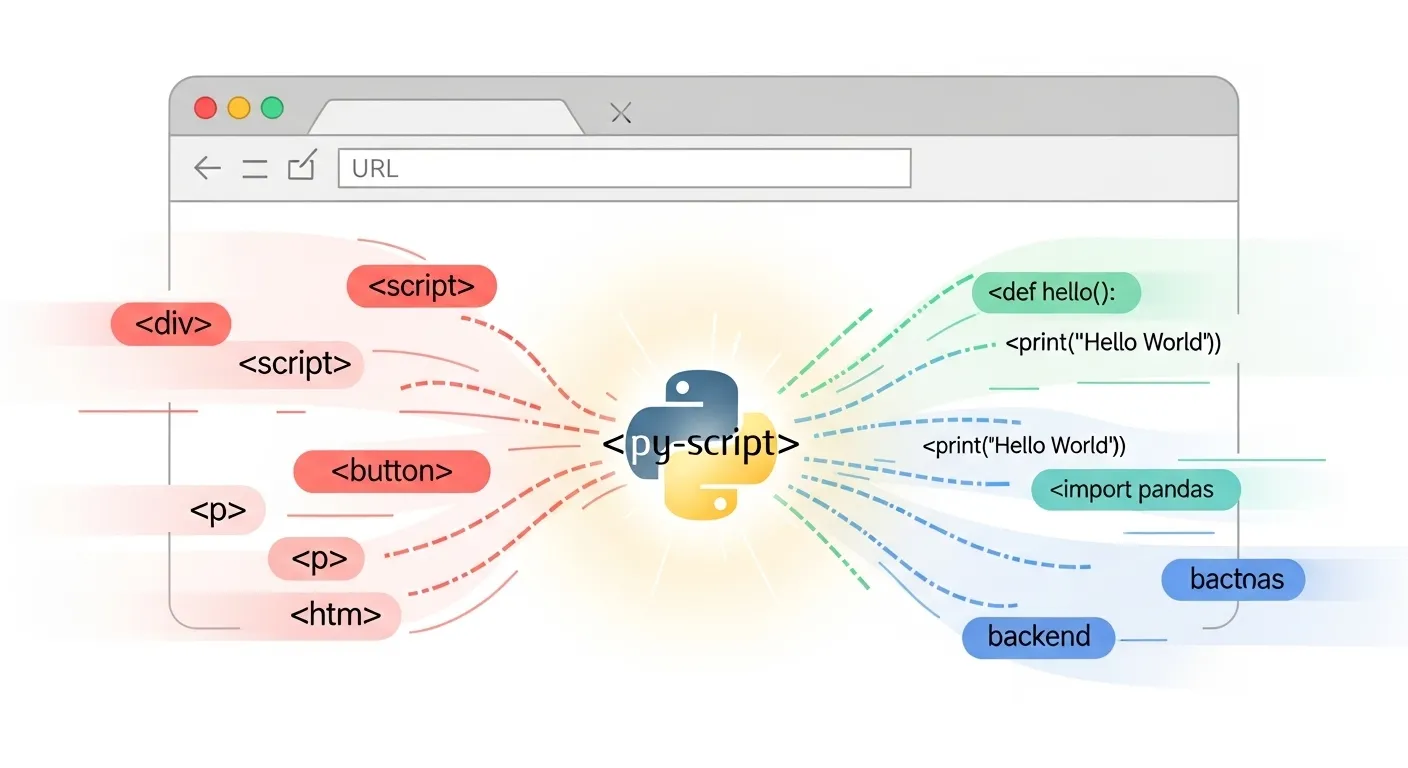
No backend. No server (unless you want one). Just an <html> file with Python code embedded inside <py-script> tags, made possible through the magic of Pyodide and WebAssembly (WASM).
PyScript is a bit like the cool younger cousin of Flask and Django, but instead of running on a server, it’s doing its thing in your browser. Developers are buzzing because it delivers on a long-standing dream: “Python everywhere.”
But of course, with great promise comes great…quirkiness.
In this blog, we’ll explore:
-
What PyScript actually is and how it works
-
How to set it up in minutes (no pip install needed!)
-
Real-world PyScript examples and use cases
-
How it compares to JavaScript and other web stacks
-
A walkthrough project where we build a web app with PyScript
-
Limitations, gotchas, and what the future holds
-
Alternatives like Brython, Transcrypt, and Pyodide
If you’re a Python web developer, a CTO experimenting with new stacks, or a full-stack explorer looking for your next adventure, you’ll find this ride full of code, insight, and a touch of sarcasm.
Let’s go. Python is crashing the frontend party.
II. What Is PyScript?
To understand PyScript, we need to rewind a bit to the rise of WebAssembly and a nerdy project called Pyodide.
Pyodide is a version of CPython (yes, the real Python interpreter) compiled to WebAssembly—a low-level bytecode that browsers can run efficiently. WebAssembly was originally created to make C++ code run in browsers, but someone said, “Wait, can we do this with Python?” and Pyodide was born.
Then came Anaconda, the people behind your favorite conda install numpy command, who saw potential in Pyodide. They decided to wrap it in a developer-friendly layer and sprinkle in some HTML integration—and boom, PyScript happened.
So what is PyScript?
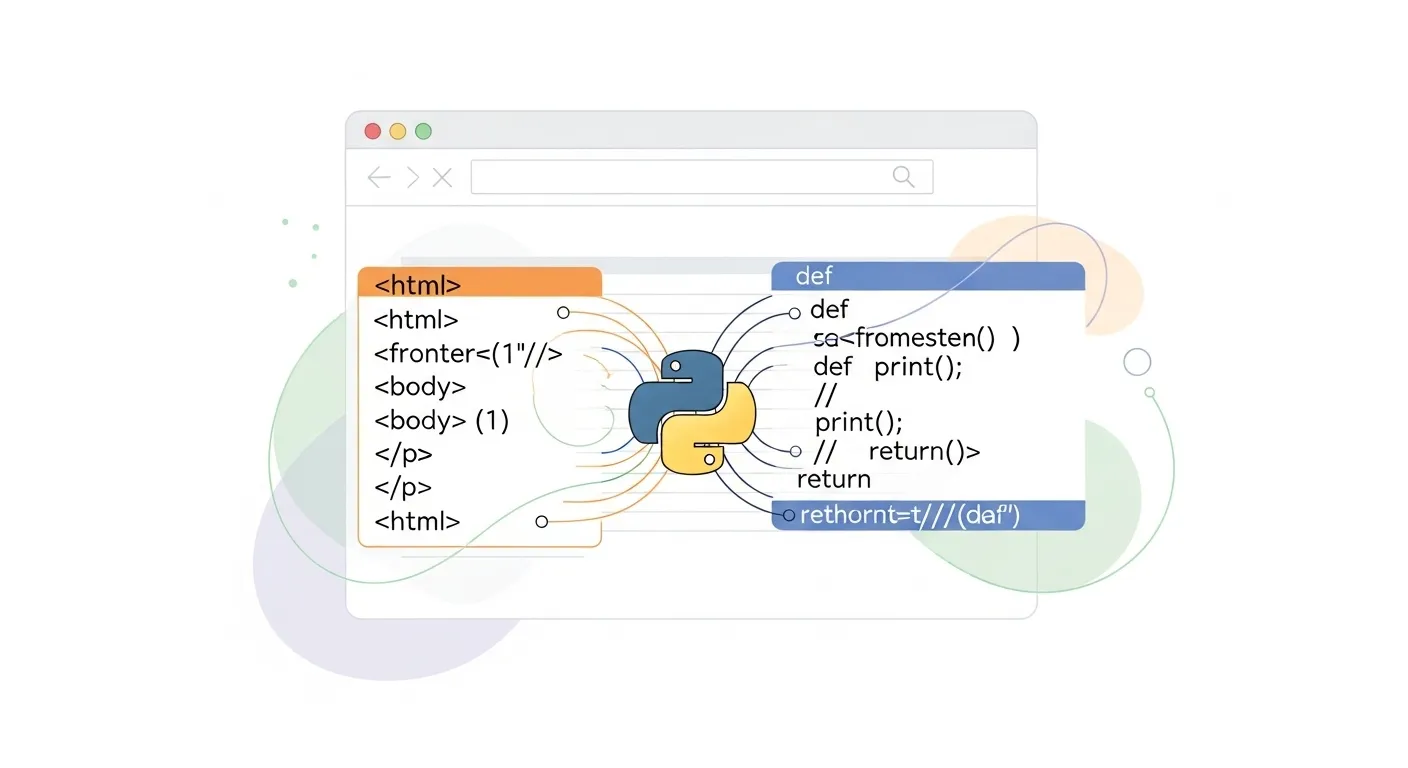
It’s a framework that lets you write Python code directly in your HTML file, using special tags like:
<py-script>

print("Hello from the browser!")

</py-script>
Yep. It runs in your browser. No server. No setup. No JavaScript required (well, not for you, the dev—PyScript still uses JS under the hood).
It’s powered by:
-
Pyodide (Python compiled to WASM)
-
A runtime that interprets
<py-script>tags -
A tiny JavaScript library to glue it all together
PyScript merges HTML + Python + WASM, and even supports loading external packages like numpy and pandas (with some caveats—more on that later).
It’s not a replacement for React or Vue (yet), but it is a glimpse of what Python web development could look like when the stars align—and the browsers cooperate.
Think of it as the Jupyter Notebook experience, but in your browser and web-native.
III. Setting Up PyScript: Hello, Python Web
Okay, let’s get our hands dirty.
🔧 Prerequisites:
-
You know Python basics.
-
You’ve dabbled in HTML.
-
You have a browser (Congrats, you qualify).
Step 1: Create a basic HTML file
<!DOCTYPE html>

<html>

<head>

<title>My First PyScript App</title>

<link rel="stylesheet" href="https://pyscript.net/latest/pyscript.css" />

<script defer src="https://pyscript.net/latest/pyscript.js"></script>

</head>

<body>

<h1>PyScript Tutorial: Hello Python</h1>

<py-script>

name = "PyScript"

print(f"Hello from {name}!")

</py-script>

</body>

</html>
That’s it. Save this as index.html and open it in your browser.
You’ll see Hello from PyScript! printed to the developer console or on the page depending on how you configure it.
🧠 What’s Happening?
-
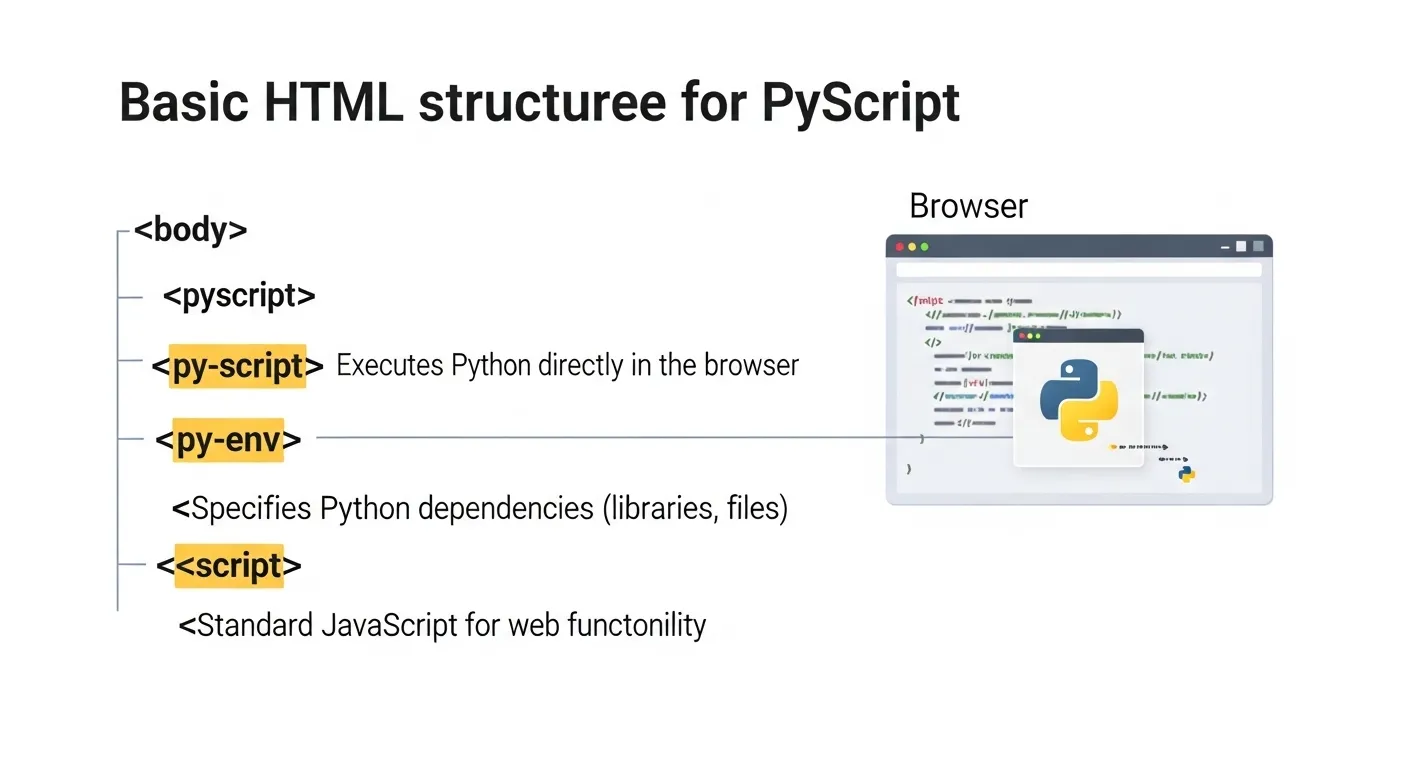
The
<script>tag loads PyScript from CDN. -
The
<py-script>tag executes Python code in the browser. -
PyScript spins up a Pyodide instance, compiles your code, and runs it—all in milliseconds.
You can also use the <py-env> tag to declare Python packages to install dynamically:
<py-env>

- numpy

- pandas

</py-env>
This makes building web apps with Python faster than ever. No backend setup, no virtualenv, no tears.
SEO Bonus: If you searched “PyScript tutorial” or “how to run Python in the browser,” you’re already living the dream.
IV. Under the Hood: How PyScript Works
Time to peel back the curtain and talk shop. What sorcery powers PyScript?
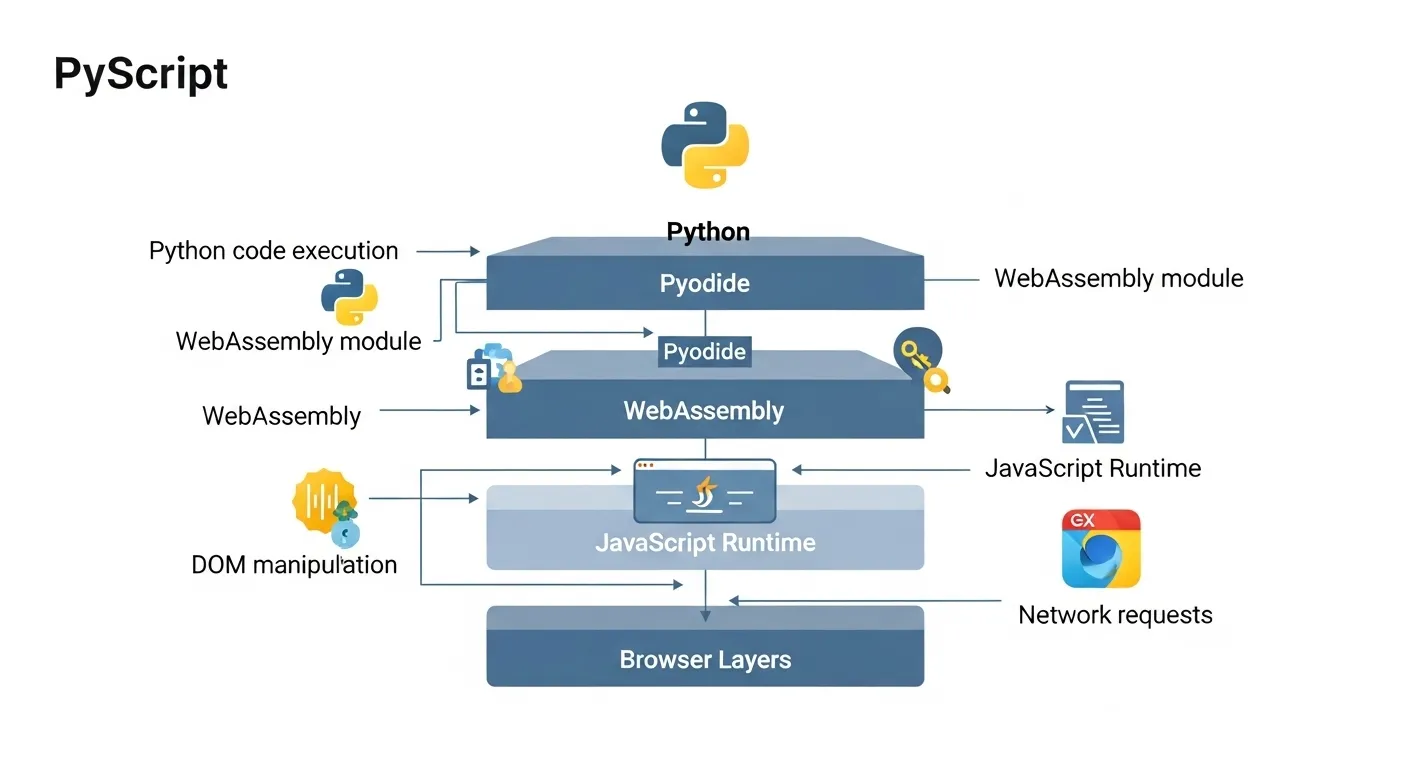
At its core: Pyodide + WebAssembly (WASM) + micropip + a tiny JS runtime.
Let’s break it down:
🧩 Pyodide
Pyodide is a full CPython interpreter compiled into WebAssembly. This means it can run in the browser—just like how games like Doom were ported to the web.
It brings over core Python + scientific libraries (NumPy, Pandas, etc.), and allows you to run Python code without a server.
🔁 The Runtime
When the page loads, PyScript:
-
Initializes Pyodide in a Web Worker
-
Scans for
<py-script>and<py-env>tags -
Loads any required packages using
micropip -
Executes Python inside the browser
📦 Package Management
PyScript uses micropip to fetch pure Python packages from PyPi. But here’s the catch: no C extensions (yet). So numpy works (thanks to precompiled wheels), but anything that needs native C modules may not.
You can do this:
<py-env>

- matplotlib

</py-env>
And you’ve got inline data visualization in the browser.
🔄 HTML ↔ Python ↔ JS
PyScript gives you some limited interactivity between HTML elements and Python using the Element API:
from pyscript import Element
Element(“my-div”).write(“Python was here!”)
And yes, you can even call JavaScript functions from Python using the js module:
js.alert("Hello from Python!")
This kind of Python and JavaScript interoperability is where things start to get spicy.
🌐 Why WebAssembly?
Because browsers don’t run Python natively, WebAssembly acts like the bridge. It’s fast (mostly), secure (sandboxed), and the future of cross-language web apps.
TL;DR: PyScript is a Python-powered, JS-glued, WASM-fueled rocket ship.
V. Real-World Use Cases for PyScript
So PyScript sounds cool, but where does it actually shine?
Glad you asked. While it may not be your go-to for the next high-traffic e-commerce site (yet), PyScript’s magic lies in niche brilliance—those “why didn’t I think of that?” moments for Pythonistas.
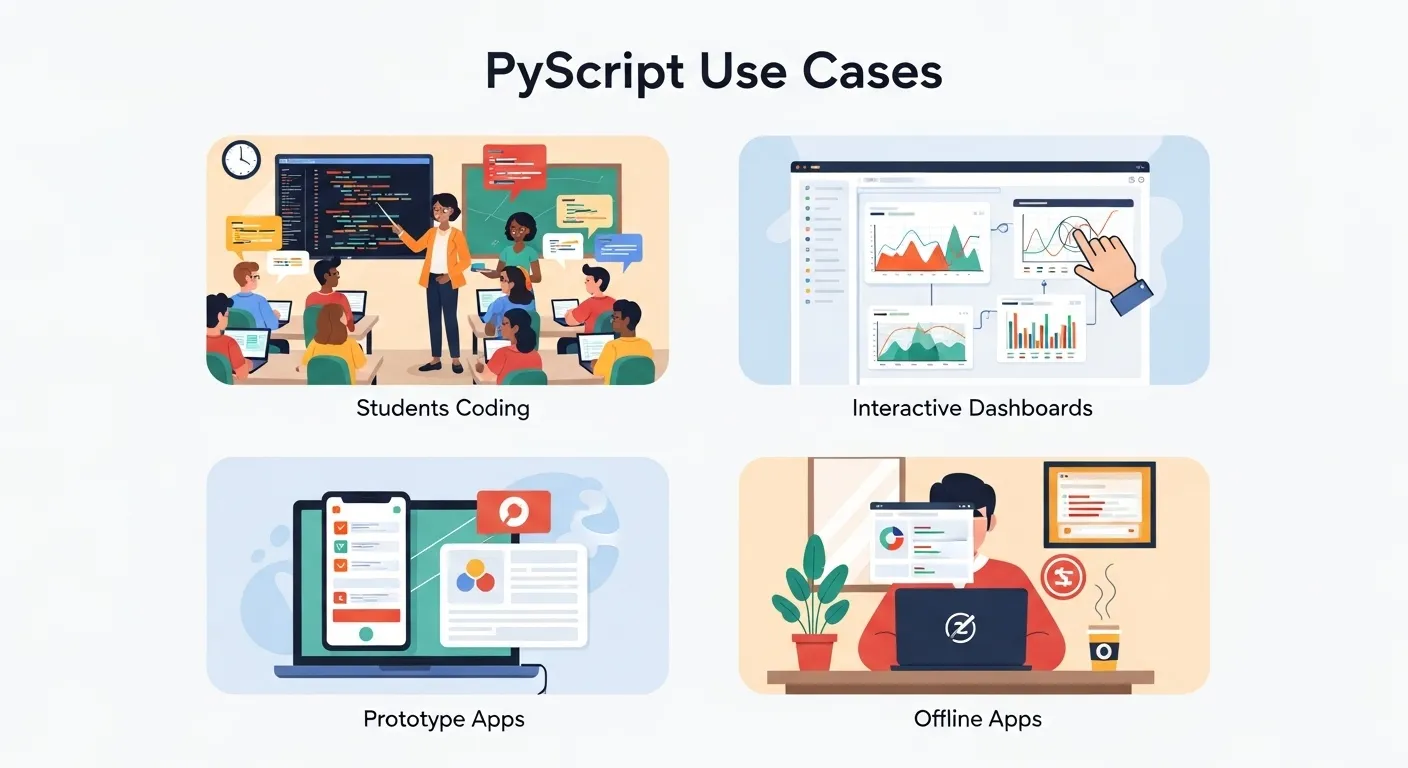
1. 🧪 Educational Apps and Interactive Notebooks
Imagine teaching Python in the browser—no installs, no setup, no drama. PyScript lets educators build interactive lessons where learners can edit and run code live in their browser. Think of it as Jupyter Notebook meets the open web.
Bonus: You can throw in matplotlib or pandas to visualize concepts instantly.
2. 📊 Internal Dashboards & Data Visualizations
Tired of building dashboards in Flask + JS + D3.js when all your data is already in Python? PyScript lets you create browser-based dashboards with charts and tables—using just your favorite Python libraries.
Interactive, lightweight, and deployable as static HTML? Yes, please.
3. 🚀 Rapid Prototypes & MVPs
Your team already speaks Python. Why delay a prototype because no one wants to write the front end in React? PyScript is perfect for quick validation—especially for Python-heavy teams.
Build the UI with HTML, wire up behavior in Python, and ship a proof-of-concept before the coffee gets cold.
4. ✈️ Offline-First Web Apps
One of PyScript’s secret powers is that it runs entirely in the browser. That means offline-first experiences are suddenly doable with Python.
Educational tools for remote areas? Demos for conferences with flaky Wi-Fi? Boom—no server needed.
5. 🧪 Scientific Tools, Calculators, and Simulations
Need a physics calculator, financial simulator, or unit converter on the web? PyScript’s ability to use libraries like numpy or sympy makes it a good fit for building standalone analytical tools.
🧠 SEO Tip: This is where folks search for “PyScript examples” and “use cases for PyScript”—and now you’ve got both!
VI. PyScript vs Traditional Web Stacks
Now, let’s address the blinking elephant in the room: “Why not just use JavaScript?”
Here’s a breakdown of how PyScript stacks up against other common web development approaches.
🥊 PyScript vs JavaScript (Vanilla/React/Vue)
| Feature | JavaScript | PyScript |
|---|---|---|
| Speed | Native browser execution | WebAssembly = slower startup |
| Ecosystem | HUGE (npm, frameworks, libraries) | Tiny but growing |
| Language Preference | JavaScript/TypeScript | Python |
| DOM Control | Total control | Limited (via Element API) |
| Community | Millions of devs | Niche but passionate |
In short, JavaScript is the native tongue of the web—but if you’re fluent in Python, PyScript is like having Google Translate for frontend dev.
🧱 PyScript vs Flask/Django + Templates
Traditional Python web dev stacks like Flask and Django generate HTML on the server side, then render it in the browser. That’s great for:
-
SEO-heavy websites
-
Server-side logic
-
Auth flows, databases
But it’s not interactive in real time without AJAX or JavaScript sprinkles.
PyScript flips this on its head—running entirely in the browser, with no server dependency. It’s ideal for static web apps with dynamic behavior.
✅ Benefits of PyScript
-
Write front and backend in one language (Python FTW)
-
Great for Python-heavy teams
-
Lightning-fast prototyping
-
Offline-ready
-
No need to learn a new frontend framework
❌ Limitations of PyScript
-
Performance: WASM is fast, but not instant. Cold starts can feel sluggish.
-
Package Support: Many Python packages still don’t run in Pyodide.
-
Load Time: PyScript apps can load 10–20MB of WASM. Not ideal for slow connections.
-
Smaller Ecosystem: You’re trading React’s giant toolbox for something more… artisanal.
So while PyScript isn’t dethroning React tomorrow, it is carving out a niche for Python web development in areas where speed of development and simplicity matter more than raw performance.
VII. Building a Complete Web App with PyScript
Let’s walk the walk.
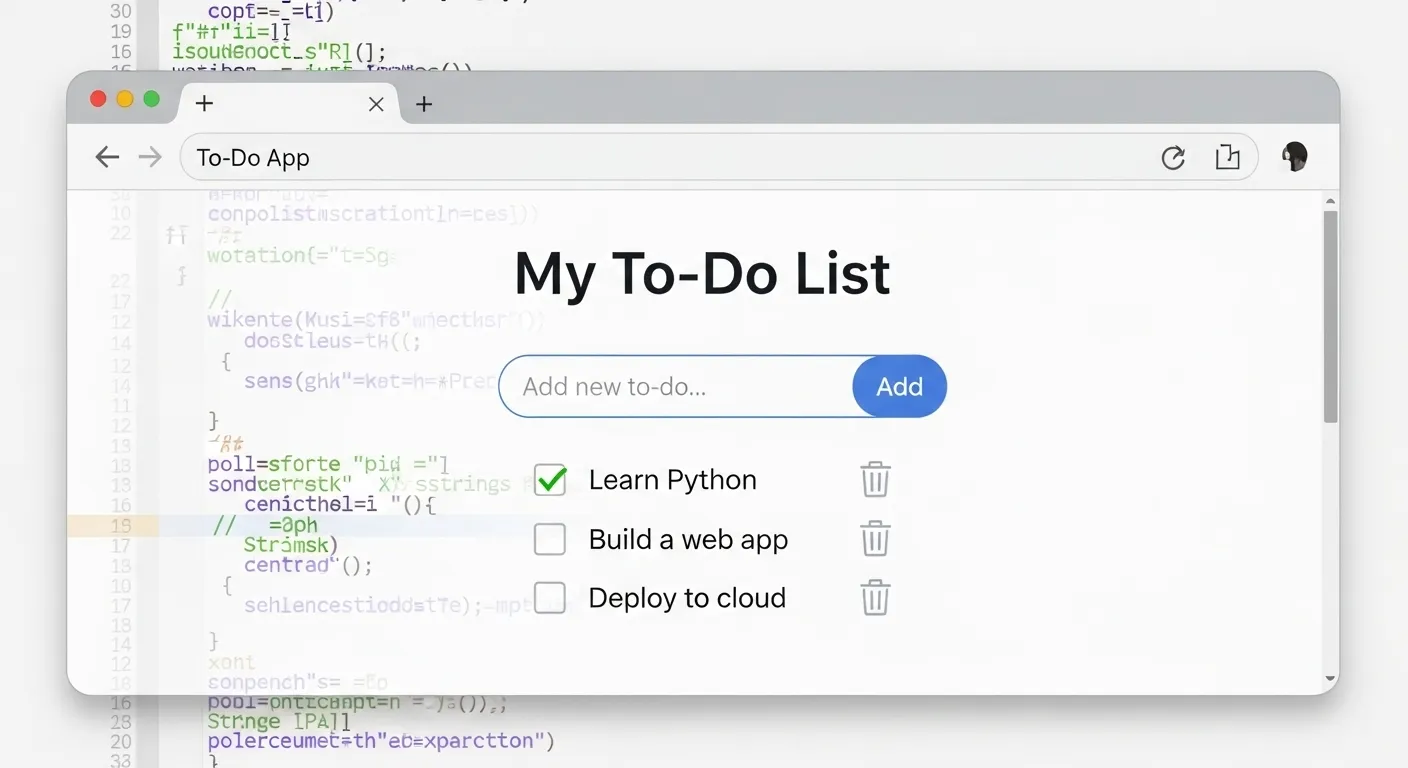
We’re going to build a To-Do List using only HTML + PyScript. No JS. No backend. No frameworks.
Just Python in the browser.
💾 Tech Stack:
-
HTML for structure
-
PyScript for logic
-
LocalStorage for saving data
-
Micropip for third-party packages (if needed)
🧱 Step 1: Basic HTML Skeleton
<!DOCTYPE html>

<html>

<head>

<title>PyScript To-Do App</title>

<link rel="stylesheet" href="https://pyscript.net/latest/pyscript.css" />

<script defer src="https://pyscript.net/latest/pyscript.js"></script>

</head>

<body>

<h1>My To-Do List</h1>

<input id="task-input" placeholder="New task..." />

<button id="add-task">Add</button>

<ul id="task-list"></ul></body>
</html>
🧠 Step 2: The Python Logic (app.py)
from js import document, localStorage

from pyodide.ffi import create_proxytask_input = document.getElementById(“task-input”)
task_text = task_input.value
if not task_text:
return
li = document.createElement(“li”)
li.innerText = task_text
task_list.appendChild(li)
current_tasks = localStorage.getItem(“tasks”)
if current_tasks:
tasks = current_tasks.split(“||”)
else:
tasks = []
tasks.append(task_text)
localStorage.setItem(“tasks”, “||”.join(tasks))
button = document.getElementById(“add-task”)
button.addEventListener(“click”, create_proxy(add_task))
🗃 Step 3: Persisting Tasks on Page Load
Extend your Python code to load tasks on startup:
def load_tasks():

task_list = document.getElementById("task-list")

saved_tasks = localStorage.getItem("tasks")

if saved_tasks:

for task in saved_tasks.split("||"):

li = document.createElement("li")

li.innerText = task

task_list.appendChild(li)🧠 What’s Different from JavaScript?
Instead of writing JS functions, managing state, and dealing with onclick, you just write Python functions and hook into the DOM. It’s Python all the way down.
This simple project covers:
-
Interacting with the DOM
-
Using browser storage
-
Writing readable Python instead of messy JS
-
Building a PyScript project end-to-end
It’s lightweight, responsive, and deployable via GitHub Pages or Netlify.
Want to expand it? Use micropip to add datetime, pandas, or even a Python-based theme.
VIII. Advanced PyScript Features
So, you’ve built your first PyScript app and want more? Let’s crank it up.
PyScript is deceptively simple, but under the hood it’s packed with features that even seasoned developers go, “Wait, you can do that?”
🌐 1. Working with External APIs
While Python’s requests library doesn’t work in the browser, you can use JavaScript’s fetch() via the js module:
from js import fetch

import asyncioresponse = await fetch(“https://api.coindesk.com/v1/bpi/currentprice.json”)
data = await response.json()
print(data)
It’s weirdly beautiful: Python calling JavaScript to get JSON from the web.
🔁 2. Python–JavaScript Interoperability
Thanks to the js object, you can call any browser JS function directly from Python—and vice versa. Want to trigger animations, alerts, or manipulate canvas? Go wild.
from js import alert

alert("This is an advanced PyScript feature!")
For even tighter two-way interop, use <py-repl> blocks or bind custom JS callbacks to Python.
⚙️ 3. Embedding PyScript in Existing Web Frameworks
Already have a Vue or Django site? You can embed PyScript into specific components or templates for hybrid functionality—like:
-
Embedding a data calculator in a Vue dashboard
-
Teaching Python syntax in an online course platform
-
Adding Python-powered chart logic in a WordPress widget
📦 4. Dynamic Package Loading with micropip
Load libraries on the fly using:
import micropip

await micropip.install("sympy")

import sympy
This is handy for educational tools, demos, or feature flags where you only want to load packages when needed.
🎨 5. Theming and Custom Styling
PyScript supports external CSS and even lets you customize <py-terminal> components. You can apply Tailwind, Bootstrap, or your own handcrafted style sheet to keep things shiny.
IX. Current Limitations and Gotchas
We love PyScript, but let’s not pretend it’s all rainbows and snake emojis.
Here are the things you should know before betting your startup on it:
🐢 1. Performance (WASM Boot Time)
That magical WebAssembly boot time isn’t instant. You’re downloading a Python runtime (~10MB) every time you refresh. It’s like a Prius that occasionally forgets it’s supposed to go fast.
-
First-load latency: noticeable on slow connections
-
Great for local tools or internal dashboards
-
Not ideal for performance-sensitive, high-traffic apps
🔌 2. Browser Compatibility
Most modern browsers (Chrome, Firefox, Edge) work just fine. But Internet Explorer? Nope. Mobile browsers? Hit and miss.
Test early, especially if your users are on tablets or non-standard browsers.
🔒 3. Security
Running Python in the browser is sandboxed, but:
-
You’re executing code client-side (it’s all visible!)
-
Sensitive logic should still live on the backend
-
Never trust browser-side input blindly
TL;DR: Don’t store API secrets in PyScript.
📦 4. Package Support (or Lack Thereof)
Not all Python libraries work in Pyodide. Anything that relies on C extensions, system calls, or native IO is out (for now).
-
numpyandpandas? ✔️ -
opencv,sqlalchemy, ortensorflow? ❌ (unless ported)
📤 5. Deployment
You’ll likely serve your PyScript apps as static files. Easy via:
-
GitHub Pages
-
Netlify
-
Vercel
-
Any static file host
But bundle wisely. Minify your HTML. Preload scripts. Maybe warn users about the initial download.
X. Future of PyScript: What’s Next?
PyScript is still wearing beta sneakers, but it’s running fast—and the roadmap is 🔥.
🗺 Official Roadmap Hints at:
-
Improved load times via lazy loading
-
Plugin system for PyScript extensions
-
Better debugging tools
-
Native packaging and build system
-
Declarative UI components (like
py-button,py-chart, etc.)
🤝 Community Contributions
Since launch, devs have built:
-
PyScript-powered scientific tools
-
Interactive textbooks
-
Browser-only games
-
PyScript + Tailwind starter kits
-
Full custom component libraries
The community is small but mighty. Most contributions live on GitHub, Discord, and Reddit.
🔮 Predictions
Will PyScript replace JavaScript frameworks? Probably not—yet.
But will it:
-
Make Python web development easier?
-
Help beginners learn Python interactively?
-
Power internal apps, tools, and prototypes?
Absolutely.
In 2025 and beyond, PyScript might just be the Webflow of Python dev—visual, fast, and approachable. It’s not a React-killer. It’s a Python-lover’s gateway to the web.
XI. Alternatives and Related Technologies
So, PyScript isn’t the only game in town. Let’s look at its browser-Python cousins.
🧪 1. Pyodide (Standalone)
The engine under PyScript’s hood. You can use Pyodide directly if you want full control over Python execution, package loading, or integration into other JavaScript frameworks.
-
🔧 More control
-
🧠 Higher learning curve
🧮 2. Brython
One of the oldest “Python in the browser” projects. Translates Python to JavaScript before execution.
-
🧠 True DOM access
-
🛑 Slower performance
-
❌ Doesn’t support many third-party Python libraries
🔄 3. Transcrypt
Compiles Python to readable, optimized JavaScript.
-
🚀 Fast, efficient
-
🧠 You’re really writing JS with Python syntax
-
❌ Limited standard lib support
💻 4. Skulpt
A lightweight Python interpreter written in JavaScript.
-
📚 Great for teaching
-
🧸 Doesn’t support full Python syntax
-
❌ No WebAssembly = limited performance
So when should you use PyScript?
-
For small-to-mid complexity web apps
-
When you want native Python syntax
-
If you don’t want to mess with JS
If you need speed, go Transcrypt. Want total control? Use Pyodide directly. But for most devs, PyScript hits the sweet spot of simplicity and power.
XII. FAQ Section: Everything You Ever Wanted to Know About PyScript (But Were Too JavaScript-Traumatized to Ask)
🐍 What is PyScript used for?
PyScript is used to build web apps using Python directly in the browser—without needing a backend server or touching JavaScript. It’s great for:
-
Educational platforms (like Python tutorials or live notebooks)
-
Internal dashboards and data visualizations
-
Prototypes, MVPs, and interactive tools
-
Offline-first calculators, quizzes, and simulations
Basically, it brings Python to the frontend party without asking JavaScript for permission.
💻 Can I build real web apps with PyScript?
Yes! You absolutely can build real web apps with PyScript, especially small-to-medium apps where:
-
Performance isn’t mission-critical
-
You want rapid development
-
You don’t need massive frameworks
Think to-do apps, math tools, budgeting calculators, single-user dashboards, or offline notebooks.
But for multi-user, data-heavy, high-traffic production apps? Maybe keep Django and React in your toolbox (for now).
🏭 Is PyScript production-ready?
Let’s call it “production curious.”
PyScript is still evolving. It’s great for internal tools, MVPs, educational use, and low-traffic apps—but it’s not (yet) built for:
-
SEO-heavy content (it’s client-side only)
-
Apps needing blazing-fast initial load times
-
Anything involving user authentication or sensitive logic
But honestly? Many devs are already using it in production for the right use cases. Just be mindful of the tradeoffs (especially the 10–20MB WASM payload).
🌐 What browsers support PyScript?
Pretty much every modern browser:
-
✅ Chrome
-
✅ Firefox
-
✅ Safari
-
✅ Edge
But:
-
❌ Internet Explorer (lol)
-
⚠️ Mobile browsers can be inconsistent—especially older iPhones and Android versions
Always test your target audience’s browser before deploying anything critical.
🧠 How is PyScript different from Brython or Pyodide?
Great question—and totally SEO-worthy.
-
PyScript is a full framework built on top of Pyodide, with HTML integration and runtime management.
-
Brython compiles Python to JS, focusing on DOM access—but lacks support for many third-party Python libraries.
-
Pyodide is the underlying WebAssembly-powered Python interpreter that PyScript wraps.
So:
Pyodide = engine
PyScript = car built on that engine
Brython = totally different vehicle with its own rules
🧪 Can PyScript use Flask or Django?
Short answer: Nope.
Long answer: Not really. 😅
Flask and Django are server-side web frameworks, designed to handle HTTP requests on a backend server.
PyScript, on the other hand, runs entirely in the browser. It’s frontend Python. There’s no routing, no request handling, no database layer. If you try to import flask, the browser will look at you like you’re speaking Cthulhu.
That said, PyScript is a great frontend companion for Flask/Django—especially if you want to build a more interactive frontend in pure Python.
🧮 Does PyScript work with NumPy and Pandas?
Yes—with a few caveats.
Both numpy and pandas work beautifully in PyScript because they’re included in Pyodide’s core packages.
Example:
<py-env>

- numpy

- pandas

</py-env>
import numpy as np

print(np.arange(10))
That said:
-
Loading these libraries adds a few MB to your app
-
Some edge-case functions (especially those involving file IO or C extensions) might not work
Still—PyScript + NumPy = data viz paradise in the browser.
🙅 Can I use PyScript without JavaScript?
Technically yes—but realistically, no.
You don’t need to write JavaScript, but behind the scenes PyScript is absolutely powered by JavaScript and WebAssembly. You’re just shielded from it by a nice Pythonic interface.
So unless you’re planning to write a PyScript plugin or do some serious DOM hacking, you can live happily in Python-land and let the JS elves do their thing in the background.
👶 Is PyScript good for beginners?
YES—and that’s one of its best superpowers.
If you’re a beginner Python developer:
-
You can build cool stuff without learning JS or backend servers
-
The setup is dead simple (copy/paste HTML, add Python)
-
You get visual feedback immediately in the browser
-
Great for students, self-learners, and bootcamp projects
If you’re teaching Python? PyScript is the dream. Your students can write Python and see the results live with no installations or environment mess.
🧑🤝🧑 How big is the PyScript community?
Right now? Small, but mighty—and growing fast.
-
The official PyScript GitHub is active
-
Devs are sharing projects on Reddit, Twitter, and Medium
-
Conferences like PyCon are starting to feature PyScript demos
-
There are Discord communities and GitHub discussions buzzing with ideas
It’s not React-sized yet, but remember—so was Django once. The best time to join a growing community is before it explodes.
🧵 Bonus: Can I use Python to style the page or do animations?
Technically? Yes. Practically? Use CSS and JS for now.
PyScript lets you modify DOM elements, but it’s still clunkier than writing native JS or CSS animations. You can trigger classes, toggle styles, and inject HTML, but complex UI animations are better left to CSS.
In the future, PyScript may support component-based UIs with built-in styling, but for now? Keep it simple or bring your own <style> tags.
🎉 Final Thoughts
PyScript is a wild, ambitious idea that—against all odds—actually works. It’s not perfect, but it’s perfect for Python lovers who want to explore the frontend frontier.
So if you’ve ever screamed, “Why can’t I just use Python for this?”, good news: now you can.
And that’s worth celebrating with at least one print("Hello, browser!").
Learn beautiful Animations in powerpoint – https://www.youtube.com/playlist?list=PLqx6PmnTc2qjX0JdZb1VTemUgelA4QPB3
Learn Excel Skills – https://www.youtube.com/playlist?list=PLqx6PmnTc2qhlSadfnpS65ZUqV8nueAHU
Learn Microsoft Word Skills – https://www.youtube.com/playlist?list=PLqx6PmnTc2qib1EkGMqFtVs5aV_gayTHN