Introduction: Welcome to the Cookieless Renaissance
So, cookies are crumbling. Again. But let’s not panic—this isn’t the end of behavioral targeting. It’s a rebirth.
For years, third-party cookies were the golden ticket to tracking users across the web. They allowed marketers to serve eerily specific ads, retarget visitors, and personalize the user journey. But by 2025, what once felt like marketing magic now feels…well, a little outdated—and downright invasive in the age of privacy-first personalization.
Enter predictive UX—an emerging powerhouse in cookieless marketing that uses artificial intelligence, behavioral data, and contextual cues to predict what users want before they even ask for it.
Instead of stalking users across the internet, marketers are now empowered to anticipate needs through on-site behavior, real-time signals, and machine learning. It’s not about “Hey, you forgot your cart,” anymore. It’s more like “You usually need dog food every 4 weeks, so here’s a reorder button—plus a coupon.”
This shift is not just technical—it’s philosophical. Predictive UX puts the user experience at the center of marketing. That’s a game-changer.
So why does this matter for you? Because in 2025 and beyond, the brands that thrive will be the ones that predict, not chase. That means leveraging AI in marketing, building privacy-first personalization systems, and getting smart with user behavior analytics.
Let’s explore how we got here—and more importantly, how you can lead the way forward.
1. The Fall of the Cookie: What’s Changing in 2025
Cookies had a good run.
In the early 2000s, third-party cookies revolutionized online advertising. Marketers could track users across sites, build rich behavioral profiles, and retarget like pros. But by 2025, most major browsers—Safari, Firefox, and yes, even Chrome—are phasing them out completely.
Why?
Because users are fed up. Data scandals (hello, Cambridge Analytica), endless tracking, and “Did you mean to buy socks once in 2018?” retargeting ads have soured public trust. Governments responded with laws like:
- GDPR (EU): Requires consent and data transparency.
- CCPA (California): Grants users opt-out rights and control.
- LGPD, PDPA, and others: Privacy is now a global mandate.
Browser makers followed suit. Apple’s Intelligent Tracking Prevention (ITP) and Google’s Privacy Sandbox have made cookie-based tracking a relic.
But here’s the twist: less tracking doesn’t mean less personalization.
Forward-thinking marketers are replacing old habits with cookieless marketing strategies fueled by first-party and behavioral data. They’re leaning into predictive UX and real-time personalization. Instead of waiting for a cookie trail, they’re learning from the session itself.
The cookieless future isn’t bleak. It’s just smarter.
2. What Is Predictive UX?
At its core, predictive UX is about using data and AI to anticipate a user’s needs before they take action.
Unlike traditional personalization—which reacts based on past behavior—predictive UX operates in real-time, using signals like dwell time, scroll behavior, time of day, and more to make dynamic decisions. It’s proactive, not reactive.
Think of it this way:
- Traditional personalization: “Last time you bought sneakers, here’s more sneakers.”
- Predictive UX: “You’re browsing running gear after 6 PM during marathon season—want to see our hydration packs?”
Psychological edge:
Predictive UX taps into anticipatory design, a principle rooted in cognitive psychology. When done right, it creates a seamless, intuitive experience that feels helpful instead of creepy.
Real-world examples:
- Netflix: Recommends what you’ll likely want next—not just based on genre, but on time of day and session history.
- Amazon: Experiments with anticipatory shipping, pre-packing orders based on behavioral signals.
- Spotify: Its “Discover Weekly” uses collaborative filtering and real-time data to guess your mood.
In all cases, it’s not about your past—it’s about your now. That’s the essence of predictive UX.
3. Data Without Cookies: Where Predictive UX Gets Its Signals 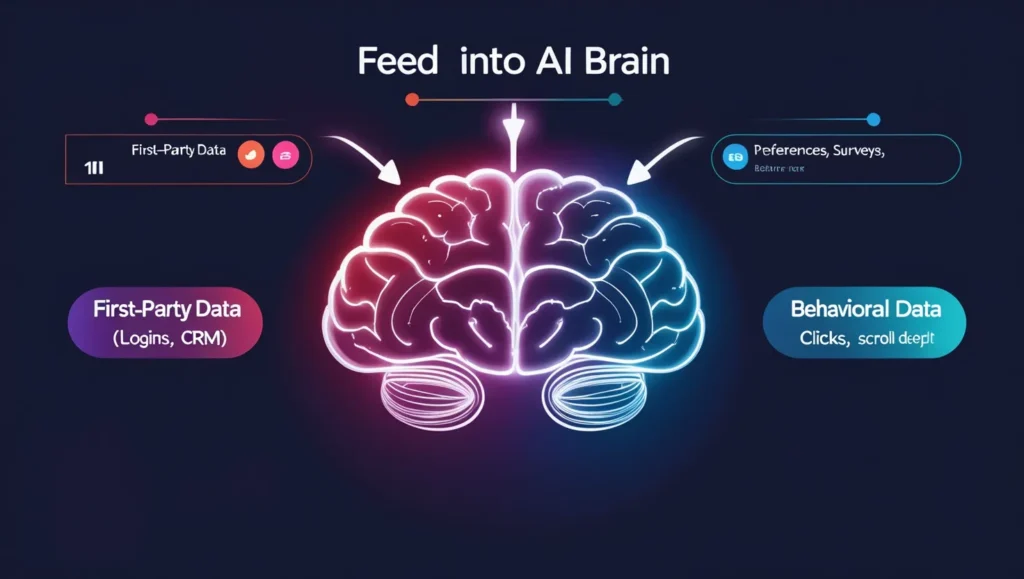
If cookies are out, where does all this predictive insight come from?
Glad you asked. Predictive UX thrives on a smarter blend of:
1. First-party data
Collected directly through your own platforms—think login info, purchase history, and usage patterns.
2. Zero-party data
Willingly provided by users through forms, polls, preference centers, or even quizzes (“What kind of marketer are you?”).
3. Behavioral signals
- Scroll depth
- Click paths
- Dwell time
- Session re-entry frequency
This is gold for predictive UX, offering real-time feedback about user intent.
4. Contextual and device data
Location, time of day, weather, device type—all can influence predictions. A mobile visitor on a rainy Thursday afternoon? That’s a different profile than a desktop user at 9 AM Monday.
[Diagram: Types of Data Feeding Predictive UX Engines]
| Data Type | Example | Collection Method |
|---|---|---|
| First-party | Purchase history, logins | On-site behavior |
| Zero-party | Quiz responses, preferences | User-submitted |
| Behavioral | Scroll depth, session time | Analytics tools |
| Contextual | Device, time of day, location | Session + device data |
This data cocktail fuels machine learning engines—and gives predictive UX its power without invading privacy.
4. Machine Learning Meets Marketing: How Predictive Models Work
Let’s geek out for a second—because under the hood of predictive UX is some serious AI horsepower.
🔄 Real-Time Personalization Loops
Machine learning systems learn as the user acts. Scroll faster? They adapt. Linger longer? They show more options.
🧠 Algorithms In Action
- Classification models: Categorize users (e.g., first-timer vs returner).
- Clustering: Segment users by behavior, not demographics.
- Regression: Predict future actions (like conversion likelihood).
- Collaborative filtering: Recommend based on similar users’ behavior.
💬 NLP + Intent Detection
Tools like GPT and BERT analyze:
- Search queries
- Chatbot convos
- On-site text interactions
…to figure out what users really want, even when they don’t say it clearly.
👯♂️ Lookalike Modeling—Without Cookies
Using behavioral twins (people who act alike), platforms can personalize even for new users without prior data.
🧨 Benefits:
- Speed: Real-time adjustments.
- Scalability: Thousands of segments created on the fly.
- Hyper-relevance: Personalization that actually matches the moment.
This is where machine learning marketing shines. And best of all? No cookies required.
5. Case Studies: Brands Using Predictive UX Successfully
🛍 Sephora (eCommerce)
Their AI engine suggests products based on:
- Skin tone + quiz data
- Past purchases
- Time of year
The result? Dynamic product pages that adjust in real time to browsing behavior.
✈️ Booking.com (Travel)
They use predictive modeling to surface:
- Hotel suggestions
- Time-sensitive deals
- Smart nudges like “Prices rising in this area”
They don’t just react—they anticipate when and where you want to go.
💼 HubSpot (SaaS)
HubSpot uses behavioral tracking to:
- Predict churn
- Guide onboarding with next-step suggestions
- Recommend tools based on team size and industry
Their platform acts more like a smart assistant than a static tool.
Other honorable mentions:
- The New York Times: Content recs change based on daypart and scroll speed.
- Spotify: Mood-based mixes driven by what you skip.
6. Privacy and Ethics: Can Predictive UX Be Responsible?
Let’s be clear: just because we can predict behavior, doesn’t mean we should do it carelessly.
✅ Responsible AI in Marketing means:
- Transparency: Let users know when AI is personalizing content.
- Control: Provide opt-outs and preference centers.
- Explainability: If a user gets a weird rec, they should understand why.
⚠️ Avoiding Dark Patterns
Predictive UX should help—not trick. For example:
- “You’re probably running low on shampoo” = helpful
- “Only 1 left!” (when it’s not true) = manipulation
Ethical design favors:
- Consent
- Clarity
- Value exchange
That’s the secret to privacy-first personalization that builds trust, not breaks it.
7. Predictive UX Tools & Platforms to Watch
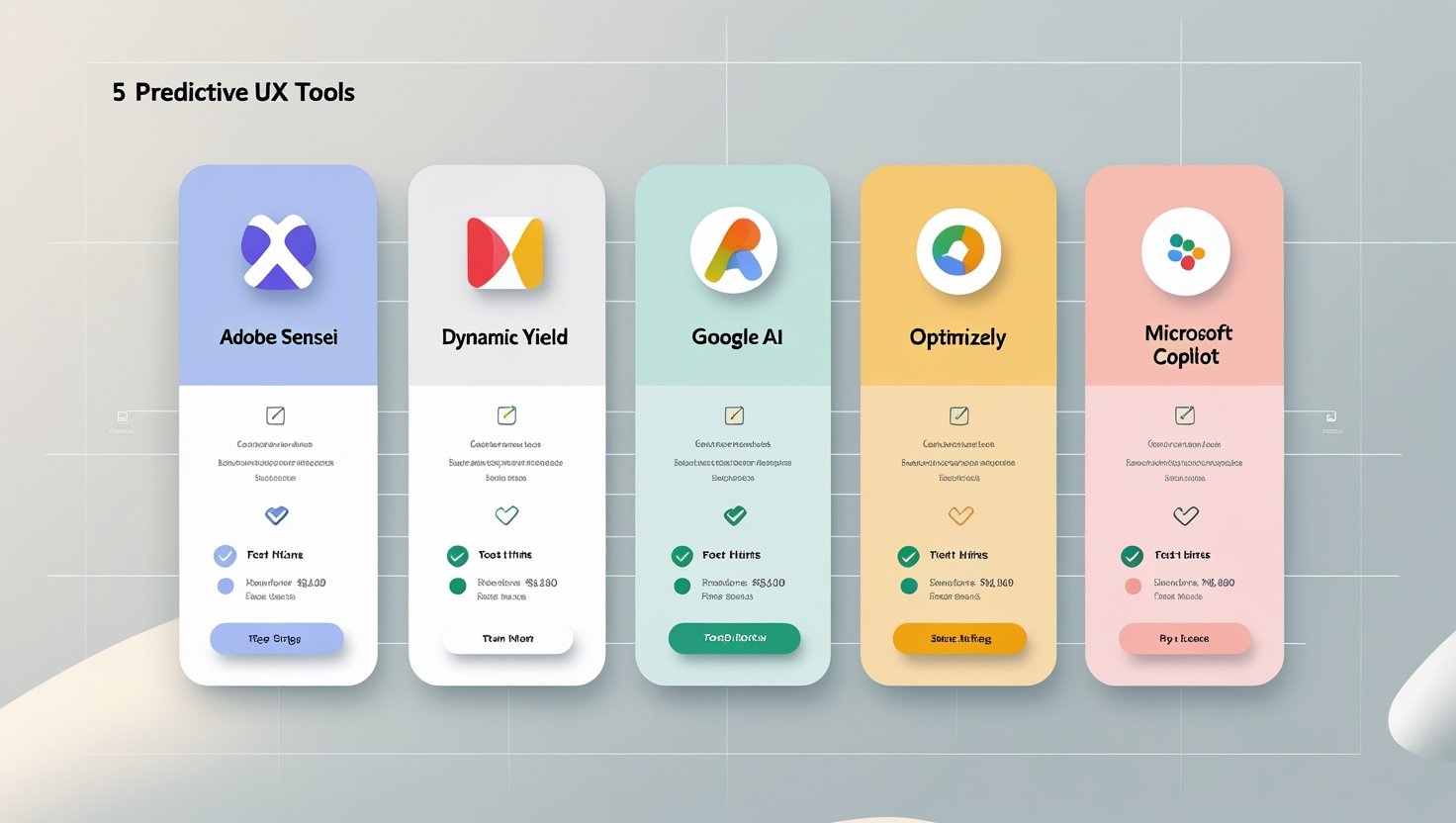
Here’s a look at the top platforms powering predictive UX:
| Platform | Features | Strengths | Pricing Notes |
|---|---|---|---|
| Adobe Sensei | Predictive analytics, smart cropping | Deep creative integration | Enterprise-tier |
| Dynamic Yield | Real-time personalization | eCommerce focus | Scalable pricing |
| Google AI | Product recs, search intent modeling | Built into Google Ads & GA | Pay-as-you-go |
| Optimizely + ML | Behavioral targeting, A/B testing | Easy experimentation | Custom pricing |
| MS Clarity + Copilot | Session data + AI insights | Strong with UX heatmaps | Free tier available |
When choosing a tool, look for:
- Easy integrations
- Custom model support
- Privacy compliance baked in
8. How to Transition: Building a Predictive UX Strategy
Here’s your game plan:
1. Audit your data
Map what first-party and behavioral data you’re collecting. Gaps? Fix them.
2. Define your personalization goals
Better product recs? Higher conversions? Faster onboarding?
3. Choose or build predictive models
Use off-the-shelf platforms or connect your own ML pipelines.
4. Test and iterate
Run experiments. A/B test predictive UX elements before going all in.
5. Design with privacy in mind
Be transparent. Provide choices. Bake consent into the experience.
A strong predictive UX strategy isn’t just tech—it’s trust, design, and value.
9. The Future of Behavioral Targeting 
In the near future, predictive UX will go beyond screens.
Picture this:
- A voice assistant that suggests dinner based on your calendar.
- A chatbot that offers a solution before you type the question.
- A wearable device that books your gym class when you miss two days in a row.
We’re shifting from reactive experiences to proactive engagement.
The marketers who embrace this shift—from tracking users to understanding them—will win. Because behavioral targeting without cookies isn’t a downgrade. It’s a major upgrade.
10. FAQs
Q1. What exactly are third-party cookies, and why are they being phased out?
A:
Third-party cookies are small text files created by domains other than the one you’re currently visiting. Advertisers used them to track users across multiple sites—think of those shoes you viewed on one site that keep popping up everywhere.
They’re being phased out because:
- Privacy concerns: Users don’t want to be tracked without consent.
- Regulations: GDPR, CCPA, and others require user control and transparency.
- Browser changes: Apple’s Safari and Mozilla Firefox have blocked them for years. In 2025, Chrome—holding ~60% of the browser market—will complete the phase-out.
The future is privacy-first, and that means marketers need new ways to deliver personalization without surveillance.
Q2. How is behavioral targeting still possible without cookies?
A:
Behavioral targeting has evolved. Instead of relying on third-party cookies, we now use:
- First-party data: Data collected on your own site (e.g., user clicks, searches, purchase history).
- Zero-party data: Data users willingly share (preferences, quiz answers, survey responses).
- On-site behavioral signals: How users interact with your content in real time (scrolling, hovering, repeat visits).
- AI-powered prediction: Machine learning uses this data to model likely behaviors and personalize content instantly.
It’s targeting based on intent, not surveillance. The result? Smarter, less creepy personalization.
Q3. What is predictive UX, and how is it different from regular personalization?
A:
Predictive UX is the process of using real-time behavioral signals and AI to anticipate user needs before they act.
How it differs from traditional personalization:
| Traditional Personalization | Predictive UX |
|---|---|
| Based on past data (purchase history) | Based on real-time behavior (scroll, click paths) |
| Static segments | Dynamic, evolving predictions |
| Often reliant on cookies | Cookieless and privacy-compliant |
| Reactive (“Here’s what you did”) | Proactive (“Here’s what you might want”) |
Examples:
- Netflix recommending a thriller before you search for one.
- An eCommerce site pre-loading a cart with frequently reordered items.
- A SaaS platform adjusting its dashboard based on task frequency.
Q4. Is predictive UX actually effective in increasing conversions or engagement?
A:
Yes—when implemented correctly, predictive UX can significantly boost:
- Click-through rates: Because the content matches current intent.
- Conversions: Timely product recommendations and nudges reduce friction.
- User satisfaction: People enjoy seamless, intuitive experiences.
- Retention: Users are more likely to return to an experience that “just gets them.”
Case studies from brands like Booking.com, Sephora, and Spotify show double-digit improvements in engagement metrics using predictive UX.
Q5. Isn’t predictive UX just another word for AI in marketing?
A:
They’re related but not interchangeable.
- AI in marketing is the broader category—it includes chatbots, email automation, natural language processing, image recognition, etc.
- Predictive UX is a specific application of AI that focuses on improving the user interface and experience through real-time behavior modeling.
Think of predictive UX as the tactical expression of AI—applied directly to the user journey.
Q6. What kind of data does predictive UX use, and is it legal under GDPR/CCPA?
A:
Predictive UX leverages four main types of data:
- First-party data (behavior on your own website)
- Zero-party data (user-provided preferences)
- Behavioral data (session heatmaps, clicks, scrolls)
- Contextual data (time of day, device, location)
All of this can be collected ethically and legally by:
- Obtaining user consent (especially for optional features)
- Providing clear privacy policies
- Giving users access to view, edit, or delete their data
It aligns with the principles of privacy-first personalization—a trend that’s not going away.
Q7. What are the risks or downsides of predictive UX?
A:
While powerful, predictive UX does carry risks:
- Overpersonalization: If too aggressive, it can feel creepy.
- Misinterpretation: Predicting the wrong thing could frustrate users (“Why is it showing me baby clothes?”).
- Bias in training data: AI models may reinforce stereotypes if not monitored.
- Ethical concerns: Nudging behavior is fine—but manipulating users toward outcomes they don’t want crosses a line.
Pro tip: Pair predictive UX with transparent UI design and give users the ability to customize what’s being suggested.
Q8. Can small businesses or solo creators use predictive UX without enterprise-level tools?
A:
Yes! Many tools are now accessible and affordable:
- Microsoft Clarity (Free): Heatmaps, session recordings, click tracking.
- HubSpot (Free tier): Tracks behavior to personalize emails and popups.
- Optimizely: Offers dynamic content testing for SMBs.
- Dynamic Yield, Segment, and Mutiny: Tiered pricing for smaller orgs.
And for no-code fans, tools like ConvertFlow, Tally, and Typeform let you collect zero-party data for smarter personalization—no dev team needed.
Q9. What tools can I use to implement predictive UX today?
A:
Here’s a short list of top predictive UX tools for 2025:
| Tool / Platform | Key Features | Best For |
|---|---|---|
| Adobe Sensei | AI-driven content prediction & asset creation | Large enterprises |
| Dynamic Yield | Real-time page personalization | eCommerce and retail |
| Google AI + GA4 | Intent modeling, audience segmentation | Paid media + web analytics |
| Segment + Personas | Behavioral and zero-party data unification | Cross-channel experiences |
| Microsoft Clarity + Copilot | Heatmaps, scroll insights, user flow predictions | Small/medium businesses |
Choose based on your:
- Industry
- Team size
- Tech stack
- Privacy needs
Q10. How do I train a predictive UX model with no historical data?
A:
You don’t need years of data to start. Many modern tools use real-time learning, meaning they adjust based on behavior in the moment.
Steps to bootstrap:
- Start collecting clean first-party and behavioral data ASAP.
- Use simple rules-based personalization first (e.g., “if time = night, suggest X”).
- Gradually introduce machine learning to automate and scale.
- Use lookalike behaviors (not identities) to build early models.
Some platforms also offer pre-trained AI models based on anonymized industry-wide behavior.
Q11. What industries benefit most from predictive UX?
A:
Almost every digital business can benefit, but especially:
- Retail / eCommerce: Dynamic recommendations, reorder nudges.
- Media / Streaming: Content personalization by genre, time, and mood.
- SaaS Platforms: Guided onboarding, task suggestions, user retention nudges.
- Healthcare: Appointment scheduling, medication reminders.
- EdTech: Course recommendations, adaptive learning paths.
If your audience expects relevance and convenience, predictive UX adds value.
Q12. How can predictive UX help reduce cart abandonment?
A:
Predictive UX tackles abandonment by:
- Displaying exit-intent offers before a user leaves.
- Triggering gentle nudges based on behavior (“You looked at this 3 times—still interested?”).
- Personalizing reminders based on urgency or purchase frequency.
- Using AI to surface the next-best action instead of just retargeting.
Instead of saying, “Hey, come back,” it says:
“We saved your cart, added a promo, and made it one-click checkout.”
Q13. What’s the difference between predictive UX and behavioral email marketing?
A:
Behavioral email marketing reacts to events (like cart abandonment or page visits).
Predictive UX is immediate and happens on-site or in-app—during the session.
Example:
- Behavioral email: “You left this in your cart yesterday.”
- Predictive UX: “You’re browsing dog food—here’s your usual brand with 10% off.”
One is follow-up. The other is real-time adaptation.
Q14. Is predictive UX only for websites, or can it be used in apps too?
A:
Absolutely used in both.
In fact, mobile apps often have better predictive UX potential because:
- They’re logged-in environments (easy to access first-party data).
- They support notifications and persistent sessions.
- You can track micro-behaviors like tap rate, swipe gestures, and in-app searches.
Apps like Uber, Duolingo, and Amazon use predictive UX to guide the user toward the next most likely or helpful action.
Q15. How does predictive UX impact SEO?
A:
Great question. While predictive UX is focused on user experience, it still impacts SEO indirectly:
- Lower bounce rates: Because content matches intent.
- Higher dwell time: Because users explore more.
- Improved engagement signals: Which search engines love.
Also, predictive UX can serve the right landing page variation or CTA—leading to better performance from organic traffic.
It’s not about keyword stuffing anymore. It’s about intent fulfillment.
Q16. What metrics should I track to evaluate predictive UX success?
A:
Key performance indicators (KPIs) include:
- Click-through rate (CTR) of dynamic content
- Conversion rate uplift after introducing personalization
- Session duration and scroll depth
- Time to value (especially for SaaS)
- User satisfaction scores (via surveys or NPS)
- A/B test results comparing predictive vs. static UX flows
Success is measured in invisible friction reduced—and that shows up in your metrics.
Q17. What skills or roles do I need on my team to implement predictive UX?
A:
Here’s your dream team (but don’t worry if you wear multiple hats):
- Data analyst: To collect and interpret behavior.
- UX/UI designer: To design adaptive experiences.
- Developer or no-code builder: To implement real-time changes.
- Content strategist: To create modular, dynamic content.
- Privacy/compliance advisor: To ensure ethical implementation.
For smaller teams, tools like HubSpot or Dynamic Yield abstract away much of the complexity.
Q18. Can predictive UX be used with other targeting methods (like geolocation or sentiment analysis)?
A:
Definitely. Predictive UX works beautifully with:
- Geolocation: Suggest local stores or delivery ETAs.
- Sentiment analysis: Adjust tone or offers based on user mood (from chat, reviews, or social).
- Weather APIs: Recommend products based on local weather (“It’s raining—want an umbrella discount?”).
- Calendar syncing: Predict product needs or scheduling actions around user events.
The more contextual data you feed it, the smarter it gets.
Q19. Is predictive UX the endgame for personalization—or just the next phase?
A:
It’s the next major phase, not the final one.
After predictive UX, we’ll likely see:
- Proactive UX: Systems act before a user even opens an app.
- Ambient experiences: Personalized suggestions delivered across devices without friction (e.g., wearables, smart homes).
- Multi-modal predictions: Combining audio, touch, voice, and screen interactions.
Predictive UX is where smart meets seamless. The future? Even more frictionless.
Q20. Where should I start if I’m completely new to predictive UX?
A:
Here’s a quick starter plan:
- Audit your website: Where do users drop off? What do they commonly do first?
- Install Microsoft Clarity or Hotjar: Gather behavioral data.
- Create segments: Start with basic ones (returning vs. new, mobile vs. desktop).
- Implement one personalized element: A dynamic CTA, smart product suggestion, or content module.
- Test and learn: Run A/B tests. Monitor lift. Optimize.
You don’t need to go full AI on day one—start with smart UX, then grow into predictive.
✅ Final Tips & Next Steps
🔗 : Explore our blogs on AI in marketing, Advance MS Office, and Digital Marketing
📣Ready to move beyond cookies? Start with a data audit and try a predictive UX platform today!