
Introduction: Renting Memory Like a Pro
Ah, memory management in C. The land where you manually juggle every byte, and one wrong move sends your program into the abyss of segmentation faults. But fear not! You’re not alone — every C programmer, from nervous newbie to grizzled systems dev, has at some point yelled at a malloc() call that returned NULL.
So, why does memory management matter? Think of it like renting instead of buying. When you allocate memory dynamically, you’re temporarily renting a space on the heap — like booking a hotel room on the fly. You don’t want to trash the place or leave your stuff behind (hello, memory leaks). Stack memory is like crashing on your friend’s couch — temporary, and automatically cleaned up. But the heap? You’ve got to clean up after yourself, or someone’s going to have a bad time.
In this memory-packed journey, we’ll explore:
- The difference between the stack and heap
- How to use
malloc(),calloc(),realloc()like a wizard - Why
free()is your best friend (and also your potential enemy) - How to avoid nasty bugs like memory leaks and use-after-free errors
- Pro tips, tools, real-world analogies, and even some interview magic
Whether you’re a curious student, an embedded enthusiast, or someone who’s accidentally freed the stack (don’t do that), this guide will help you master memory like a pro.
Let’s dive deep into the mysterious internals of malloc() and friends, and emerge victorious, pointer in hand.
Section 1: Understanding Memory in C – Stack vs Heap
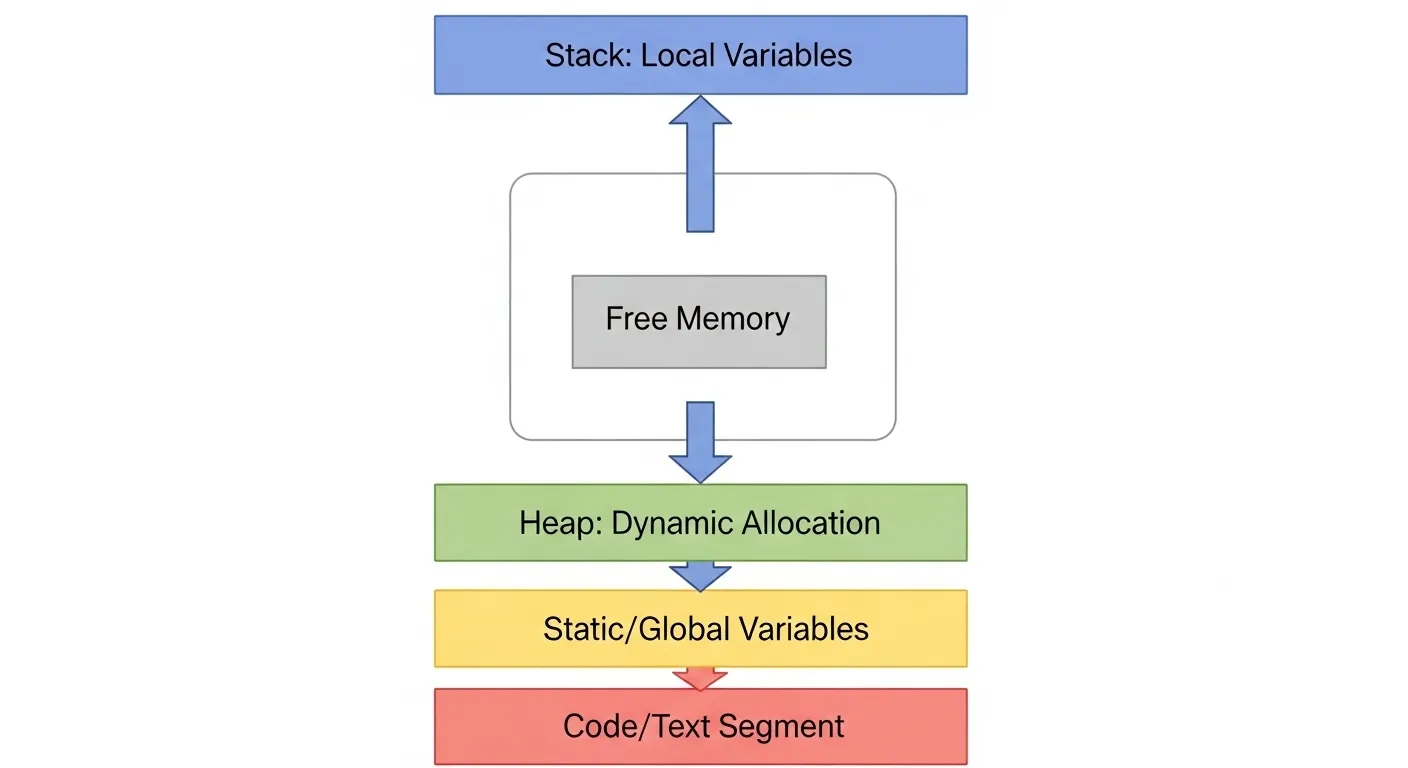
Let’s start at the root of all memory-related confusion: stack vs heap. These are the two main types of memory in C, and they behave very differently.
Stack Memory 🥞
The stack is like your call history — it’s managed automatically and follows a Last-In-First-Out (LIFO) structure. When you declare a local variable in a function, it gets a spot on the stack.
void greet() {
    char name[10];  // This lives on the stack
}
Once the function ends, that memory is reclaimed. No free() needed.
Heap Memory 🧠
The heap is where you go when you want to allocate memory manually. Think of it as your own private storage space — more flexible, but also your responsibility to maintain.
char* name = malloc(10); // This lives on the heapNow you are responsible for freeing it when you’re done.
Diagram: Stack vs Heap
Memory Layout:
+-----------------------+
|       Stack ↑        |
|   Local Variables    |
+-----------------------+
|       Heap ↓         |
|  Dynamically Alloc'd |
+-----------------------+
When to Use What?
- Stack: For small, short-lived variables scoped to functions.
- Heap: For large, dynamic data structures (arrays, structs, buffers) or when lifetime extends beyond function scope.
Common Rookie Mistake ⚠️
Using stack-allocated memory after the function returns:
char* getName() {
    char name[10];
    return name; // BAD! Memory gone after return
}
This leads to undefined behavior. Use heap memory for data that must outlive its function.
Section 2: malloc() – The OG Allocator
If stack memory is automatic, malloc() is your manual gear shift. It’s the Original Gangster of memory allocation.
Syntax:
void* malloc(size_t size);It allocates size bytes on the heap and returns a pointer to the first byte. If it fails, it returns NULL.
Example:
int* scores = (int*) malloc(5 * sizeof(int));Technically, typecasting is not required in C (only in C++), but many developers do it out of habit or for clarity.
Always Check for NULL ✅
if (scores == NULL) {
    // Handle allocation failure
}
Pitfall #1: Uninitialized Memory
malloc() gives you raw memory. That means garbage data:
int* data = malloc(3 * sizeof(int));
printf("%d\n", data[0]); // Could be anything!
Pitfall #2: Miscalculating Size
char* name = malloc(10); // OK for 9 chars + null terminator
char* wrong = malloc(10 * sizeof(char*)); // Way too big
Analogy:
Using malloc() is like renting an apartment without checking if it’s clean or even has walls. You have space, but no guarantees.
Section 3: calloc() – malloc’s More Careful Cousin
If malloc() is your fun but chaotic friend who hands you a pile of memory and says, “Good luck!”, then calloc() is the neat freak cousin who hands you clean, zeroed-out memory with a smile and a checklist.
Syntax:
Instead of just specifying a total byte count like in malloc(), you provide two arguments:
-
num: the number of elements -
size: the size of each element
It returns a pointer to a block of memory large enough to hold num * size bytes, all initialized to zero.
Example:
The Key Difference: Zero-Initialization 🧼
While malloc() just grabs raw memory, calloc() makes sure the entire block is wiped clean — every byte is set to 0. This is especially useful when:
-
You’re working with arrays that need a known starting value.
-
You’re initializing structs where zeroed values make sense.
-
You don’t want to manually
memset()after allocating.
Real-World Analogy:
Think of calloc() as renting a furnished, freshly cleaned apartment — the fridge is empty, the counters are wiped, and the sheets are washed. Meanwhile, malloc() is like getting an apartment where the last tenant may have left socks in the closet. You just don’t know.
malloc() vs calloc(): When to Use What?
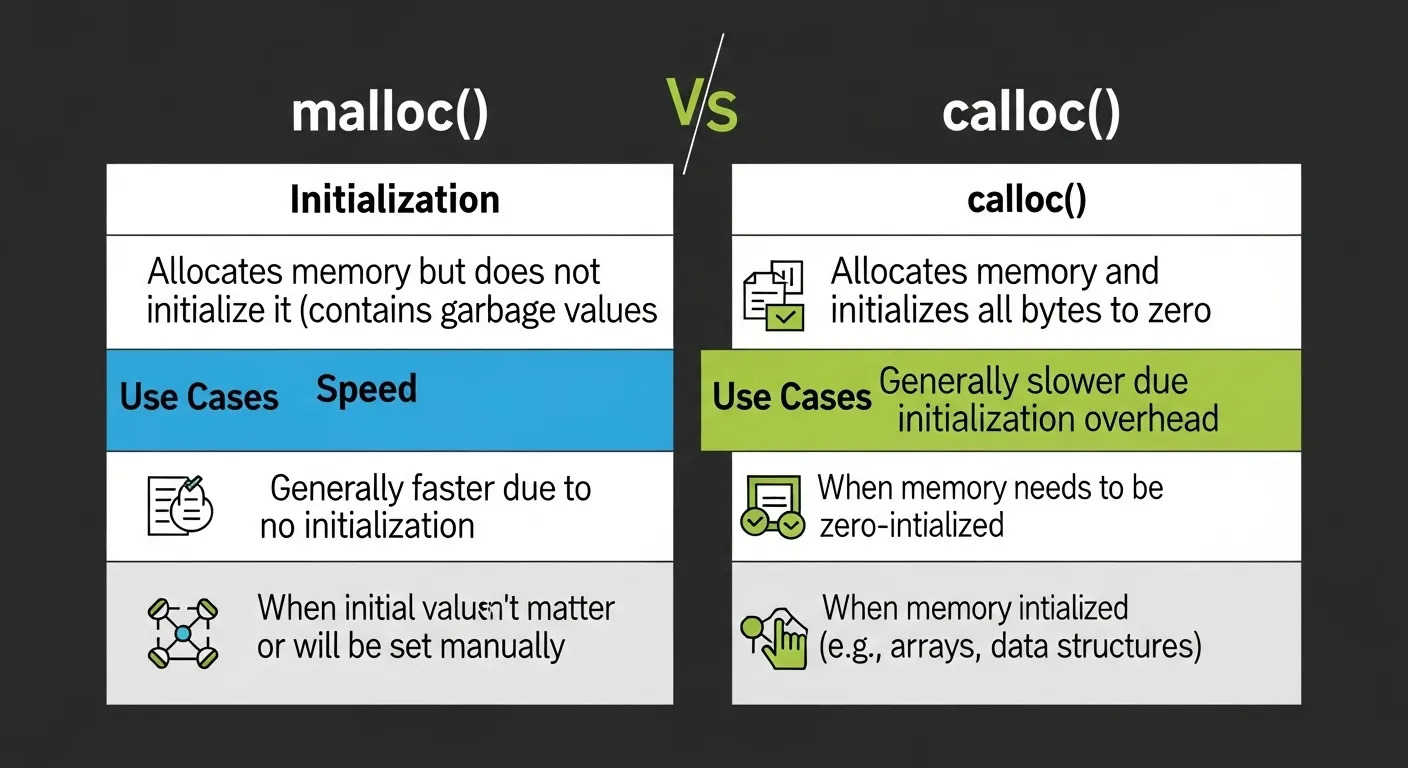
| Feature | malloc() |
calloc() |
|---|---|---|
| Initialization | ❌ Garbage data | ✅ Zeroed-out memory |
| Performance | ⚡ Slightly faster | 🐌 Slightly slower (but safer) |
| Use Case | Manual setup | Structs, arrays, safe defaults |
Common Use Case: Struct Arrays
This makes calloc() a great choice when your program relies on default (zero) values for correctness.
Performance Consideration:
Yes, calloc() is technically slower because of the zeroing step. But modern operating systems often optimize it using techniques like copy-on-write and lazy allocation, so unless you’re in an ultra performance-critical loop (like in an embedded system), the performance difference is often negligible.
Common Gotcha:
Some folks think calloc() magically prevents all bugs because it initializes to zero. Sadly, no. It won’t protect you from buffer overflows, logic bugs, or forgetting to free() later. It just helps eliminate one common source of undefined behavior — using uninitialized memory.
Section 4: realloc() – Resizing Memory on the Fly
You’ve malloc()’d some memory, written some brilliant code, and now — uh oh — your array isn’t big enough. Enter realloc(), the resizing wizard of C. It lets you adjust the size of previously allocated memory, without starting from scratch. Magic? Almost.
Syntax:
-
ptr: the pointer to memory previously allocated viamalloc(),calloc(), or even anotherrealloc() -
new_size: the new size in bytes
Returns a pointer to the new memory block, which may or may not be at the same address.
Example: Growing an Array
Now you can use bigger[0] through bigger[5]. Note: if the system can’t expand the block in place, it allocates new memory, copies the old content, and frees the old block automatically.
realloc() Can Move Your Data 📦
Just like upgrading your apartment — you might stay in the same building, or you might have to move across town. That’s what realloc() does: it may relocate your memory.
So what’s the catch?
Pitfall #1: Losing Your Pointer 😱
But what if realloc() fails and returns NULL? You’ve now lost the original pointer and leaked memory.
Safer pattern:
Pitfall #2: NULL as the First Argument
Calling realloc(NULL, size) is the same as malloc(size). This means realloc() can double as an allocator. Handy, but potentially confusing.
Pitfall #3: Downsizing Woes
Shrinking memory may leave old data behind — but if you access beyond the new boundary, you’re in undefined behavior land. Don’t go there. Seriously.
Real-World Analogy: Apartment Upgrade
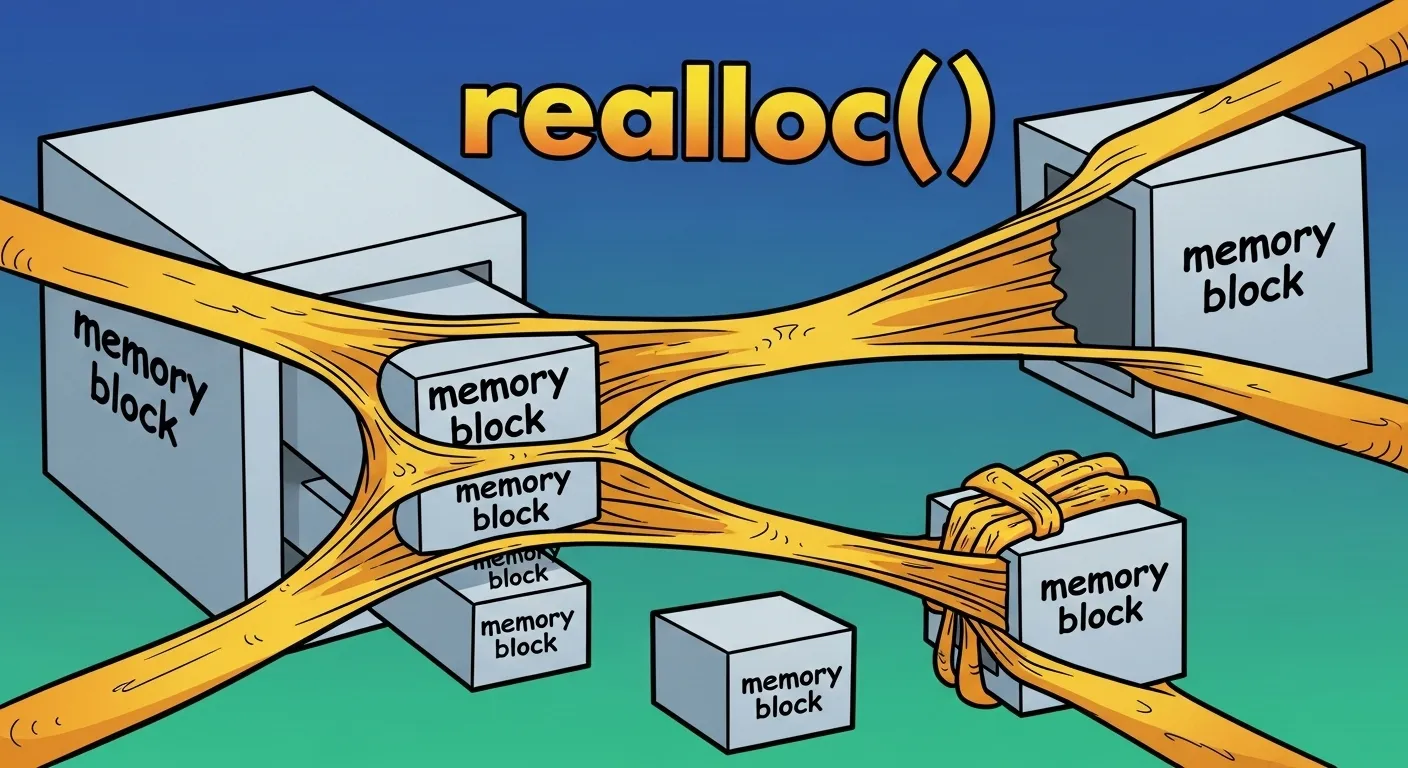
Realloc is like asking your landlord for a bigger place. If they can expand your current apartment, great! If not, you move — and the landlord helps you move your stuff. But if the landlord says “Nope, we’re full,” and you already packed your bags and gave up your lease… well, now you’re homeless. That’s the realloc failure trap.
Use-Case: Dynamic Input Buffers
This pattern — doubling buffer size — is common in real-world C input handling (e.g., reading unknown-length strings).
Section 5: The Art of free() – Cleaning Up Like a Pro
Let’s get one thing straight: if you malloc(), calloc(), or realloc(), you must eventually free(). Otherwise, you’re leaving your memory rented and unpaid — and in C, there’s no landlord to chase you. Instead, you just silently cause memory leaks, and your program becomes a digital hoarder.
Syntax:
Simple, right? But like any deceptively simple tool (looking at you, chainsaws), free() can be dangerous if misused.
Why It’s Essential: Avoiding Memory Leaks 💧
When you allocate memory on the heap, it stays allocated until:
-
You explicitly
free()it -
The program exits (and even then, OS cleanup isn’t guaranteed — especially in embedded systems)
If you don’t free() memory you’ve allocated, that memory is never returned to the system. Over time, this is like stuffing every room you’ve ever rented with junk and walking away. It adds up.
Example:
Common Mistake #1: Double Free ❌❌
Double freeing is like trying to hand back an apartment key — twice. The second time, the system says, “Dude, this place doesn’t belong to you anymore,” and chaos ensues.
Common Mistake #2: Freeing Stack Memory
Stack memory is automatically cleaned up. Trying to free() it is like trying to evict someone from your own couch.
Common Mistake #3: Use After Free
Accessing memory after free() is like trying to use a phone number after someone moved. It might work… but it probably won’t, and someone else might be living there now.
How to Stay Safe 🛡️
-
After calling
free(ptr), setptr = NULL. That way, accidental second frees or use-after-free bugs will be caught early.
Pro Tip: Free in Reverse Order
If you allocate multiple blocks, free them in the reverse order you allocated. Think of it as stacking dishes — take the last one off first.
Tools That Help:
-
Valgrind: Detects memory leaks, use-after-free, and other nasties.
-
AddressSanitizer (GCC/Clang): Catches out-of-bounds and freed-memory access.
-
Static Analyzers: Many IDEs and tools can catch misuse before runtime.
Real-World Analogy:
Imagine renting a storage unit, leaving a mattress inside, and walking away. Every month, you still get charged. Now multiply that by 20 storage units — that’s what a memory leak looks like in production.
Section 6: Memory Management Best Practices
Ah, memory in C — a thing of power and peril. It’s like owning a chainsaw: awesome when used right, horrifying when misused. So, here are your golden commandments for writing clean, leak-free, crash-resistant C code.
🧪 1. Always Check malloc/calloc Return Values
If you skip this, you’re gambling with your program’s life.
Never assume memory allocation will always succeed — especially in low-RAM environments or when your program scales up.
🧹 2. Always Free What You Malloc (But Only Once!)
If you allocate it, you deallocate it. If you forget, it leaks. If you do it twice, it explodes.
Bad:
Better:
🧭 3. Keep Ownership Clear
Who owns the pointer? Is it passed between functions? Shared globally? These questions matter.
Use comments and good function naming to clarify ownership:
🔁 4. Pair Allocations and Deallocations Logically
Allocate and deallocate in the same conceptual place. For example:
This prevents memory leaks and makes your code easier to audit. Bonus: tools like Valgrind love you for this.
⏳ 5. Know the Memory Lifecycle
Ask yourself:
-
Does this memory live just for a function?
-
Is it passed around to other modules?
-
Does it last the life of the program?
This tells you whether to use stack or heap, and where to free the memory.
💡 Bonus: Use Wrapper Functions
You can create your own safe_malloc() function to enforce checks:
void* safe_malloc(size_t size) {

void* ptr = malloc(size);

if (!ptr) {

fprintf(stderr, "Out of memory\\n");

exit(1);

}

return ptr;

}
Section 7: Debugging Memory Issues
So you’ve written your C code, hit compile, ran it… and boom — Segmentation fault (core dumped). Welcome to the club! This is the C rite of passage. Let’s demystify common memory bugs and give you the tools to squash them like cockroaches in a haunted malloc block.
🧟♂️ Common Symptoms of Memory Bugs
-
Segmentation Fault: You touched memory you shouldn’t have.
-
Bus Error: You aligned memory incorrectly or went into hardware hell.
-
Undefined Behavior: It seems to work until it doesn’t — the most sinister of all.
-
Silent Crashes or Corruption: You wrote into freed memory or overran your buffer.
These bugs are like ghosts: invisible, sneaky, and they never appear when your professor or boss is watching.
🔥 Tool 1: Valgrind – The Memory Leak Detective
Valgrind is the Sherlock Holmes of C debugging. It watches every memory allocation, access, and free, and reports on leaks, overreads, double frees, and more.
Run your program like this:
You’ll get output like:
Translation: You forgot to free something. Tsk tsk.
🔬 Tool 2: AddressSanitizer (ASan)
Built into GCC and Clang, this tool instruments your code to detect memory misuse at runtime.
Compile with:
Then run your program. ASan will immediately point out invalid accesses, use-after-free, and more — often with line numbers.
🧪 Tool 3: Compiler Flags
Use these flags while developing:
They won’t catch everything, but they’ll warn you early when you’re walking near a cliff.
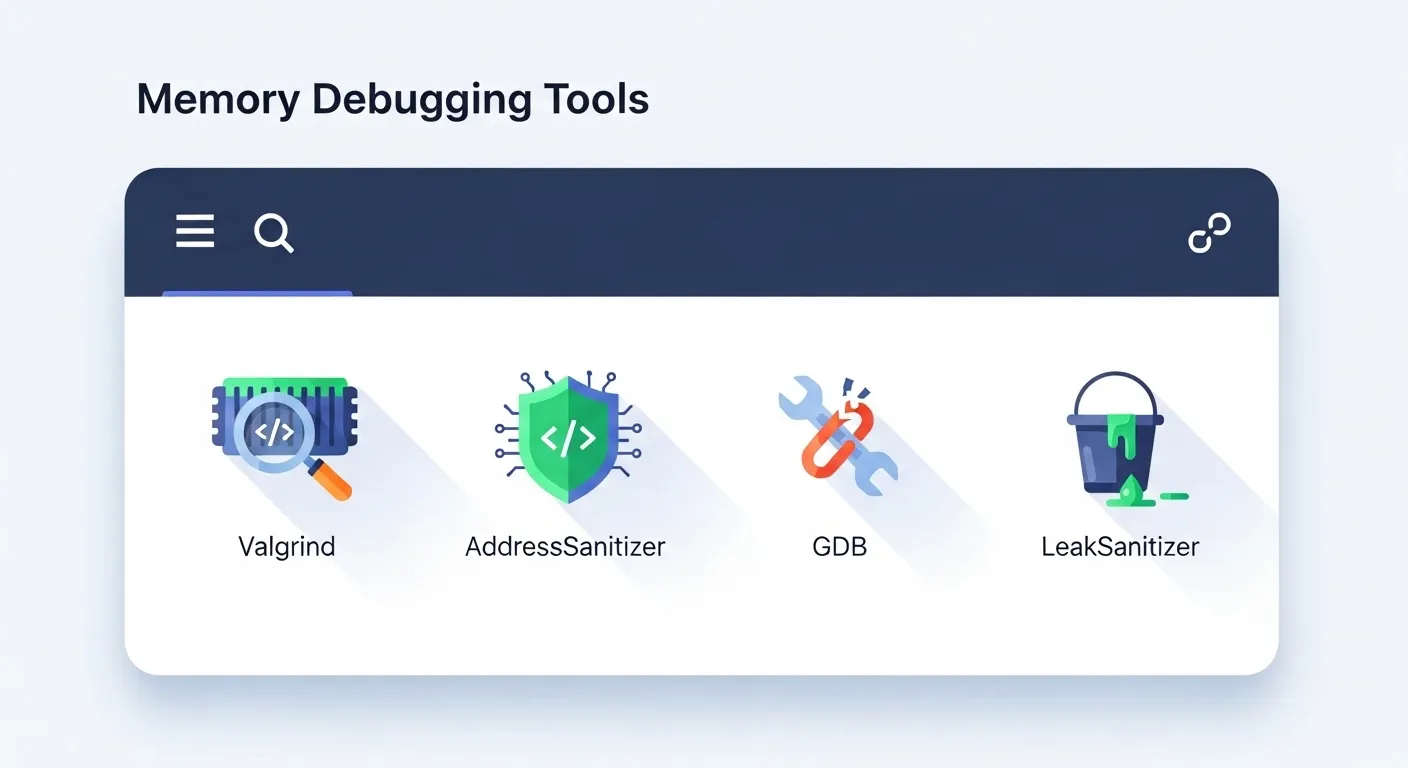
🧠 Real-World Debugging Example
Valgrind would catch this:
ASan would straight up scream:
These tools don’t just help — they’re required reading if you want to survive and thrive in C programming.
Section 8: Advanced Tips – Custom Memory Allocators & Smart Wrappers
So you’ve mastered the C memory basics, debugged your leaks, and tamed your pointers. What’s next?
Well, now you can start bending memory management to your will. In performance-critical or embedded systems, developers often roll their own memory managers — and it’s not as scary as it sounds.
🧵 Custom malloc/free Wrappers
Want to track where your memory is being allocated? Just write your own wrapper around malloc() and free()!
This logs every allocation with the file name and line number. Combine this with free() logging, and suddenly you can trace leaks without external tools. Great for embedded systems where tools like Valgrind aren’t available.
🧱 Memory Pools
Allocating from the heap is expensive. If you know ahead of time that you’ll need, say, 100 blocks of 64 bytes, you can preallocate a “pool” and reuse it.
Why?
-
Reduced fragmentation
-
Faster allocation/deallocation
-
Predictable memory use — vital in real-time systems
Popular in game engines and OS kernels, memory pools give you both speed and control.
🎯 Arena Allocators
Arena (or region-based) allocation means allocating a large block of memory up front, then handing out pieces of it as needed. When done, you free the entire arena.
Great for short-lived tasks like parsing, where you don’t need fine-grained free() — you just wipe the whole arena at once. It’s fast, cache-friendly, and perfect for performance-critical C.
Why Use Custom Allocators?
-
Embedded systems often have limited heap and no malloc()
-
You need predictable timing (malloc may block!)
-
You want to log, debug, or restrict memory use
Want More?
For serious allocator nerds, check out:
-
dlmalloc,jemalloc, andtcmalloc– industrial-grade allocators -
Linux kernel’s slab allocator
-
Embedded RTOS-specific memory schemes
Section 9: Memory Management Interview Questions & Pro Tips
When you’re sitting across from an interviewer — or these days, in front of your webcam wearing a dress shirt and pajama pants — you want your memory management answers to wow them.
Here are some classic (and spicy) questions they love to ask:
💡 Q1: What’s the difference between malloc() and calloc()?
Easy win.
Answer:
-
malloc(size)allocates uninitialized memory. -
calloc(n, size)allocates memory and zero-initializes it. -
So
callocis like getting a hotel room where someone already made the bed and stocked the minibar.
Bonus points: Mention performance tradeoffs — calloc() may be slower due to zeroing.
💡 Q2: When should you use realloc()?
Answer:
When you want to resize a previously allocated block — say you’re reading input and don’t know how big it’ll get.
⚠️ Warning: realloc() may move the memory, and if it fails, it returns NULL without freeing the original. Always use a temp pointer.
💡 Q3: What happens if you free() the same pointer twice?
Answer:
That’s a double free, and it’s bad news. It leads to undefined behavior, which is interview-speak for “you’re fired” in production.
Tip: Always set the pointer to NULL after freeing.
💡 Q4: How do memory leaks happen?
Answer:
When you allocate memory but lose all references to it without freeing it. Like renting a storage unit and forgetting where it is.
Tool tip: Use valgrind to detect leaks, or write your own wrappers in embedded environments.
💡 Q5: What’s a dangling pointer?
Answer:
A pointer that still points to a memory location after it has been freed.
This often leads to use-after-free bugs, which are hard to track and can cause security vulnerabilities.
💡 Bonus Pro Tips to Impress
-
Mention memory alignment and
posix_memalign()if you’re going for systems or embedded roles. -
Talk about tools:
valgrind,asan(AddressSanitizer), and even your custom allocators. -
Know your stdlib functions like the back of your hand — especially
memcpy,memset, and how they relate to buffer overflows.
🎉 Conclusion: You vs the Heap – You Win!
Congratulations — you’ve officially gone from “malloc confused” to “memory master.” You’ve learned:
-
The difference between stack and heap like a seasoned memory sommelier
-
How to allocate, reallocate, and responsibly deallocate
-
What to avoid (looking at you, dangling pointers and memory leaks)
-
How to debug like a pro, whether you’re armed with
valgrind,gdb, or clever logging -
And even how to dazzle interviewers with memory trivia and C magic
Memory management in C might seem intimidating, but now it’s just another tool in your belt — and let’s be honest, you’re the kind of developer who manages memory like a boss. 🎩🪄
So go forth, write safer code, and remember: every malloc() deserves a matching free(), every pointer deserves your respect, and every buffer overflow is just a bug waiting to explode on demo day. 🚨
And if someone ever asks why you chose C? Just smile and say:
“Because managing memory by hand builds character.”
If you loved this guide, stay tuned for more C wizardry, low-level hacks, and code that feels like assembly with a side of sarcasm.
Until next time — keep calm and free(ptr) on. 🧙♂️💻
Learn beautiful Animations in powerpoint – https://www.youtube.com/playlist?list=PLqx6PmnTc2qjX0JdZb1VTemUgelA4QPB3
Learn Excel Skills – https://www.youtube.com/playlist?list=PLqx6PmnTc2qhlSadfnpS65ZUqV8nueAHU
Learn Microsoft Word Skills – https://www.youtube.com/playlist?list=PLqx6PmnTc2qib1EkGMqFtVs5aV_gayTHN