Whether you think of LinkedIn as the grown-up cousin of Facebook or the online chamber of commerce, it’s absolutely worth your time if you’re in B2B. Think of it like a global networking event happening 24/7 – you can meet new leads over coffee (virtually), share your expertise, and even find partners or collaborators, all in a few clicks.
Unlike chasing cold calls or spammy emails, a solid LinkedIn marketing strategy lets you connect with the right people by being helpful, not pushy. In this post (no corporate jargon allowed – promise!), we’ll walk through everything from spiffing up your company page to clever advertising tactics. Consider me that savvy friend who’s been around the marketing block – I’ll explain things straight, with a dash of humor and real examples. By the end, you’ll have practical tips for LinkedIn lead generation, profile/page optimization, and networking. Ready? Let’s dive in!
Optimizing LinkedIn Company Pages
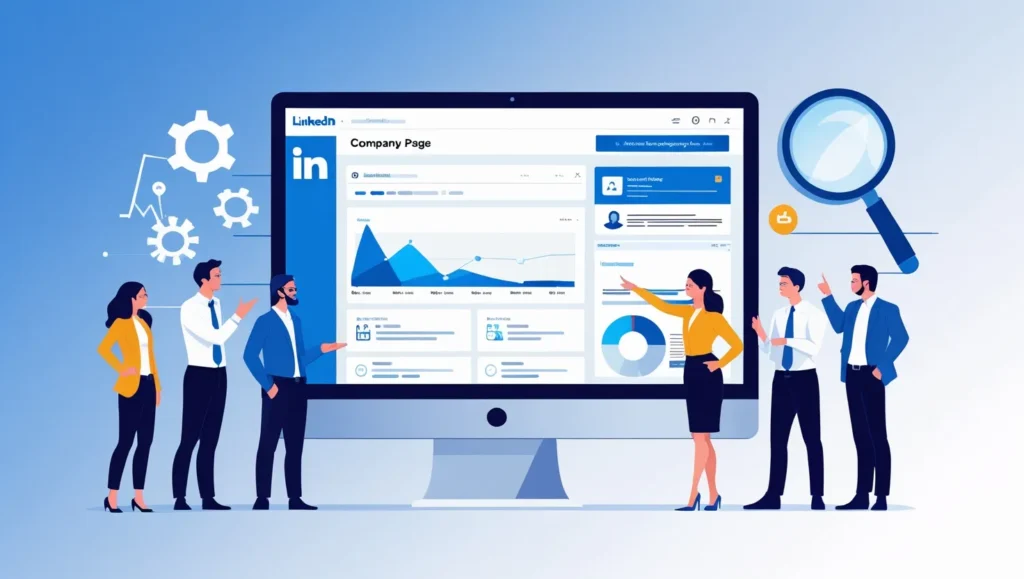
Imagine your LinkedIn Company Page as your digital front door – it should look inviting, tell your story quickly, and encourage people to step inside (or follow you). First things first: Profile Picture & Banner. Use a crisp logo as the profile image – it’s like your social avatar. Studies show Company Pages with profile pictures get 6x more visitors than those without. For the banner (cover image), pick something on-brand: a sleek office photo, a collage of products, or even a stylized slogan. There’s no one-size-fits-all rule here, so get creative (but stay professional – no vacation selfies!).
Next: Tagline and “About” Section. Your tagline (under the logo) is a mini-elevator pitch – 120 characters of magic. Make it count by stating what you do and who you serve. Example: “Helping SaaS startups triple their sales with data-driven content marketing”. Short, sweet, and keyword-rich. Then, your About Us description (up to 2000 characters) is your chance to tell a short story.
Avoid dry corporate speak like “We offer world-class solutions…”. Instead, write like you would explain to a colleague: “We help busy B2B marketers attract leads without sleazy tactics.” Use bullets or spacing to break up the text. And yes – sprinkle in relevant phrases (your “magic words”) that clients search for, like “B2B lead generation” or “digital marketing agency,” so your page is easier to find in LinkedIn searches.
Make sure to complete all fields: add your company website, location, industry, company size, and specialties. These sound like boring details, but they boost credibility and help people find you. For example, if you list your HQ and industry (e.g. “San Francisco, Software Development”), LinkedIn will surface your page to anyone filtering for that area/sectorclearviewsocial.com. Having a phone number or email can’t hurt either (even though LinkedIn is mostly social, some folks still like a quick contact point).
Custom URL: LinkedIn lets you edit your page’s URL (like linkedin.com/company/yourbusiness). Claim your company name here (instead of a jumble of numbers) – it’s cleaner, more memorable, and even SEO-friendly.
First Impression – The Top “Hero” Section. Above the fold on your page is where people decide if they’ll stick around. Use a header image or banner that catches the eye. If you run a webinar, promote it here with a clear Call-to-Action. If you have a new report, slap the cover on the banner with a line like “Download our 2025 B2B Trends Guide”. Treat it like a billboard: bright, bold text and a tiny tagline can grab attention.
Actionable Tip: Update your banner once a quarter or with each big campaign. Even something simple like, “We just launched a podcast!” shows you’re active.
Posts & Updates: Once your page looks great, fill it with something. Share updates, blog links, videos, or even photos from your office party (people love behind-the-scenes stuff). As the Hootsuite team found, posting at least once a week can double your engagementblog.hootsuite.com. Don’t bombard followers – 2-3 times a week is often enough if it’s good content. When you post, use relevant hashtags (LinkedIn allows 3-5) to help people discover your posts. Hashtag examples: #B2BMarketing, #LeadGenerationTips, or niche ones like #MarTech or #FinTech depending on your field.
Employee and Admin Roles: Add at least one other person (like a colleague) as a Page Admin. Having multiple admins means you’re always ready to post, even if one person’s on vacation. Also, encourage your team to follow the company page – this boosts early follower numbers and signals LinkedIn that people care about your content.
SEO on LinkedIn: The same SEO tricks for Google apply here. Think in terms of keywords. If you’re a “cloud accounting software” company, make sure those words appear in your tagline or About section. LinkedIn search will pick it upclearviewsocial.com. Use LinkedIn’s new “content hashtags” section to associate your page with trending topics (like #digitalmarketing or #remotework).
Finally, Conversion Focus: Remember Neil Patel’s advice to turn your company page into a lead generation pageneilpatel.com. Don’t just list awards and stats (yawn); instead, inspire action. For example, your About first lines could say “Tired of chasing cold leads? We can help. Learn how [Your Company] helped a client double their qualified leads – read our story below.” The key is to connect with your audience’s problem and suggest a next step (like clicking your website or reading a case study).
- Key Takeaways for Company Pages:
- Complete all profile details (logo, banner, URL, industry, tagline, etc.) – incomplete pages get much less attentionclearviewsocial.com.
- Use your keywords and voice. A friendly, helpful tone with targeted terms (LinkedIn marketing strategy, lead generation services, etc.) will resonate and help people find youclearviewsocial.com.
- Feature a CTA or offer. A banner announcing a free download or webinar is a great strategy to turn visitors into leads.
- Post regularly (share articles, tips, celebrations). Fresh content keeps followers engaged and shows you’re active.
Publishing Long-Form Posts and Articles
Treat LinkedIn like a blog platform for pros. When you hit “Start a post” you can share short updates (with photos, links, etc.), but the real gem is LinkedIn Articles – their long-form publishing feature. Think of an Article like writing a mini blog or op-ed on LinkedIn. These articles can be up to 125,000 characters (for reference, ~3,000 words) – though LinkedIn actually recommends staying around 500–1,000 words for best engagementblog.hootsuite.com. Why? People love depth (especially on LinkedIn), but their attention span isn’t infinite. If it’s interesting and useful, 800 words can fly by.
So, when to use a LinkedIn Article vs a regular post? Use an Article when you have a full story or guide. Example: “5 Actionable Tips to Automate Your Sales Outreach” or “Why Traditional Marketing Is Dead (And What to Do About It)”. This kind of deep-dive is perfect for Articles. A short post (a quick update or link share) is more bite-sized. You can embed images, videos, and even slide decks in an Article, which makes it rich and scroll-friendly.
LinkedIn also introduced Newsletters, which are basically recurring articles you send to subscribers (people can subscribe to your newsletter and get notified of each new issue). If you plan to post long-form regularly, consider turning it into a newsletter series. For example, a marketing agency might start a “B2B Growth Tips” newsletter that goes out monthly.
- Formatting Tips: Break up text with subheadings, bullets, and images. Use personable headings like “Why It Matters” or “My Favorite Tip” rather than “Section 1” or “In Conclusion”. Images are your friends – they make articles pop. Even something as simple as a relevant stock photo, chart, or quote image will draw eyes (LinkedIn noticed images get double the commentsblog.hootsuite.com). But don’t just slap a random pic; make it related and high-quality.
- Topic Ideas:
- Industry insights (e.g. a trend analysis or data report).
- How-to guides (e.g. “How to Set Up Your LinkedIn Lead Gen Form”).
- Personal stories from work (e.g. how you overcame a challenge, or a day-in-the-life story that still teaches a lesson).
- Thought leadership (your takes on current news in your field).
Just remember: focus on helping your readers. If your article answers a question or solves a problem for them, they’ll click and share.
Table: Post vs Article vs Newsletter Comparison
| Format | Best For | Key Points |
|---|---|---|
| Regular Post | Quick updates, short tips | 150–250 words, can include link/image/video. Great for news, quick questions, or sharing others’ content. Easy engagement (likes/comments). Use #hashtags and @mentions. |
| LinkedIn Article | Long-form content & deep insights | 500+ words. Built like a blog post: uses headings, images, and links. Boosts your authority and stays on your profile. Aim for concise but rich content (we recommend ~800 words). Ideal for guides, case studies, and in-depth tips. |
| Newsletter | Series content & thought leadership | A special type of article you publish regularly (e.g. weekly tips). Followers subscribe to receive it by email. It amplifies your reach and reputation. Great if you can commit to a series (e.g. “Monthly B2B Marketing Digest”). |
- Engagement Tricks: At the end of each Article or Post, always include a simple call-to-action: invite comments, ask people to follow you, or offer a link to your latest resource. For example: “What’s your biggest challenge with LinkedIn ads? Drop a comment below – I’d love to hear!” This makes the piece feel personal and encourages people to engage (and LinkedIn’s algorithm loves engagement, showing your content to more folks).
- Repurpose Wisely: You’ve probably written blog posts or newsletters already. Don’t be shy about reposting a condensed version on LinkedIn (be sure to tweak it so it’s not an exact duplicate – maybe shorten and reframe). Conversely, publish popular LinkedIn Articles on your blog. Reusing great content across channels is efficient.
- Hashtags and Keywords: When you publish a post or article, add 3-5 hashtags at the bottom (like #LinkedInMarketing #B2BLeadGen). These help new readers find your content. Use a mix of broad hashtags (e.g. #Marketing) and niche ones (#SaaSMarketing, #DemandGen) to target your audience.
Actionable Tip: Schedule your LinkedIn content. Yes, you can write a few posts or articles in advance and use a scheduling tool (like Hootsuite or Buffer) to publish at optimal times. LinkedIn traffic often peaks during weekday mornings, but test what works for your audience.
In short, publishing long-form content on LinkedIn is like adding fuel to your marketing engine: it positions you as an expert, keeps you visible, and ultimately pulls leads to you (people will often connect after reading a great article, or even message you with questions). By consistently writing useful posts and articles, you build trust – and in B2B, trust is the secret sauce for lead generation.
Running LinkedIn Ads Effectively
LinkedIn’s advertising platform is like a power tool for B2B marketers. It’s more expensive than Google or Facebook ads, but the targeting is phenomenal: you can target by company size, industry, job title, seniority, and more, zeroing in on decision-makers. If used well, it can be a goldmine for LinkedIn lead generation.
LinkedIn Ad Formats – A Quick Guide
We won’t bore you with all the theory, but here are the main ad types and when to use them:
- Sponsored Content (In-Feed Ads): These look like regular posts in the LinkedIn feed, except they have a “Promoted” tag. You can use single-image ads, video ads, carousel (multiple images), or event ads here. Best for content promotion: e.g. boosting a webinar sign-up, an eBook download, or a blog post. Tips: use eye-catching images or short videos (30–60 seconds). Keep headlines under 70 characters and body text around 150 characters (longer text might get cut off).
- Sponsored Messaging (Message Ads or Conversation Ads): These send a personalized message directly to the inbox of your target audience. Think of it like an email through LinkedIn. Best for direct outreach: invites to events, webinar registration, or exclusive offers. Because it feels personal, you can write “Hi [Name], I thought you might be interested in…”. But be genuine and helpful; don’t spam. Tip: these have high open rates (LinkedIn cites 25-30% for Message Ads), so make it count with a clear call-to-action button inside the message.
- Text Ads (Sidebar Ads): These are the small banners that appear in the sidebar. LinkedIn will soon phase these out (they are legacy formats), but if they’re available in your account, they can be a low-cost brand awareness option. Best for broad reach: Use a short headline (max 25 chars) and tiny image. Because they compete with the feed, they usually get lower engagement.
- Dynamic Ads: These auto-personalize images using the LinkedIn member’s own profile (like showing “Mark, see jobs at OurCo” or showing their photo on an ad encouraging them to follow your page). Best for follower growth and brand awareness. They grab attention because they literally show the user’s name or photo, but they’re usually more expensive per click. Useful tip: for example, a “Follower Ad” format can say “Sarah, follow [Company]” and shows Sarah’s profile pic, which is hard to ignore.
- Lead Gen Forms: This isn’t an ad type, but a feature you add to Sponsored Content or Messaging. A form pops up pre-filled with the LinkedIn user’s info (name, email, company, etc.), so they can submit in one click. Leads flow directly into your campaign manager. This dramatically boosts conversion rates because people don’t have to type anything. Always use lead gen forms if you’re collecting leads – don’t just link to an external form. Example: create a sponsored content ad for “Free Marketing Template,” attach a lead gen form, and boom – you get contact info as soon as they click.
Table: Comparing LinkedIn Ad Types
| Ad Type | Placement | Best Use-Case | Key Tip |
|---|---|---|---|
| Sponsored Content | LinkedIn News Feed (desktop/mobile) | Sharing blog posts, downloads, or videos. Great for generating interest and site traffic. | Use high-quality images/videos. Keep text clear and CTA strong (like “Download Now,” “Register”). |
| Sponsored Messaging (InMail) | LinkedIn Messaging inbox | Promoting webinars, demos, or personalized invites. Best for direct, one-on-one outreach. | Personalize the greeting. Be concise and friendly. Include a clear link and one CTA button. |
| Text Ads | Desktop sidebar (legacy) | Quick brand awareness and traffic (if available in your account). Often inexpensive CPC. | Write a short, punchy headline and keep the text under 70 characters. Use a bright image. |
| Dynamic Ads | LinkedIn sidefeed (mobile/desktop) | Growing followers or company page awareness. Targets users with personalized images. | Experiment with “Spotlight Ad” or “Follower Ad” formats. They’re visual magnets – use them for big campaigns. |
| Lead Gen Forms | Attached to Sponsored Content or Messages | Collecting names/email from engaged users directly on LinkedIn. | Always integrate lead gen forms for downloadable offers or sign-ups. It makes conversion as easy as a click. |
Targeting and Budgeting
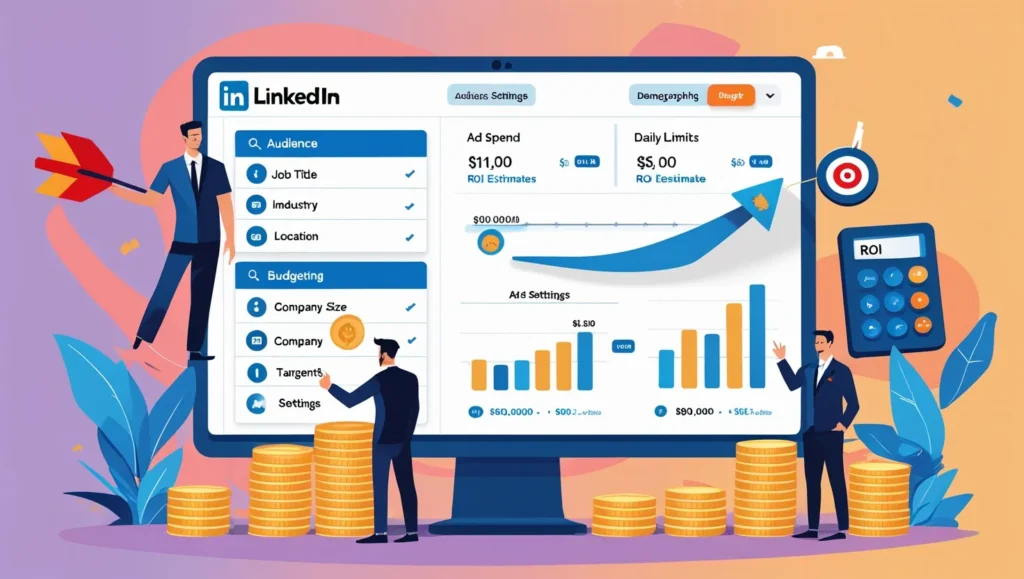
LinkedIn’s powerful targeting is the whole draw. You can narrow down by Company Name, Industry, Job Function, Seniority, Skills, and even schools or LinkedIn Group membership. For B2B leads, try layering a few filters: e.g. “CEOs or VPs in Healthcare companies of 50-500 employees”. The narrower you go, the more relevant clicks you get – but keep an eye on audience size. LinkedIn will warn you if your audience is too small.
Actionable Tip: Before launching, check the “Audience size” indicator. If it’s under 10,000, you may spend your whole budget quickly. If it’s over 500,000, you might be too broad. Aim for tens of thousands of targetable people for a healthy campaign.
Budget and bidding: LinkedIn ads work on CPC (cost-per-click) or CPM (cost-per-impression) models. For lead gen, CPC with a medium bid usually does fine. Expect to pay a few dollars per click at least (advertisers often pay $5–$10+ per click). This is higher than Google search or Facebook – but remember, these are high-intent professionals.
Tip: Start with a moderate daily budget (say $20–$50/day) and small bids to test. Let the ad run for a few days, then see which ads get clicks and which don’t. Pause the losers, double-down on winners. LinkedIn’s Campaign Manager has a decent analytics dashboard – use it to check click-through rate (CTR) and conversion rate (CVR). Adjust headlines/images if CTR is low. If CTR is high but conversions (form fills) are low, maybe the offer/landing page needs work.
Ad Creative and Messaging
The ad copy on LinkedIn should be professional but not robotic. Write it like you’re talking to a colleague. Use these tricks:
- Benefit First: “Grow your leads by 3x” sounds better than “We offer lead generation services”. Focus on what the prospect gets.
- Keep it Short: LinkedIn ads have limited space. Get your point across in a headline or first sentence.
- Call-to-Action (CTA): Always include a button or phrase like “Learn More”, “Register Free”, “Download Guide”. This directs people exactly what to do.
- Use Numbers and Stats: If you can put a stat (“Join 10,000+ marketers…” or “Increase ROI by 200%”), it grabs attention.
For example, an actual text ad might say: “Struggling with LinkedIn leads? Learn how our clients doubled their B2B lead generation rate with our platform. See the case study here.” That touches on a pain point (struggling), promises a benefit (doubled leads), and ends with “See the case study here” as a CTA.
Tip: A/B test your creative. For instance, run two versions of the same ad with different images or headlines. LinkedIn lets you compare performance. Over time, you’ll learn if your audience prefers videos vs pictures, or action-oriented headlines vs curiosity-based headlines.
Conversion Tracking
Don’t overlook tracking. If your goal is lead generation, install LinkedIn Insight Tag (a small code snippet) on your website. It’s like LinkedIn’s version of Google Analytics tracking. Then you can measure actual conversions (like sign-ups) and optimize for them. This ensures you know your cost per lead, not just cost per click.
Actionable Takeaway: Once your ads are live, monitor them daily at first, then weekly. Look at engagement, clicks, and conversions. Be patient – LinkedIn audiences take a little time to click. But if you see red flags (high CPC, low CTR), swap in new images or tweak copy.
In short, LinkedIn ads are an investment: yes, they cost more, but the targeting means your ads are mostly seen by relevant decision-makers. A successful LinkedIn campaign can directly fuel your LinkedIn lead generation machine by bringing interested prospects into your funnel. So spend wisely, target tightly, and keep testing. The gold is there – just refine your approach until you strike it.
Employee Advocacy on LinkedIn
Ever notice how a post shared by a real person – even a lowly “Employee of the Month” – often feels more trustworthy than the same message from a company’s official page? That’s the power of employee advocacy. It simply means encouraging your team to share company content and expertise on their personal LinkedIn profiles. Why does this matter? Three reasons:
- Massive Network Reach: On average, each employee has about 10 times more connections than your company page has followersbusiness.linkedin.com. Multiply that by the number of employees, and you reach way more eyes.
- Built-In Trust: According to the Edelman Trust Barometer, people are 3 times more likely to trust info shared by an employee than the same info from the CEO or brandbusiness.linkedin.com. In other words, Dave from accounting shouting “We have the best product!” sounds more genuine than a corporate tweet.
- Higher Engagement: LinkedIn analysis shows content posted by employees gets double the click-through rate compared to when the company posts the same thingbusiness.linkedin.com. It’s simple math – employees who share make the content personal and open new engagement channels.
How to Make it Happen:
- Equip your employees: Give them ready-to-share posts. For example, when your company publishes a new blog or wins an award, create a short blurb and image they can copy. Not because you want robots spamming, but to help them start the conversation. E.g. an engineer can write: “Proud of my team for launching this new feature! We just helped our client reduce onboarding time by 40%. Check it out.” That feels personal yet promotes your brand.
- Profile Optimization: Encourage your team to polish their own LinkedIn profiles (this is where “LinkedIn profile optimization” can sneak in). A strong profile (professional photo, clear headline, good summary) makes them look like credible professionals. When they share your content, their profile is the first thing people see. Give them tips or a quick workshop: “Hey, add our company page under Experience, and include a few skills/keywords. It helps recruiters and clients trust your expertise.”
- Company Hashtags and Handles: Ask them to tag the company page in posts (e.g. “@OurCompany”) so it shows up under company mentions. Also, decide on a few branded hashtags (like #WeAreOurCompany or #InOurCompanyName) and encourage usage so you can track posts easily.
- Gamify and Recognize: If it fits your culture, run a little friendly competition or shout-outs. For example: “If an employee’s post about us gets 100+ likes/shares, we celebrate them with a LinkedIn Kudos and a mention on our page.” Acknowledging their advocacy encourages more of it.
- Lead Sharing: When employees share, they might get DMs or comments. Train your team on how to handle those. If a salesperson gets a question, that’s a potential new lead right there. And if not, maybe they can forward it to the right person on your marketing/sales team.
- Tools: There used to be LinkedIn Elevate (a dedicated advocacy tool), but even without fancy tools, you can do this manually. Some companies use Slack or Teams channels to share posts that employees can repost. Others use email bulletins. Choose whatever workflow fits your team size and culture.
Actionable Tip: Start small. Pick 3–5 enthusiastic employees to be your advocacy champions. Give them extra tips and see how it goes. Measure success by tracking how many followers your page gains from employees, or how many comments are generated. You’ll likely see that a fun tweet or LinkedIn message goes much further when it comes from Jane in Marketing than from your brand name.
By turning your employees into advocates, you humanize your brand. It’s a simple but powerful part of a robust LinkedIn marketing strategy. Plus, it even benefits them – they build personal credibility and networks. A real win-win.
Using LinkedIn Groups for Networking and Authority
LinkedIn Groups have been around for a while, and while they’re not as buzzy as trending hashtags, they’re still valuable for building authority and connections. Groups are like mini-forums around specific industries or interests (e.g. “B2B SaaS Marketers” or “HR Leaders Network”). Here’s how to use them smartly:
- Find the Right Groups: Search for groups related to your niche. Look at the group description and the “Activity” level – an active group has recent discussions and many members. Ideally, you or your team members join 2–3 relevant groups. (If you run out of time, think quality over quantity – it’s better to contribute meaningfully to one group than lurk in ten.)
- Be a Helpful Participant: This is key. DON’T join a group just to drop a sales pitch link. Instead, listen first – read what people are asking or discussing. Then jump in with helpful answers. For example, if someone asks “How do I improve B2B lead gen?”, you might reply with a couple of tips and link to a blog you wrote on it (only if it’s genuinely useful). Over time, members will see your name and think, “This person knows their stuff.”
- Share Original Content (Carefully): Many groups allow promoting your own content occasionally. Check the group rules – some say “No self-promotion,” others permit “one post per week.” When you do share, don’t just paste a link with no comment. Write a short introduction: e.g. “I recently dug into why traditional marketing budgets are shrinking for B2B and came up with these 3 steps to adapt (article below). Would love your thoughts!” Personalize it.
- Start Conversations: Ask thoughtful questions. For instance: “For those in B2B sales, how has the pandemic changed your lead-gen process? I’ve noticed X and Y…” This invites others to chime in, and you become known as someone who cares about industry trends.
- Connect Genuinely: When you meet interesting people in groups, feel free to send them a connect request afterwards with a note: “Hi [Name], I enjoyed your comment on the Group about ABM. I’d love to connect here on LinkedIn.” Many people accept, and now they’re in your network for future engagement.
- Share Company News (With Context): A good LinkedIn Group strategy is sometimes just staying visible. For example, if your company wins an award or publishes a helpful guide, you could share it in a group with a quick line: “Proud that our book just won this award! We distilled our learnings into this short slide deck in case it helps others.” But balance it with non-promotional posts so members trust you.
Actionable Takeaway: Join groups not for spam, but as a chance to demonstrate expertise. Over time, your reputation in the group can become a lead magnet. People might DM you asking for advice or even business opportunities.
| Do’s | Don’ts |
|---|---|
| ✅ Do be genuine and helpful. | ❌ Don’t spam or only self-promote. |
| ✅ Do comment on others’ posts. | ❌ Don’t ignore group rules or etiquette. |
| ✅ Do answer questions with value. | ❌ Don’t hijack discussions for sales. |
| ✅ Do share insights (with context). | ❌ Don’t post irrelevant content/ads. |
| ✅ Do connect with members organically. | ❌ Don’t use the group only to broadcast. |
By engaging in groups, you position yourself as a helpful authority rather than a faceless marketer. It also feeds into your LinkedIn lead generation machine: when group members trust you, they’re more likely to check out your profile or company page (remember to have a great profile page!).
Summary
There you have it – a full toolbox for turning LinkedIn into a B2B relationship and lead-generation powerhouse. We covered sprucing up your company page, creating engaging long-form posts, leveraging ads, rallying your employees as advocates, and networking in groups. The main takeaway? LinkedIn isn’t about one quick hack; it’s about consistent, genuine engagement. Optimize every profile (company and personal) with the right keywords and calls-to-action, share valuable content regularly (with your unique voice), and use both organic tactics (like employee advocacy and group participation) and paid ads to extend your reach.
Above all, remember: LinkedIn is a professional platform, but behind every account is a person. Keep the tone helpful and human. Post content you’d read if you were in their shoes. If you approach it as a relationship builder (not a robot pushing ads), you’ll find real connections and leads start clicking on your name rather than tuning out.
So what’s next? Start by auditing your company page right now. Is your tagline crisp? Do you have that nice cover image? Then maybe draft a mini article addressing a common question your clients have. Or fire up a small LinkedIn Ads campaign with a tight audience to see what kind of leads you get. Experiment and have fun with it!
If you’ve found these tips useful, or if you have your own LinkedIn tricks, let us know in the comments below. What’s worked for you on LinkedIn? And hey, feel free to share this post with a colleague who’s still treating LinkedIn like it’s a ghost town – after all, a rising tide (or network) lifts all boats. 😊