
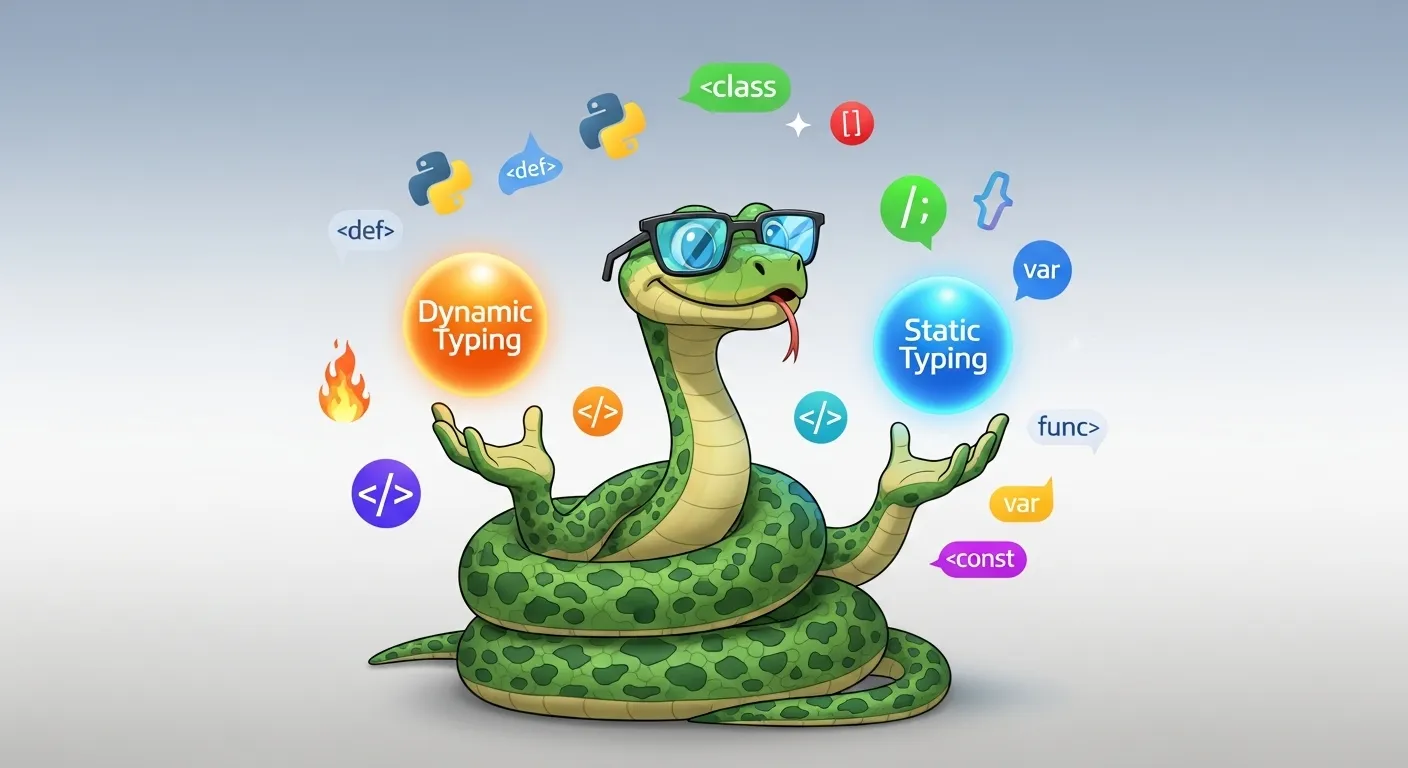
1. Introduction
If you’ve ever written a quick Python script at 2 a.m., you know the joy of hammering out x = "Hello" and then — without ceremony — turning x into 42 two lines later. No compiler screaming at you. No red squiggly lines. Just pure, unadulterated freedom.
Table of Contents
ToggleAnd then, hours later, there’s the other side of that freedom:
TypeError: can only concatenate str (not "int") to str
Cue the dramatic sigh and the mental note to “fix it later” (which, let’s be honest, future-you never enjoys).
That, my friend, is the double-edged sword of Python’s type system. On one hand, Python’s dynamic typing makes it a dream for quick experiments, prototypes, and coding sprints. On the other, it can sneak in runtime errors like an uninvited guest who eats all the snacks.
So why do type systems even matter? Think of them as the grammar rules of programming — they dictate how data can be used, manipulated, and combined. Whether you’re writing in a language with static typing (where type checking happens before your code even runs) or dynamic typing (where Python and friends check things on the fly), these rules shape everything from your code’s safety to its maintainability.
In this article, we’ll break down:
-
What type systems are and why they matter in the programming universe.
-
The differences between static and dynamic typing, with real-world pros and cons.
-
How Python fits into this picture with its unique mix of flexibility and safeguards.
-
How to bring the best of both worlds into your Python code using type hints.
By the end, you’ll not only understand the terms dynamic typing, static typing, and type safety — you’ll also know exactly when to use each style (and when to ignore the purists and just ship the darn feature).
So grab your coffee, brace yourself for some code snippets, and let’s dive into the mysterious, occasionally frustrating, but ultimately fascinating world of the Python type system.
2. Understanding Type Systems
Let’s start with a very non-programmer question: what is a “type” anyway?
Imagine you’re at a party. Someone hands you a cupcake — you immediately know you can eat it, but you definitely shouldn’t try to use it as a Frisbee. That’s basically what a type does in programming: it tells you (and the computer) what kind of thing you’re holding and what you can do with it.
In Python, types are everywhere — even if you don’t always see them:
x = 42         # int

y = "Python"   # str

z = [1, 2, 3]  # list
Variables, Objects, and Their Types
-
Variable: The name tag you stick on a box.
-
Object: The thing inside the box (the actual cupcake or Frisbee).
-
Type: The label on the object telling you what it is and what it can do.
When you do type(x), Python tells you what kind of thing x points to. That’s not just trivia — it’s the rulebook for what operations are allowed.
Primitive vs. Complex Types
In programming, we tend to divide types into:
-
Primitive types: Basic building blocks like integers, floats, booleans, and strings.
-
Complex types: Data structures like lists, dictionaries, tuples, or user-defined classes.
Other languages (like C and Java) make you declare them upfront:
int age = 30;

String name = "Alice";
Python? Nah. It just figures it out at runtime and hopes you don’t do anything too weird. (Spoiler: we always do something weird.)
Type System: The Big Picture
A type system is the set of rules a language uses to keep track of types and enforce what’s allowed.
In a static typing language like Java or C++:
-
The compiler checks types before running your code.
-
If you try to mix types in an unsupported way, it just won’t compile.
In a dynamic typing language like Python or JavaScript:
-
The interpreter checks types while the program runs.
-
You can change a variable’s type at will, but you risk runtime surprises.
How Type Rules Are Enforced
-
Compiler (static languages): Checks your homework before you turn it in.
-
Interpreter (dynamic languages): Checks your work while you’re doing it.
Both aim for type safety — ensuring you don’t do nonsensical operations (like adding a number to a list without meaning to). But the timing of the check changes the game entirely.
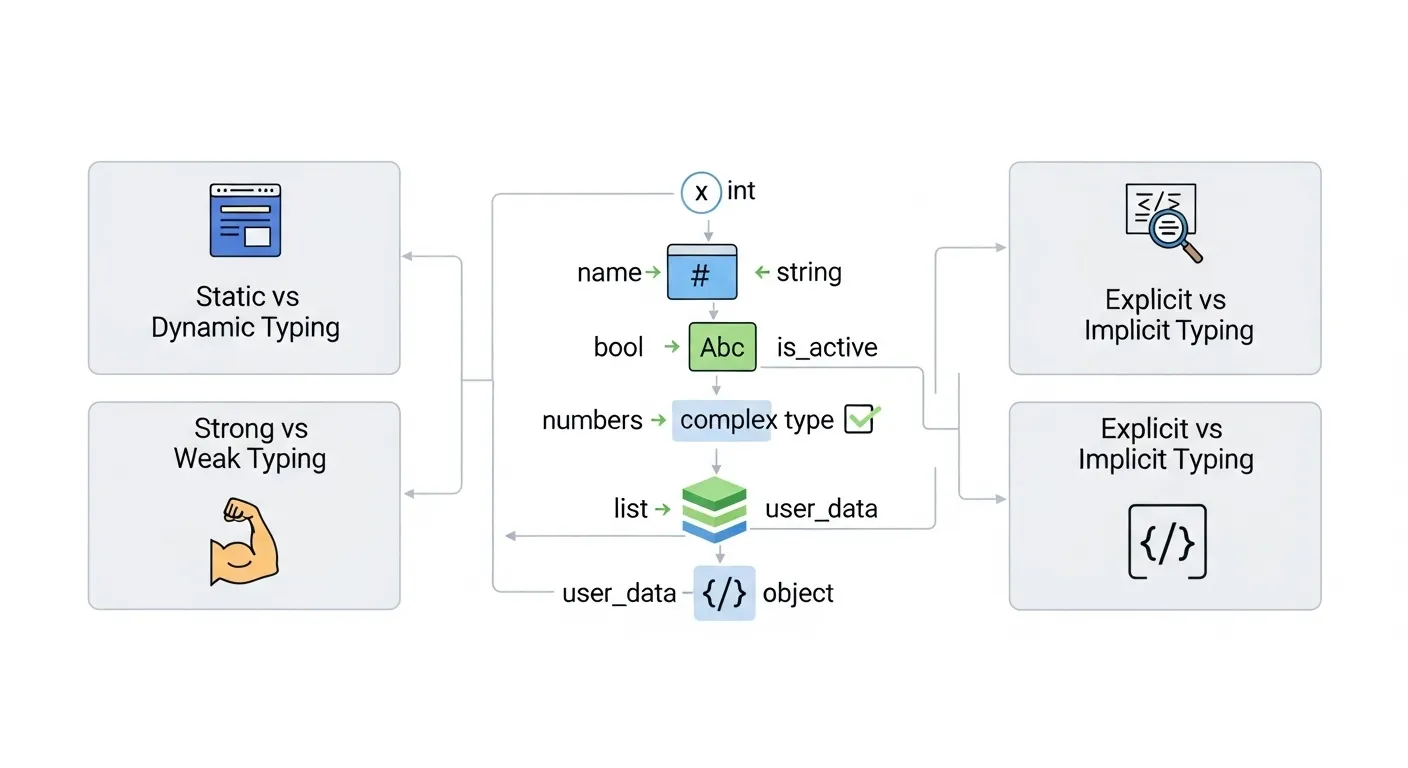
Key Dimensions of Type Systems
Here’s where it gets spicy: type systems aren’t just “static” or “dynamic.” They also vary in other ways:
-
Static vs. Dynamic
-
Static: Types are checked at compile time. Example: Java.
-
Dynamic: Types are checked at runtime. Example: Python.
-
-
Strong vs. Weak
-
Strong typing: The language won’t automatically convert types in sneaky ways. Python is strongly typed —
3 + "3"will raise aTypeError. -
Weak typing: The language will try to coerce types, often with surprising results. JavaScript:
javascript"3" + 3 // "33"
"3" - 1 // 2
-
-
Explicit vs. Implicit
-
Explicit: You must declare types. Example: C:
cint x = 5;
-
Implicit: The language figures it out for you. Python does this by default.
-
Mini Language Tour
Let’s illustrate with some quick examples.
Python (dynamic, strong typing)
x = "5"

y = 2

print(x * y)  # "55" (string repetition)

print(x + y)  # TypeError: can only concatenate str (not "int") to str
Java (static, strong typing)
int a = 5;

String b = "Hello";

// b + a works because Java converts a to a string in concatenation

System.out.println(b + a);  // "Hello5"
JavaScript (dynamic, weak typing)
console.log("5" + 2); // "52"

console.log("5" - 2); // 3
C (static, explicit, strong typing)
int x = 5;

char* y = "Hello";

printf("%s %d", y, x); // Must explicitly format and match types
Why Type Systems Matter
Think of a type system as a safety net. A good type system can:
-
Prevent hard-to-find bugs.
-
Improve code readability (because it’s clear what type is expected).
-
Help tools like IDEs give better autocomplete and error highlighting.
In Python, the type system is traditionally dynamic and strong, which means:
-
You get flexibility (change types on the fly).
-
You still get protection from accidental type coercions.
But there’s more nuance here — especially when we compare static and dynamic typing in depth.
Next up: we’ll dissect static typing — the kind that catches mistakes before your program even runs, and the reason Java developers sleep a little better at night.
3. Static Typing Explained
Static typing is like having a strict but caring teacher who checks your homework before you hand it in — and points out your mistakes before you embarrass yourself in front of the class (or worse, your production server).
Definition: Type Checking at Compile Time
In static typing, the type of every variable is determined and checked before your program even runs. This is done by the compiler in languages like Java, C++, and Rust.
If you try to do something the type system doesn’t allow — like adding a number to a string without converting it — your code simply won’t compile. No “we’ll find out later” attitude here.
Example (Java):
int age = 25;

String name = "Alice";

System.out.println(age + name); // Error: incompatible types
Before you even hit “Run”, Java waves a big red flag: “That makes no sense!”
Advantages of Static Typing
Let’s look at why some developers swear by it.
1. Early Error Detection
Static typing catches bugs before your program runs.
If you typo a variable name, try to pass a string where an integer is expected, or call a method on an object that doesn’t have it — you’ll know immediately.
Example in Rust (compile-time error):
let name: String = "Alice".to_string();

let age: u32 = "25"; // Error: expected `u32`, found `&str`
That’s the compiler saying: “Nope, not today.”
2. Better Tooling & IDE Support
Static types give your IDE superpowers:
-
Autocomplete that actually works.
-
Refactoring tools that can safely rename or restructure code.
-
Instant feedback when you misuse a variable.
For large codebases, this is huge — no more guessing what type a variable is.
3. Optimization Potential
Compilers for statically typed languages can generate faster, more efficient code because they know exactly what’s going on at compile time. No runtime “guesswork” means fewer safety checks and faster execution.
Disadvantages of Static Typing
Before you crown it king, let’s look at the other side.
1. Verbosity
You often have to explicitly declare types, which can feel like filling out forms at the DMV.
Java:
Map<String, List<Integer>> scores = new HashMap<String, List<Integer>>();
Python:
scores = {}
Guess which one I can type faster.
2. Less Flexibility During Prototyping
If you’re building a quick proof-of-concept, static typing can feel like walking through a hallway full of locked doors — every time you want to change something, you need to update all the type declarations.
Examples in Static Languages
Let’s look at how different static languages handle typing.
Java (static, strong typing):
public class Main {

public static void main(String[] args) {

int count = 5;

String message = "Hello";

System.out.println(message + count); // Works: int → String

}

}
Java will automatically convert int to a String for concatenation, but try something truly incompatible, and it refuses.
C++ (static, strong typing):
#include <iostream>

using namespace std;
int x = 10;
string y = “Test”;
cout << y + x; // Error: invalid operands to binary expression
}
C++ is pickier than Java — no implicit conversions between integers and strings.
Rust (static, strong typing, explicit by default):
fn main() {

let a: i32 = 10;

let b: &str = "Hello";

println!("{} {}", a, b);

}
Rust’s compiler is famously strict, but that’s why Rustaceans sleep well at night.
Static vs. Python Side-by-Side
Now let’s see the same logic in Python — no compile-time checks, but still strongly typed.
Python (dynamic, strong typing)
count = 5

message = "Hello"

print(message + str(count))  # Works fine

print(message + count)       # TypeError at runtime
Java (static, strong typing)
int count = 5;

String message = "Hello";

System.out.println(message + count); // Works (automatic int → String)

System.out.println(message + true);  // Works (boolean → String)
In Python, you discover the mistake when you run the program.
In Java, you discover it before it even runs — or it just does a safe, predictable conversion.
Why Static Typing Can Shine in Large Projects
In a 10-line script, dynamic typing feels like freedom. In a 1-million-line enterprise application, it feels like a bug time bomb. Static typing acts like a long-term insurance policy — you pay with verbosity, but you save with stability.
Static Typing and Developer Personality
There’s an old joke:
-
Dynamic typing is for people who like surprises.
-
Static typing is for people who like sleeping at night.
If you enjoy safety nets and detailed rules, static typing might be your happy place.
In the next section, we’re flipping the script — exploring dynamic typing, where Python shines, and where you trade some safety for speed, flexibility, and that sweet, sweet “it just works” prototyping joy.
4. Dynamic Typing Explained
If static typing is the meticulous librarian cataloging every book before you can read a page, then dynamic typing is the free-spirited street artist who paints the city walls as inspiration strikes. It’s all about flexibility, speed, and — yes — occasionally, chaos.
Definition: Type Checking at Runtime
In dynamically typed languages like Python, JavaScript, and Ruby, variables don’t have fixed types at compile time. Instead, the type is associated with the actual object, and the interpreter checks types while the program runs.
This means you can write:
x = "Hello"

print(x) # Output: Helloprint(x) # Output: 123
Python says, “Hey, x is now a string, now an integer — whatever floats your boat!” The downside? If you try to perform an operation incompatible with the current type, you get a runtime error.
Advantages of Dynamic Typing

1. Flexibility
Dynamic typing lets you change your mind on the fly — no need to declare your intentions upfront. You can write code fast and free:
data = "123"

data = int(data) + 10

print(data)  # Output: 133
You don’t have to clutter your code with type declarations or jump through hoops to refactor.
2. Faster Prototyping
If you’re a startup founder or just experimenting, dynamic typing is a dream. You can write working code in minutes, tweak it, and move on — no compiler gatekeeping.
Remember that Python one-liner you wrote at 2 a.m.? That’s dynamic typing helping you sprint.
3. Less Boilerplate
No need for verbose type declarations or annotations. The language just works, making your code cleaner and more readable for small to medium projects.
Disadvantages of Dynamic Typing
1. More Runtime Errors
Because the interpreter doesn’t check types until the code runs, errors sneak up on you in production if you’re not careful.
Common Python headache:
def add(x, y):

return x + yprint(add(“hi”, “yo”)) # hiyo
print(add(2, “hi”)) # TypeError at runtime
The first two calls are fine, but the last one crashes — and if this happens in production, it’s a bad day.
2. Harder to Refactor in Large Codebases
Without static checks, renaming variables or changing APIs can lead to subtle bugs that only appear when the faulty code path executes.
Imagine renaming a function argument, but somewhere in a big project, a call still uses the old name. The interpreter won’t help you find these until you hit that exact line during execution.
Dynamic Typing in Popular Languages
Python (dynamic, strong typing)
a = 10

a = "Now a string"

print(a)  # No complaints, prints "Now a string"
JavaScript (dynamic, weak typing)
var a = "5";

console.log(a + 1); // "51" (string concatenation)

console.log(a - 1); // 4 (type coercion)
JavaScript’s weak typing means it often coerces types in surprising ways — sometimes helpful, sometimes a nightmare.
Ruby (dynamic, strong typing)
x = 10

x = "Ten"

puts x  # Outputs "Ten"
Ruby, like Python, is strongly typed, so operations incompatible by type raise errors, but it lets you switch types dynamically.
Python’s Dynamic Typing in Action
Assigning different types to the same variable:
value = 42

print(value, type(value)) # 42 <class 'int'>print(value, type(value)) # forty-two <class ‘str’>
print(value, type(value)) # [1, 2, 3] <class ‘list’>
Python keeps track of the type at runtime — your variable is just a label pointing to whatever object you assign.
The Catch: Runtime Type Checking
Since Python checks types at runtime, mistakes sometimes slip through until execution:
def repeat_string(s, times):

return s * timesprint(repeat_string(5, “Hello”)) # Runtime error: can’t multiply ‘int’ by ‘str’
The function assumes s is a string and times is an integer. The second call violates that, but Python only complains when that line runs.
Why Developers Love Dynamic Typing
-
Rapid iteration: Change code on a whim without compiler restrictions.
-
Conciseness: Less code to write, no boilerplate.
-
Expressiveness: You’re not shackled by type declarations.
It’s like writing in free verse poetry — sometimes messy, but full of creative energy.
Where Dynamic Typing Can Hurt
-
Scaling issues: As projects grow, the flexibility becomes a liability, leading to bugs and maintenance headaches.
-
Tooling limitations: Without explicit types, code completion and static analysis can be less precise.
-
Runtime surprises: You may only discover bugs during execution, often late in the game.
Summary: Dynamic Typing in Python
Python’s dynamic typing is a big reason for its popularity — it’s easy to learn, forgiving for beginners, and lets pros prototype fast. But this comes with a tradeoff: you must test thoroughly and keep an eye on type safety to avoid nasty runtime errors.
Next up, we’ll explore exactly where Python fits in the spectrum — highlighting its dynamic roots, its strong typing character, and the unique philosophy of duck typing that makes Python… well, Python.
5. Where Python Fits In
Python is like that chill friend who loves rules — but only enough to keep the party from turning into chaos. When it comes to type systems, Python’s position is fascinating: it’s dynamically typed, strongly typed, and proudly embraces a quirky philosophy called duck typing.
Python as a Dynamically Typed Language
If you recall from before, dynamic typing means Python figures out variable types while your code runs. You don’t declare types explicitly (unless you choose to), and you can reassign variables to different types without batting an eye:
x = 10

print(type(x)) # <class 'int'>print(type(x)) # <class ‘str’>
Under the hood, every variable name is just a label pointing to an object, and that object carries its own type information. Python’s interpreter enforces type rules when operations happen — not before.
The Duck Typing Philosophy
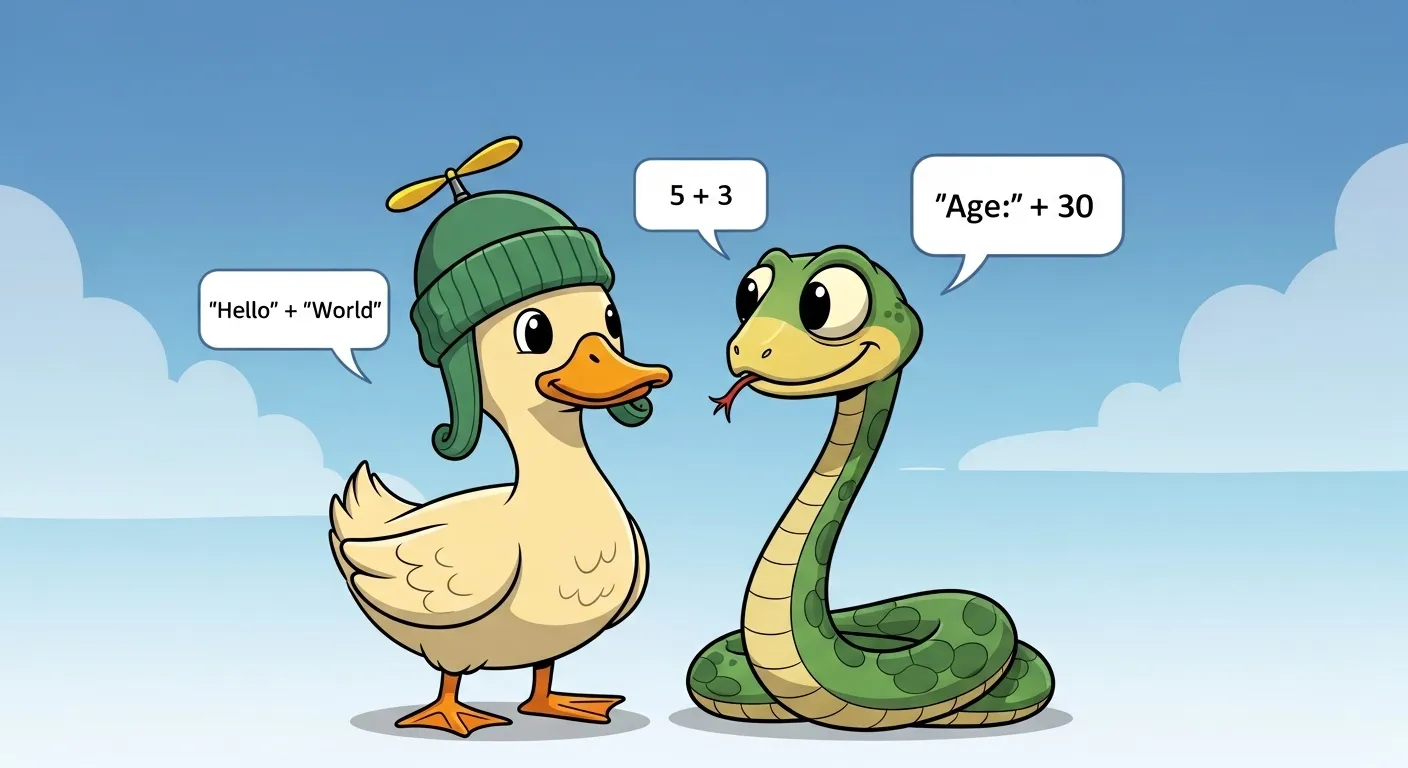
Here’s where Python gets philosophically fun. Duck typing means:
“If it looks like a duck, swims like a duck, and quacks like a duck, then it’s a duck.”
In programming terms, Python cares less about what type an object is and more about whether it behaves like the thing you want.
Example:
class Duck:

def quack(self):

print("Quack!")def quack(self):
print(“I’m pretending to be a duck!”)
thing.quack()
person = Person()
make_it_quack(person) # I’m pretending to be a duck!
Neither Duck nor Person inherit from a common interface, but both “quack” — so Python is happy. This is a cornerstone of Python’s flexibility and a reason for its rapid development speed.
Strong vs. Weak Typing in Python
Python is strongly typed, meaning it doesn’t implicitly coerce types in unexpected ways:
print("3" + 3) # TypeError: can only concatenate str (not "int") to str
Contrast that with JavaScript’s weak typing, where "3" + 3 becomes "33" by converting the number to a string behind your back.
This strong typing helps avoid subtle bugs but means you have to be explicit when mixing types:
print("3" + str(3))  # "33"

print(int("3") + 3)  # 6
Python’s Flexibility and Risks
Python’s dynamic, strong typing combined with duck typing is like a double-edged sword:
-
Speed of Development: No need for upfront type declarations means you can prototype and iterate lightning-fast. This is why Python is loved for startups, data science, and scripting.
-
Potential Runtime Errors: But because type checks happen at runtime, type-related bugs can sneak in if you’re not careful. For example:
def greet(entity):

return entity.quack()Here, the interpreter doesn’t stop you at “compile time” because… well, there isn’t one. You find out the hard way when you run the code.
How Python’s Runtime Handles Type Checking
At runtime, Python’s interpreter looks at the object your variable points to and decides what operations are valid. It’s like a bouncer checking ID at the door — if the object doesn’t have the expected “behavior” (methods or attributes), the party stops with an exception.
This dynamic checking allows for a lot of flexibility, but you pay the price in runtime type errors if you misuse objects.
Examples of Python’s Type System in Action
a = 5

b = "5"print(str(a) + b) # “55”
print(a + b) # TypeError at runtime
Python forces you to be explicit in mixed-type operations, helping keep your code safe but flexible.
Python Type System SEO Focus Recap
-
Python typing: Python’s type system is dynamic and strong.
-
Python type system: It’s runtime-based and duck-typed.
-
Duck typing in Python: Behavior over inheritance or explicit interfaces.
Summary: Why Python’s Typing Style Works
Python’s approach perfectly balances developer happiness and practical flexibility:
-
The dynamic typing keeps coding quick and intuitive.
-
Strong typing keeps type errors from quietly corrupting your data or logic.
-
Duck typing lets you write polymorphic code without the rigidity of inheritance trees.
It’s no wonder Python is the go-to language for everything from quick scripts to complex machine learning pipelines.
Up next, we’ll explore how Python’s traditionally dynamic system is evolving with static typing via type hints — bringing some compile-time safety into the Pythonic party without killing the vibe.
6. Static Typing in Python with Type Hints
Imagine Python as your favorite flexible party host — but recently, it decided to get a bit more organized. Enter Type Hints, Python’s way to sprinkle static typing magic on top of its dynamic core without killing the vibe.
Introduction to PEP 484 (Type Hints)
In 2014, the Python community introduced PEP 484, a proposal to add optional type hints to Python. This was a game changer — suddenly, you could declare expected types for variables, function arguments, and return values, but without forcing Python to check these at runtime.
Python kept its flexibility, but now you had the option to be more explicit and safer.
How Type Hints Work: Syntax Examples
Let’s see some Python code before and after type hints.
Without type hints:
def greet(name):

return "Hello, " + name
With type hints:
def greet(name: str) -> str:

return "Hello, " + name
Here, name: str tells anyone reading the code (and static checkers) that name should be a string, and -> str indicates the function returns a string.
More examples:
from typing import List, Optional
def process_items(items: List[int]) -> Optional[int]:
if items:
return sum(items)
else:
return None
-
List[int]meansitemsis a list of integers. -
Optional[int]means the return value can be anintorNone.
Type hints can be used for variables, function arguments, return types, and even complex nested types.
Optional Enforcement: Python Remains Flexible
Here’s the key: Python itself does not enforce type hints at runtime. It’s like polite advice rather than a strict law. Your code will run even if you violate the type hints:
def greet(name: str) -> str:

return "Hello, " + nameNo TypeError here because Python doesn’t check hints during execution. This keeps the dynamic spirit alive.
Static Analysis Tools
To actually use type hints for safety, developers rely on static analysis tools that examine your code before it runs, catching mismatches and bugs early.
Some popular tools:
-
mypy: The OG Python static type checker. It reads your code, interprets the hints, and warns about potential type errors.
-
pyright: A fast, Microsoft-developed type checker with great editor integration.
-
pylance: An extension for Visual Studio Code that leverages pyright for smart, on-the-fly type checking.
Example mypy output:
error: Argument 1 to "greet" has incompatible type "int"; expected "str"
Benefits of Using Type Hints in Python
1. Early Detection Without Losing Flexibility
You get the best of both worlds: Python still runs your code dynamically, but you can catch type-related bugs before they hit production with static analysis.
2. Better IDE Support
IDEs and editors like PyCharm and VS Code use type hints to provide:
-
Autocompletion that’s smarter.
-
Real-time error highlighting.
-
Improved refactoring tools.
This can speed up development and reduce frustrating mistakes.
3. Documentation and Readability
Type hints make your code more self-explanatory. Other developers (and future you) can instantly see what types are expected, reducing guesswork.
Limitations of Type Hints
-
No Runtime Enforcement by Default: Without additional tools, type hints won’t stop you from passing wrong types during execution.
-
Can Get Verbose: Complex types like deeply nested dictionaries or union types can clutter code.
-
Learning Curve: For newcomers, understanding the syntax and using tools takes time.
A Real Python Example:
Without type hints:
def add(x, y):

return x + y
With type hints:
def add(x: int, y: int) -> int:

return x + y
Now tools like mypy will warn you if you try:
add(1, "two") # mypy error before running
SEO Focus Recap
-
Python type hints let you add static typing to dynamic Python.
-
Python static typing is optional but powerful with static analysis.
-
mypy Python is the go-to tool to enforce these hints and catch errors early.
Summary
Type hints don’t force you to abandon Python’s dynamic charm — they simply offer a safety net you can choose to use. Whether you’re working on a tiny script or a massive codebase, type hints bring clarity, early error detection, and better tooling to the party.
Up next, we’ll directly compare dynamic vs static typing side-by-side — weighing speed, safety, flexibility, and readability to help you pick the best tool for the job.
7. Dynamic vs. Static Typing: Head-to-Head Comparison
So, you’ve met the contenders: dynamic typing — Python’s nimble, freestyle dancer — and static typing — the meticulous choreographer ensuring every step is perfect. Which one deserves the spotlight? Let’s break it down.
Tabular Comparison
| Feature | Dynamic Typing | Static Typing |
|---|---|---|
| Type Checking | Runtime | Compile time |
| Error Detection | Later, during execution | Early, before running code |
| Flexibility | Very high — types can change on the fly | Lower — types fixed and checked upfront |
| Speed of Development | Faster prototyping, less boilerplate | Slower upfront but safer long-term |
| Tooling Support | Limited without type hints | Strong autocompletion & refactoring |
| Code Readability | Can be less clear without docs | Types serve as documentation |
| Refactoring Ease | Risky in large codebases | Safer and easier |
| Performance | Potentially slower due to runtime checks | Potentially faster after optimization |
| Error Frequency | More runtime errors | Fewer runtime errors |
When to Prefer One Over the Other
-
Dynamic Typing shines in:
-
Small scripts and quick experiments
-
Prototyping and exploratory coding
-
Situations where development speed beats all else
-
-
Static Typing excels in:
-
Large-scale, complex applications
-
Systems requiring robustness and maintainability
-
Projects with multiple developers and long lifespans
-
Hybrid Approach: Best of Both Worlds
Python’s introduction of type hints lets you blend these approaches. You can start dynamically, then gradually add type hints to critical modules:
-
Write fast and loose at first.
-
Later, add type hints and run tools like mypy to catch bugs early.
-
Enjoy flexible yet safer codebases.
Real-World Example
Imagine building a web app. Early on, dynamic typing lets you rapidly prototype features. As the app grows, static typing with type hints helps prevent bugs and makes onboarding new developers easier.
SEO Focus Recap
-
Keywords: dynamic vs static typing comparison, type systems pros and cons.
-
Emphasize how Python supports both worlds via gradual typing.
Summary
Neither dynamic nor static typing is a silver bullet. Dynamic typing is a nimble speedster perfect for quick wins, while static typing is the careful planner ideal for long-haul stability. With Python’s flexible ecosystem, you don’t have to pick one — you can enjoy the best of both worlds.
8. Real-World Lessons from Python
Python’s blend of dynamic and static typing isn’t just theoretical—it’s battle-tested by giants like Instagram and Dropbox, proving that flexibility and safety can indeed share the same codebase party.
Case Study: Instagram
Instagram, originally a fast-moving startup built with Python, faced the classic dilemma: how to keep rapid feature development without drowning in runtime bugs?
Their solution: gradually adopting type hints and static analysis tools like mypy to catch bugs before deployment. This gradual typing approach let them keep their dynamic roots but gain the benefits of early error detection and better IDE support.
Case Study: Dropbox
Dropbox famously rewrote large parts of their Python codebase using static typing, embracing PEP 484 and type hints to improve maintainability across a huge, complex system.
By adding type annotations bit by bit, they boosted code quality and developer confidence without sacrificing the flexibility that made Python their language of choice.
Lesson: Flexibility and Safety Can Coexist
These real-world examples prove you don’t have to pick between speed and reliability. Python’s optional type system and static analysis tools let teams:
-
Start dynamically to iterate fast.
-
Gradually introduce static typing as codebases mature.
-
Use tooling to catch bugs early and improve refactoring.
Best Practices
To make the most of Python’s typing ecosystem, experienced teams recommend:
-
Gradual Typing: Don’t type everything at once. Prioritize critical modules first.
-
Consistent Static Analysis: Integrate tools like mypy into your CI/CD pipeline for continuous feedback.
-
Clear Type Annotations: Write annotations thoughtfully to improve readability and maintainability.
-
Educate the Team: Ensure developers understand type hints and the benefits of static analysis.
SEO Focus Recap
-
Keywords: Python type hints best practices, gradual typing Python.
-
Emphasize real-world success stories showing practical benefits.
Summary
Python’s journey with type systems is a masterclass in evolution — balancing dynamic agility with static discipline. Whether you’re building a startup or scaling a tech giant, embracing Python’s type hints and static tools can bring your codebase from fragile to formidable.
9. Common Myths About Type Systems
When it comes to type systems, programmers love a good myth — and there are plenty floating around. Let’s bust the top three, with a little humor and a lot of clarity.
Myth 1: “Dynamic Typing Is Faster to Run”
Sounds plausible, right? Less upfront checking means faster code execution? Not quite.
Dynamic typing defers type checks to runtime, so Python has to do extra work every time it executes operations, verifying that types are valid. In contrast, static typing performs checks once during compilation — after that, the program runs with confidence.
For example, a statically typed language like C++ can optimize away type checks, running lean and mean. Python’s runtime checks, while flexible, do add overhead — which can slow down execution, especially in tight loops.
So dynamic typing may speed up your development, but it doesn’t always mean faster code at runtime.
Myth 2: “Static Typing Slows Down Development”
Sure, writing type annotations feels like extra work. But the story doesn’t end there.
Static typing catches bugs before you run your code — saving hours (or days) chasing down mysterious runtime errors later. Modern tools like mypy and pyright integrate into editors, offering instant feedback, autocomplete, and refactoring help.
For larger projects, these benefits often accelerate development overall, improving maintainability and team collaboration.
So static typing might seem slower upfront, but it pays dividends as your codebase grows.
Myth 3: “You Can’t Mix Dynamic and Static Typing”
Many assume you must pick a side and stick with it. Python laughs in the face of that.
Thanks to optional type hints and gradual typing, Python lets you blend the best of both worlds. You can write dynamic code freely and sprinkle static typing where it matters most.
Projects like Instagram and Dropbox use this hybrid approach to balance speed and safety. So, no “either/or” here — more like “both/and.”
SEO Focus Recap
-
Keywords: type system myths, dynamic vs static typing misconceptions.
-
Emphasize common misunderstandings and Python’s hybrid typing.
Summary
Type systems aren’t black or white. Understanding these myths helps you leverage Python’s typing strengths wisely — combining flexibility with safety, speed with reliability, and dynamic with static, all in one powerful language.
10. Conclusion
We’ve journeyed through the fascinating world of type systems — from the flexible freedom of dynamic typing to the disciplined safety of static typing, and how Python elegantly straddles both worlds.
Python’s dynamic typing gives you incredible flexibility and speed for rapid prototyping and small scripts. You can write code fast, experiment freely, and get things done without sweating over type declarations.
But as your projects grow, the risks of runtime errors and maintenance headaches rise. That’s where Python’s optional static typing through type hints comes in — offering early error detection, smarter tooling, and better readability without forcing you to give up Python’s dynamic charm.
Thanks to tools like mypy, pyright, and editors like VS Code and PyCharm, adding type hints is easier and more rewarding than ever. You get the best of both worlds — dynamic flexibility and static safety — working together in harmony.
The key takeaway? There’s no one-size-fits-all answer. Small scripts and quick prototypes thrive on dynamic typing. Large, complex systems benefit from static typing. And Python lets you blend the two seamlessly with gradual typing, letting you add type hints where and when they make sense.
So, why not try it yourself? Take your next Python project and sprinkle in some type hints. See how much more confident and productive you feel with the extra clarity and safety. Experiment, explore, and find the balance that fits your style.
After all, typing isn’t about restriction — it’s about empowerment. Python’s type system is a toolkit, ready to adapt to your needs, helping you write cleaner, safer, and more maintainable code.
Learn beautiful Animations in powerpoint – https://www.youtube.com/playlist?list=PLqx6PmnTc2qjX0JdZb1VTemUgelA4QPB3
Learn Excel Skills – https://www.youtube.com/playlist?list=PLqx6PmnTc2qhlSadfnpS65ZUqV8nueAHU
Learn Microsoft Word Skills – https://www.youtube.com/playlist?list=PLqx6PmnTc2qib1EkGMqFtVs5aV_gayTHN